Dealer Ordering System for Furniture Manufacturers

Let your dealers choose fabric, colour, size and modules themselves, and have each order drop straight into the production plan with the right bill of materials.

Dealer Portal (B2B) Product Configurator Production Planning Integration Order Status Tracking
AddressAtaşehir, Istanbul
Phone+90 850 335 10 87
E-mailinfo@360-soft.com
Dealer Ordering System for Furniture Manufacturers

Why do dealer orders turn into production errors?

In furniture and textile manufacturing, an order is not a single-line product code. If it is not passed on correctly which arm of a corner sofa goes on the right, which colour was chosen from which fabric catalogue, and what the leg type and stitching detail are, the product is made wrong, and returns, remakes and friction with the dealer follow. Much of this information still arrives by phone, as WhatsApp photos or on forms the dealer has filled in by hand.

The core problems manufacturers face

  • Order entry errors: The sales team retypes the dealer’s message into the ERP system by hand, and size, fabric code or orientation details slip at this stage.
  • Incompatible combinations: Some fabrics cannot be used on some models, and some modules cannot be sold together; these rules live only in the heads of experienced staff.
  • Pricing confusion: Dealer-specific discounts, fabric group surcharges and campaigns are kept in Excel files, so dealers quote from outdated lists.
  • Orders reaching the production plan late: An approved order reaches the cutting room and upholstery late, and material requirements are noticed at the last minute.
  • No status information: Dealers cannot give their customers a delivery date and keep calling the factory.

360 Soft solves this with a B2B portal opened to your dealers, a rule-based product configurator and an integration layer that talks to your production side. The solution is designed around your product structure and production flow as part of our custom software development service.
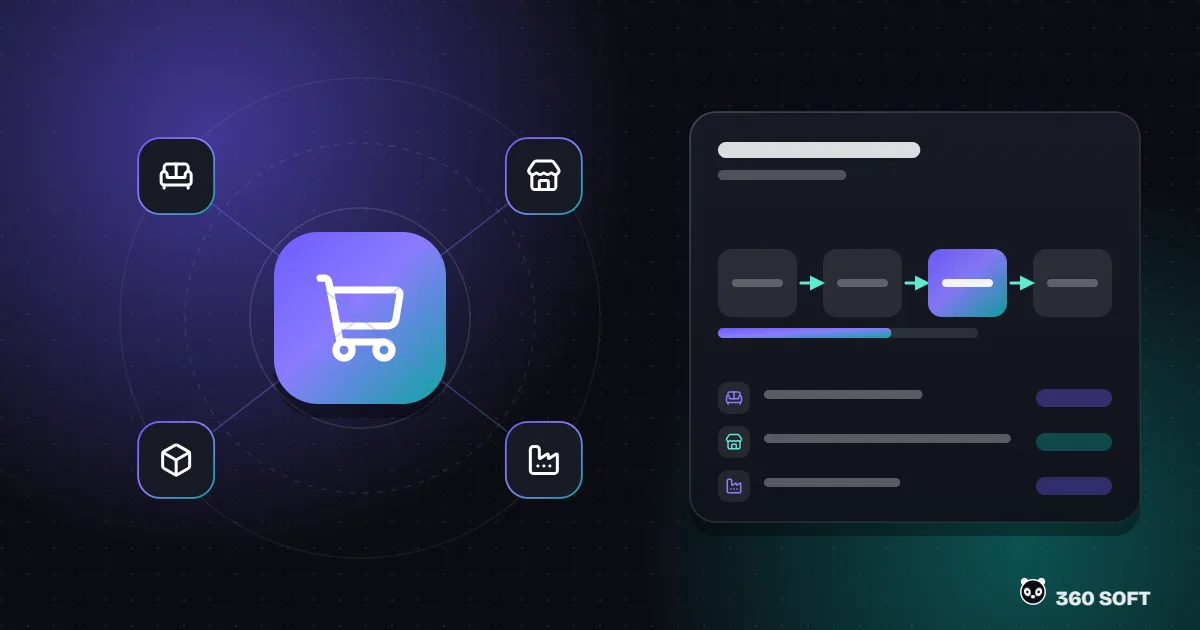
Dealer ordering system modules

Each module can be rolled out on its own; most manufacturers start with the portal and the configurator.

Dealer Portal

Separate users, permissions and price lists for every dealer. Catalogue, stock status, open orders, account balance and past orders on one screen.

Rule-Based Product Configurator

Choice of model, module, size, fabric, colour, legs and accessories. Incompatible options close automatically, and price and product code are generated instantly from the selection.

Fabric and Material Catalogue

Fabric groups, colour swatch images, the models each fabric can be used on and price differences are managed centrally.

Quote and Order Flow

Dealers can prepare a quote for their end customer first, then turn it into an order with one click once it is approved. See our quote and order management module for details.

Production Planning Integration

Approved orders are passed to your ERP or production planning system with their bill of materials and dimensions; cutting lists and material requirements are generated there.

Order Status Tracking

Production stages are reflected in the portal, and dealers receive an e-mail or WhatsApp notification whenever the status changes.

Shipping and Assembly Planning

Orders ready for dispatch are grouped by region and vehicle, and installation teams can be assigned to products that need assembly.

Dealer Performance Reports

Sales reports by dealer, model and fabric group show which combinations sell best and which ones get returned.

Your current method compared with a dealer portal - Dealer Ordering System for Furniture Manufacturers

Your current method compared with a dealer portal

Differences by process step; measurable gains vary from business to business.
Process Step By Phone / Excel With the Dealer Ordering System
Product selection The dealer looks at a catalogue PDF and writes a message Only compatible options appear in the configurator
Pricing The sales team calculates from an Excel list Automatic, with the dealer’s assigned list and discount
Order entry Retyped into the ERP system by hand Approved orders are passed to the ERP or production system
Technical detail Size and orientation stay buried in notes Product code and bill of materials fields are mandatory and structured
Status information The dealer calls the factory Visible in the portal, with a notification on every change
Reporting Compiled by hand at period end Real time, by dealer, model and fabric

The configurator and production integration

How is the product configurator built?

At the heart of the configurator is a rule table. For each model it defines which modules, which size ranges and which fabric groups can be used. The selections are combined according to a code template to produce a unique product variant code, and the price is calculated as the sum of the base price, the fabric group surcharge and any extra options, with the dealer’s discount applied. These rules are not hard-coded into the software; they are updated from the admin panel, so you do not need a developer when you add a new fabric swatch range.

There are two common ways to pass an order to production. If your ERP system has a variant product and bill of materials structure, the order is transferred to fit that structure through ERP integration. If not, the portal generates a production work order and material list linked to the order, and the cutting room and upholstery see that work order on a tablet or as a printout. Which route is chosen depends on your existing infrastructure.

An AI chatbot connected to the portal can also be added to answer dealers’ frequent questions, report fabric stock levels or share order status.

Implementation process - Dealer Ordering System for Furniture Manufacturers

Implementation process

Rules first, then screens; a rollout validated with pilot dealers.

01

Product and Rule Analysis

Together with your sales and production teams, we map out your model tree, fabric groups, compatibility rules and pricing logic.

02

Integration Plan

We agree how data will be exchanged with your ERP, accounting or production planning system, and which data flows in which direction.

03

Portal and Configurator Development

Dealer screens, the admin panel and the rule engine are developed, and your product data is imported.

04

Testing with Pilot Dealers

Testing runs on real orders with a few selected dealers, and screen and rule corrections are completed.

05

Launch to All Dealers and Support

Dealer users are activated and a short training guide is prepared; support continues for new models and rules.

Let us define the scope together

If you also want to sell online to end consumers, the same product structure can be connected to an e-commerce storefront; you can review the options on our e-commerce packages page. CRM software can also be added to the portal to manage dealer relationships alongside sales opportunities and visits.

Pricing: A fixed-price proposal tailored to your project, within 24 hours. Request a quote or call +90 850 335 10 87.

For products with many variations, such as a sofa set or a headboard, the dealer chooses the module, size, fabric, colour, legs and accessories step by step. The system only allows options that are compatible with each other, calculates the price from the dealer’s own price list and saves the order with a product code and bill of materials that production understands.

The dealer portal does not replace your ERP system; it talks to it. If the software you use offers a way to exchange data, such as an API, a database view or file transfer, customer accounts, stock, prices and orders are passed back and forth. We decide which method to use during the discovery phase, based on what your ERP vendor supports.

Yes. You can define price lists by dealer group, discounts by product group, campaign periods and specially negotiated prices. Each dealer only sees the prices assigned to them and the products opened to them.

If production keeps status information (cutting, sewing, upholstery, packing, dispatch and so on), those statuses are reflected in the portal. Each time the status changes, an e-mail or WhatsApp notification can be sent to the dealer automatically, so there are far fewer “where is my order?” phone calls.

Yes. In home textiles, curtains or upholstery fabric production, options such as metreage, pattern, width and sewing type are set up in the configurator with the same logic. Textile-specific steps such as sample requests and roll/batch tracking can be added to the scope.

The price depends on the range of products, the complexity of the configurator rules and the number of systems to be integrated. A fixed-price proposal tailored to your project is sent within 24 hours of the discovery call.

The next success story
is yours.

The first consultation is free. We prepare a tailored proposal within 24 hours.

Get a free quote