Mobile appMessaging & callsOriginal by Meta
Messenger uses a social network account instead of a phone number as identity, so you can easily chat with friends whose numbers you do not know. Fun interactions such as reactions, themes, watching together and games keep conversations lively. For businesses it is a customer service channel where they can talk instantly to visitors of their social pages and run sales and support in one screen.
Building something similar takes an identity system or an existing social platform, a real-time messaging and calling infrastructure, and mobile and web clients. On top come message requests and filtering, reactions and themes, a business inbox and bot platform, watch-together and video call effects. Spam and harassment protection for messages from strangers must be part of the product from day one.
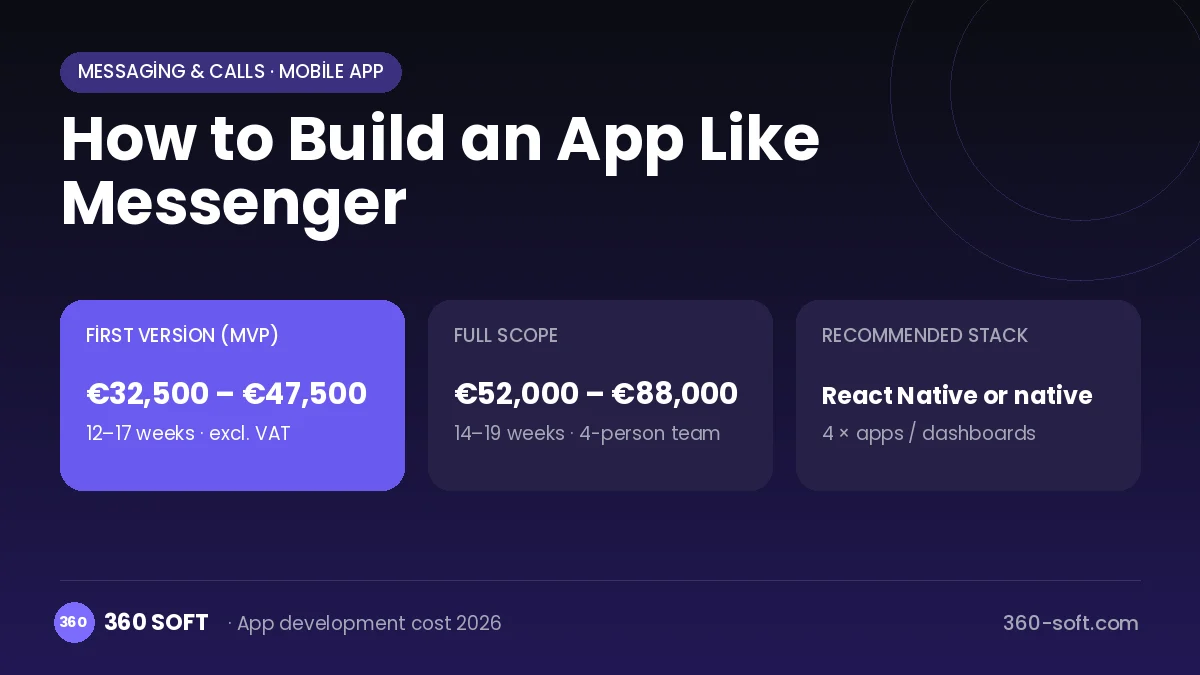
How Messenger works: the core user flow
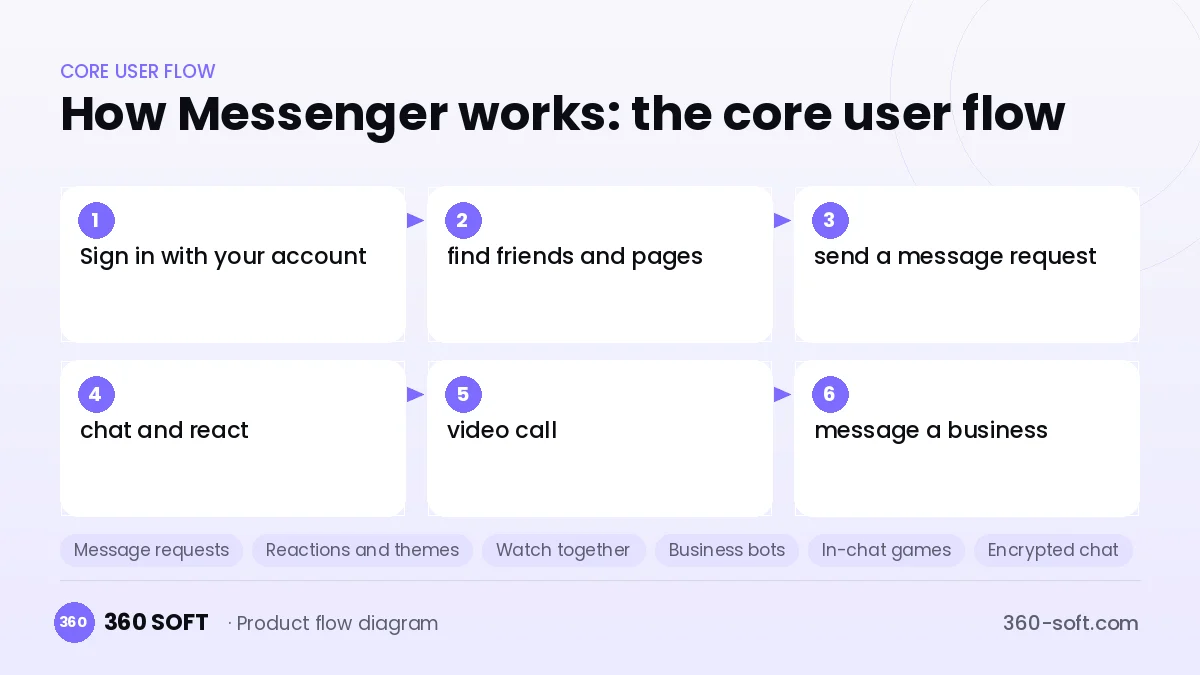
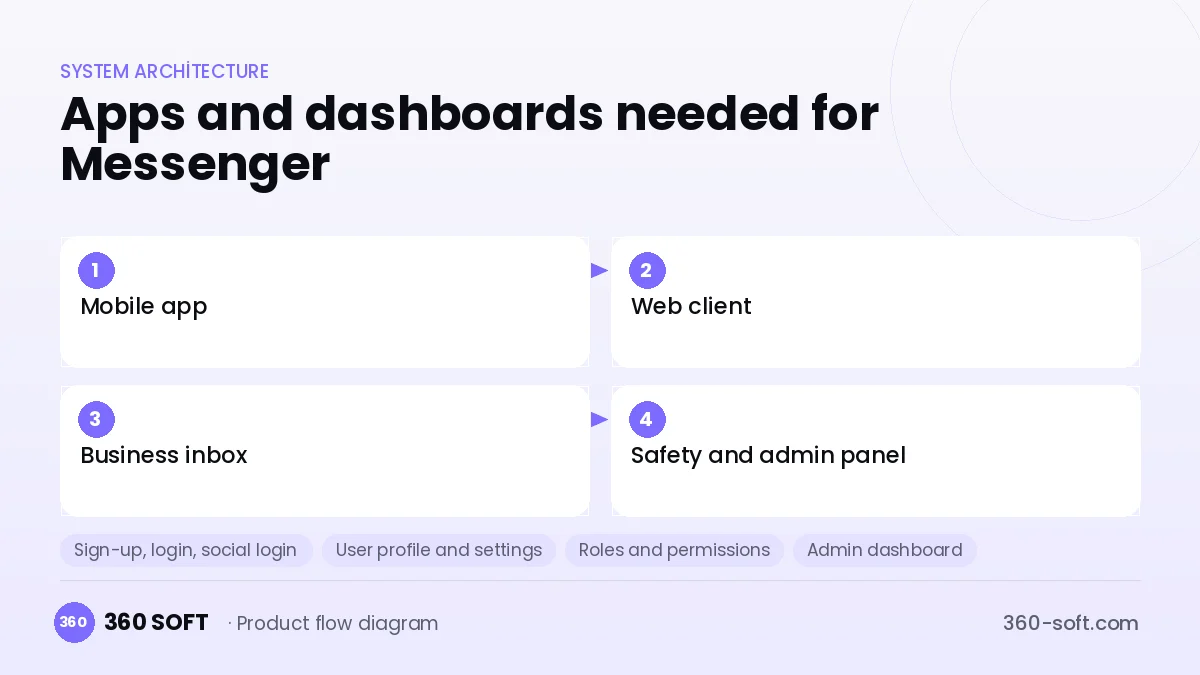
How many apps and dashboards do you need?
Mobile app
The user app for chatting with friends, calling and messaging businesses.
Web client
The web interface integrated with the social platform that reaches the same chats from a browser.
Business inbox
The panel where businesses reply to customer messages and set up saved replies and bots.
Safety and admin panel
The internal panel that reviews spam, harassment and fake account reports.
Critical features of a product like Messenger
Message requests
Messages from strangers land in a separate folder, and no read receipt is sent until they are accepted.
Reactions and themes
Messages get emoji reactions, and each chat can have its own colour theme and custom emoji.
Watch together
During a video call, video or a screen is watched and shared together.
Business bots
Order status, appointments and frequently asked questions are answered by automated flows.
In-chat games
Instant mini games between friends open from the chat window.
Encrypted chat
End-to-end encryption and a disappearing message option are offered in one-to-one chats.
What goes into the first version, what comes later
First version (MVP)
- Account sign-in and friends list
- One-to-one and group messaging
- Message requests and blocking
- Reactions, photos and voice notes
- Voice and video calls
Later releases
- Business inbox and bots
- Watch together and screen sharing
- In-chat games
- Web and desktop client
Modules and how the budget is calculated
The budget is calculated with 360 SOFT’s pricing model from the modules below, about 30 screens and the project’s complexity: roughly 198 person-days for the full scope and 125 person-days for the first version. Every module you drop lowers the budget directly.
| Module | Phase |
|---|---|
| Sign-up, login, social login | First version |
| User profile and settings | First version |
| Roles and permissions | First version |
| Admin dashboard | First version |
| Real-time messaging | First version |
| Push notifications | First version |
| File, photo, video upload | First version |
| Video / voice calls | First version |
| GDPR and security hardening | First version |
| Third-party API integration | First version |
| AI features (LLM, RAG, recommendations) | Later release |
| Email / SMS notifications | First version |
Hosting, SMS, map APIs, app store accounts and payment-provider fees are separate items. Maintenance and improvements (optional): €650 / month. We send a fixed written price within 24 hours after a free discovery call.
The hard parts
Identity and network
Without a friend graph it is hard for people to find each other, so you need an existing community or platform.
Harassment and spam
Reaching people without a phone number raises the risk of unwanted messages from strangers, so filtering and reporting are essential.
Bot quality
Badly designed business bots annoy customers, so a handoff to a human agent must always be there.
Business model
In a messaging product that is free to users, revenue comes from the business side: ads that click through to a chat, a business messaging API and a subscription for advanced inbox tools. Ads and in-app purchases in in-chat games, and sponsored themes and stickers for brands, can also become extra revenue over time.
Get a free quote for your project
Let us scope it together and send a fixed written quote within 24 hours. NDA on request; you own the source code.
Choosing a company to build an app like Messenger
Most people searching “build an app like messenger” are really looking for a reliable app development company. When comparing quotes, check four things:
- Can you try similar products they have shipped, in the stores or live?
- Are the source code, design files, servers and store accounts transferred to you by contract?
- Do they show a working demo every two weeks, with written scope and acceptance criteria?
- Are maintenance, scaling and GDPR/security costs written into the quote?
Copyright and trademarks
A business model and features are generally not protected on their own, but the Messenger name, logo, interface design, content and source code are. That is why we build a product with similar functionality but your own brand, design and code. This is not legal advice; we recommend a trademark search before launch.
Frequently asked questions
How long does it take to build an app like Messenger?
A first version with messaging, message requests and calls takes a few months. The business inbox and bot platform are added in the second phase.
Can I add messaging to my existing platform?
Yes; adding user-to-user messaging to a marketplace, community or classifieds site is a very common need. Existing user accounts serve as the identity, and the network effect is already there.
Will there be copyright or trademark issues?
The messaging business model and its features are generally free to use, but the name, logo, design and code cannot be copied. This is general information, not legal advice.
What should I look for when choosing a company to build an app like Messenger?
Ask about real-time messaging, WebRTC and bot integration experience, and be sure to ask how they approach spam and harassment prevention.