Mobile appVideo, music & mediaOriginal by Netflix
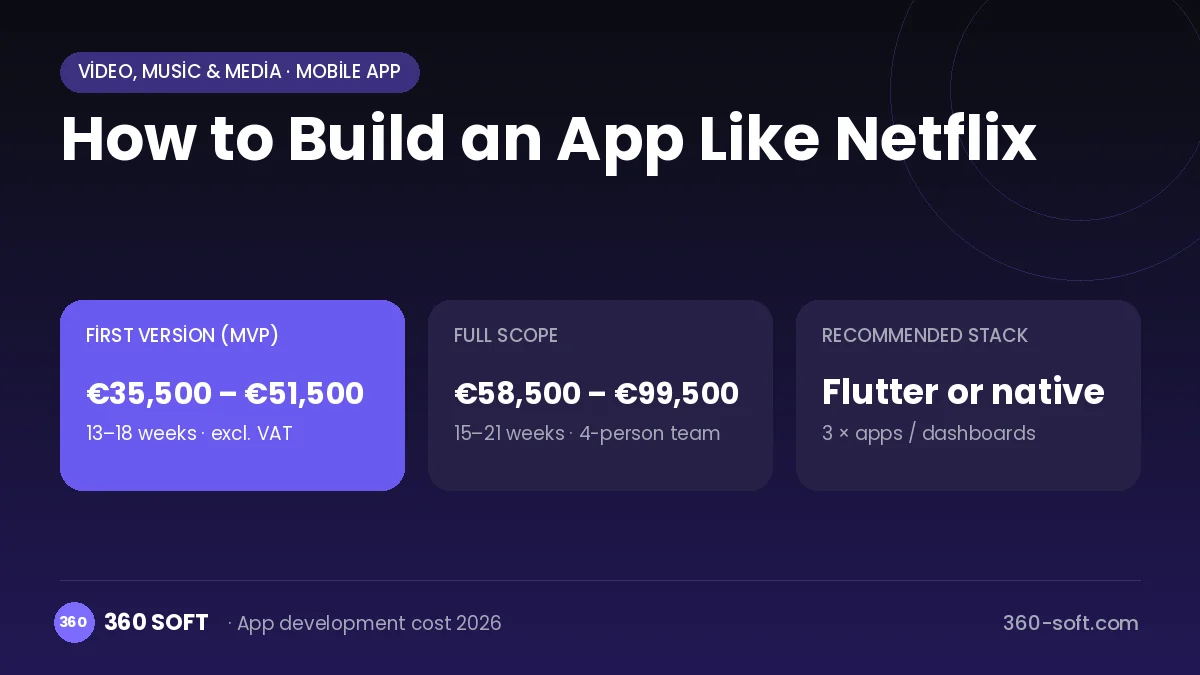
Netflix turned the habit of watching television into watching whatever you want, whenever you want, for a monthly subscription. Users get an ad-free, uninterrupted experience that picks up where they left off on every device. A personalised home page, thumbnails tailored to each profile and an automatic "next episode" play increase watch time. The real competitive advantage, though, is the combination of the technology with a strong content library and original productions.
To build something similar you need a video pipeline that protects content with DRM, adaptive streaming with multiple qualities and languages, and apps for iOS, Android, web, smart TVs and set-top boxes. A subscription and billing system, profiles and parental controls, a recommendation engine and a concurrent device limit are the core of the product. A content management panel that handles metadata, subtitles and the release calendar for the content team is also essential.
How Netflix works: the core user flow
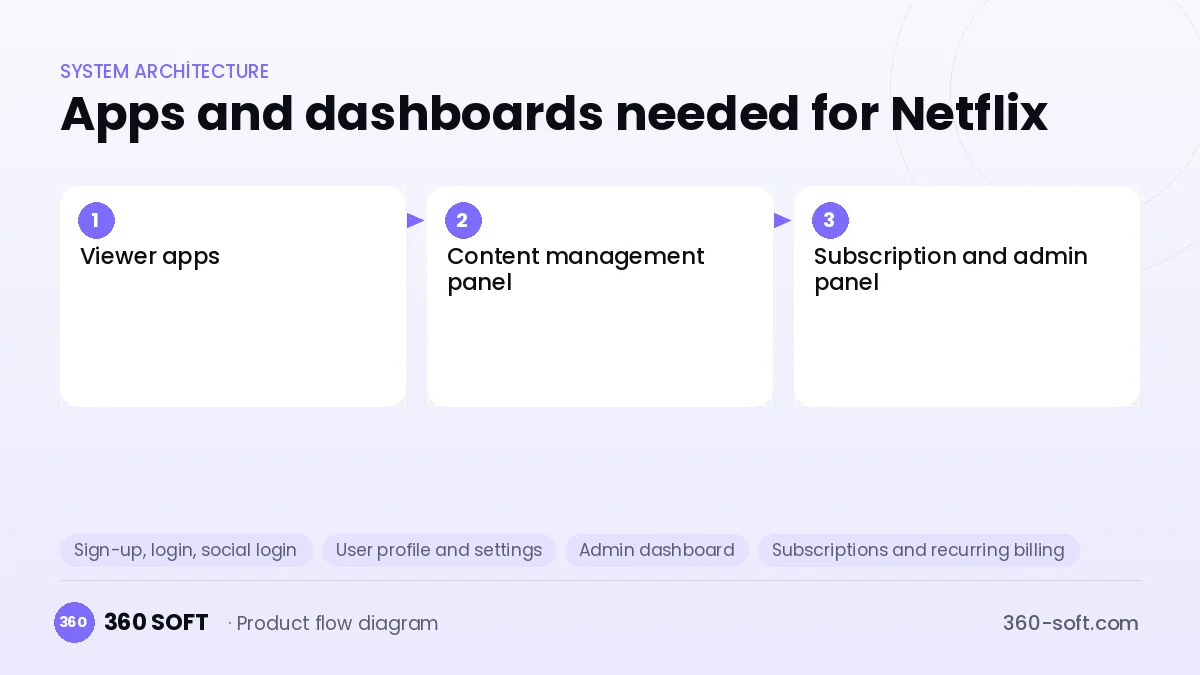
How many apps and dashboards do you need?
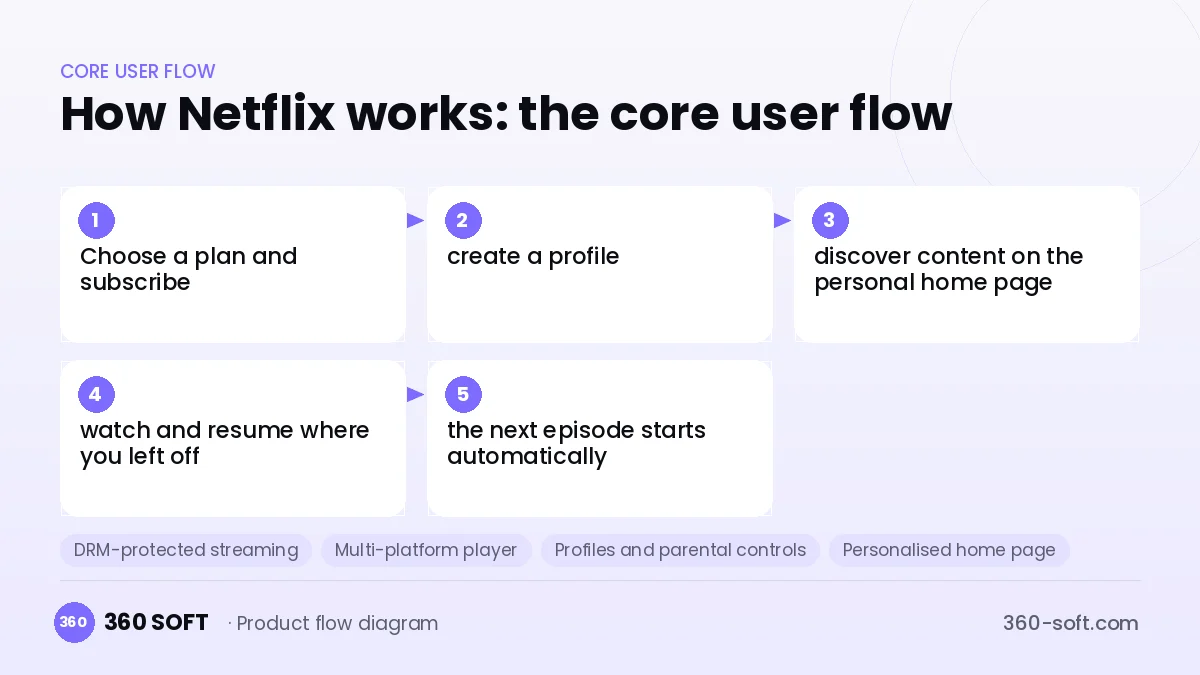
Viewer apps
Subscribers discover, watch and download content on iOS, Android, web and smart TV apps.
Content management panel
The content team manages films and series, episodes, subtitles and dubbing, age ratings and release dates.
Subscription and admin panel
The team manages plans, promotions, payment issues, device limits and viewing reports.
Critical features of a product like Netflix
DRM-protected streaming
Content encrypted with Widevine, FairPlay and PlayReady plays only on authorised devices; screen recording and copying are made harder.
Multi-platform player
An adaptive-streaming player for mobile, web, Android TV, Apple TV, Tizen and webOS, with a shared resume-where-you-left-off sync.
Profiles and parental controls
Multiple profiles in one account; restrictions by age rating and a PIN lock on kids' profiles.
Personalised home page
Rows and their order are generated per person from watch history; even thumbnails can change according to a profile's interests.
Offline downloads
Subscribers download content to their device in encrypted form; the licence duration and download limit are managed from the server.
Concurrent device control
The number of screens that can watch at once is enforced by plan; account sharing rules are applied using device and location signals.
What goes into the first version, what comes later
First version (MVP)
- Subscription plans and recurring payments through Stripe
- DRM-protected HLS/DASH streaming and mobile and web players
- A content management panel: films, series, episodes and subtitles
- Profiles, watch history and resume where you left off
- A home page with categories, search and featured content
Later releases
- Smart TV and set-top box apps
- A personalised recommendation engine
- Offline downloads
- A lower-priced ad-supported subscription plan
Modules and how the budget is calculated
The budget is calculated with 360 SOFT’s pricing model from the modules below, about 32 screens and the project’s complexity: roughly 224 person-days for the full scope and 136 person-days for the first version. Every module you drop lowers the budget directly.
| Module | Phase |
|---|---|
| Sign-up, login, social login | First version |
| User profile and settings | First version |
| Admin dashboard | First version |
| Subscriptions and recurring billing | First version |
| Online payments (Stripe / PSP) | First version |
| Video / voice calls | First version |
| File, photo, video upload | First version |
| Advanced search and filters | First version |
| Offline mode and sync | Later release |
| Multi-language | First version |
| Push notifications | First version |
| Content management / blog | First version |
| GDPR and security hardening | First version |
| AI features (LLM, RAG, recommendations) | Later release |
| E-invoicing | First version |
Hosting, SMS, map APIs, app store accounts and payment-provider fees are separate items. Maintenance and improvements (optional): €750 / month. We send a fixed written price within 24 hours after a free discovery call.
The hard parts
DRM and content licences
Studios require specific DRM and security levels in content licences; correct DRM integration and a licence server must be set up for every platform.
Multi-device fragmentation
Different TV brands and operating systems each call for a separate app and testing process; keeping player behaviour consistent across all devices is a serious workload.
Billing and subscription management
In recurring payments, failed charges, card updates, store subscriptions and VAT invoicing cause revenue loss if they are not handled carefully.
Business model
The model rests on monthly subscription plans offering different resolutions and numbers of simultaneous screens. A lower-priced ad-supported plan wins price-sensitive users. For extra revenue you can use fees for extra members outside the household, annual plan discounts and bundle sales through carrier or bank partnerships. Content cost should be planned as the biggest expense item.
Get a free quote for your project
Let us scope it together and send a fixed written quote within 24 hours. NDA on request; you own the source code.
Choosing a company to build an app like Netflix
Most people searching “build an app like netflix” are really looking for a reliable app development company. When comparing quotes, check four things:
- Can you try similar products they have shipped, in the stores or live?
- Are the source code, design files, servers and store accounts transferred to you by contract?
- Do they show a working demo every two weeks, with written scope and acceptance criteria?
- Are maintenance, scaling and GDPR/security costs written into the quote?
Copyright and trademarks
A business model and features are generally not protected on their own, but the Netflix name, logo, interface design, content and source code are. That is why we build a product with similar functionality but your own brand, design and code. This is not legal advice; we recommend a trademark search before launch.
Frequently asked questions
How long does it take to build an app like Netflix?
A first version made up of subscriptions, a DRM-protected player, mobile and web apps and a content panel can be ready within a few months. Smart TV apps and the recommendation engine are added in separate phases.
Which devices need an app?
For the first release iOS, Android and web are enough. Since a large share of viewers watch on a television, Android TV, Apple TV and popular smart TV operating systems should be added to the roadmap quickly.
Could there be copyright or trademark problems?
The subscription video business model and general features are free to implement. The name, logo, interface design and code cannot be copied; a licence must be obtained from the rights holder for every piece of content you publish. This is not legal advice.
What should I look for when choosing a company to build an app like Netflix?
Choose a team with live projects in DRM integration, multi-platform players and subscription billing. Ask separately about their testing process for TV apps.