Mobile appEducation & e-learningOriginal by Babbel
Babbel approaches language learning through real-life conversations rather than games. Lessons are prepared with the learner's native language in mind, and dialogues built around situations such as a holiday, a job interview or moving abroad are combined with grammar explanations. A short but well-organised curriculum offers adult learners the promise of "start speaking quickly" and targets an audience that is ready to pay.
Building something similar requires a curriculum management system customised for each native-language and target-language pair, dialogue and grammar exercises, speech recognition, spaced repetition and progress reports. Alongside the mobile and web app, you can add booking, a video classroom and payments for live online lessons with teachers. A strong editor panel for the content team is the backbone of the project.

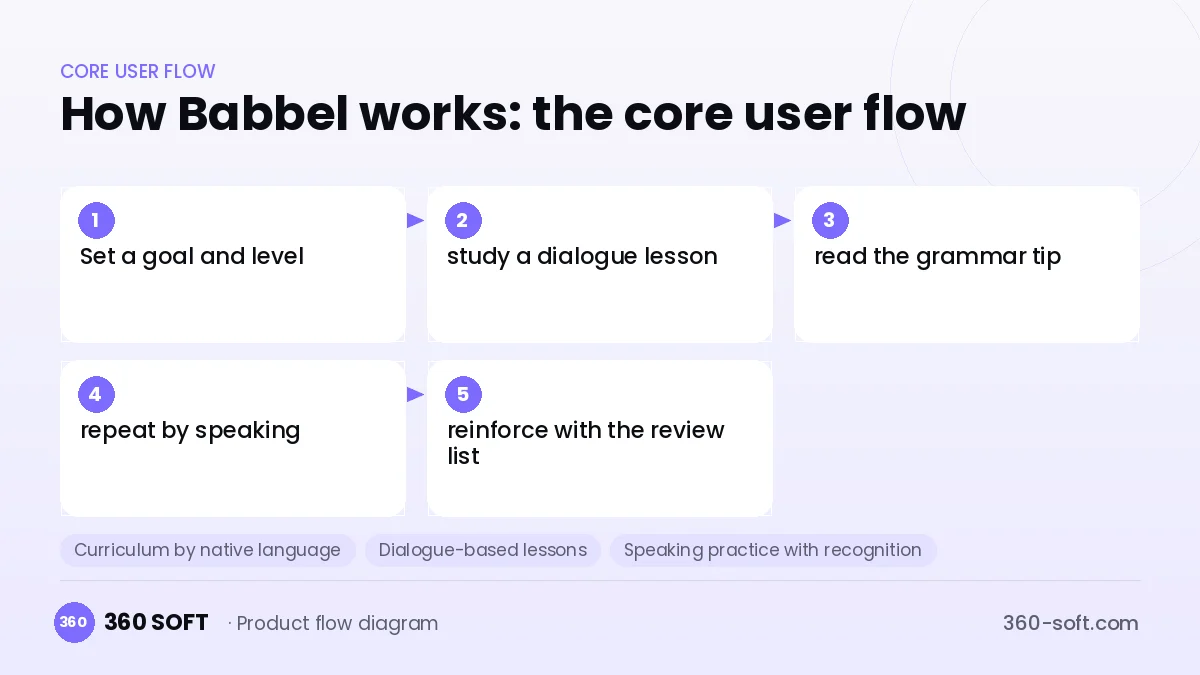
How Babbel works: the core user flow
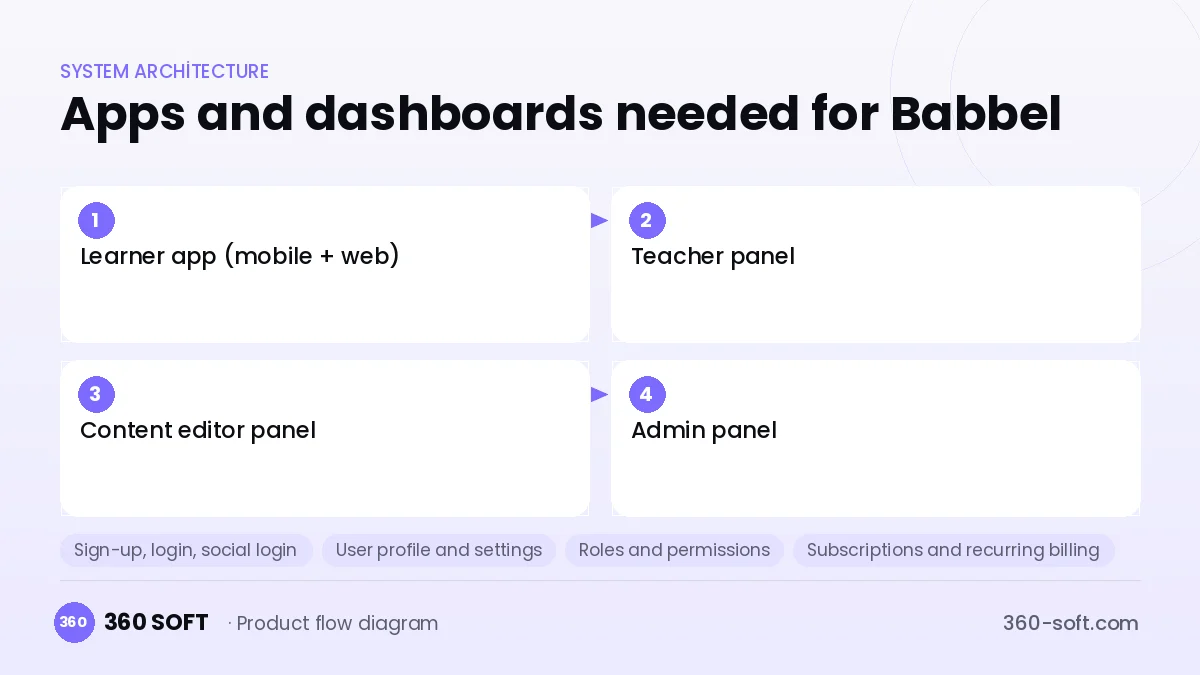
How many apps and dashboards do you need?
Learner app (mobile + web)
The app where users follow lessons, practise speaking and see their progress.
Teacher panel
An instructor interface for managing the live lesson calendar, participants and lesson materials.
Content editor panel
A panel where the curriculum team prepares lessons, dialogues, audio and exercises for each language pair.
Admin panel
A panel for managing subscriptions, corporate licences, campaigns and learning reports.
Critical features of a product like Babbel
Curriculum by native language
The same target language is prepared with different explanations and examples for speakers of different native languages.
Dialogue-based lessons
Conversations based on real situations are heard with audio, and users repeat them by taking a role.
Speaking practice with recognition
Pronunciation is assessed instantly; users record themselves and compare with a native speaker.
Smart review manager
Learned words are reviewed at intervals in flashcard, listening and writing modes.
Live online classes
A calendar, booking and in-browser video classroom are provided for small-group lessons.
Corporate licences
Companies buy bulk licences for employees, and managers follow progress reports.
What goes into the first version, what comes later
First version (MVP)
- Levelled curriculum for one language pair
- Dialogue, vocabulary and grammar exercises
- Spaced-repetition review list
- Content editor panel
- Monthly / yearly subscription (Stripe or in-app purchase)
Later releases
- Live group classes and a teacher panel
- Pronunciation score with speech recognition
- Corporate licences and reporting
- Podcast and short story content
Modules and how the budget is calculated
The budget is calculated with 360 SOFT’s pricing model from the modules below, about 30 screens and the project’s complexity: roughly 170 person-days for the full scope and 120 person-days for the first version. Every module you drop lowers the budget directly.
| Module | Phase |
|---|---|
| Sign-up, login, social login | First version |
| User profile and settings | First version |
| Roles and permissions | First version |
| Subscriptions and recurring billing | First version |
| Online payments (Stripe / PSP) | First version |
| Booking / reservations | First version |
| Video / voice calls | First version |
| File, photo, video upload | First version |
| Push notifications | First version |
| Content management / blog | First version |
| Reporting and analytics | Later release |
| Admin dashboard | First version |
| Multi-language | First version |
Hosting, SMS, map APIs, app store accounts and payment-provider fees are separate items. Maintenance and improvements (optional): €600 / month. We send a fixed written price within 24 hours after a free discovery call.
The hard parts
Language-pair-specific content
Writing separate explanations for every native language multiplies content costs; a templated editor and a translation workflow are needed.
Live class operations
Finding teachers, time zones, cancellation rules and lesson quality control call for a separate operations team.
Payments and refund rules
Keeping prices and refund policies consistent between in-app purchases and web payments is difficult.
Business model
In Babbel-style products the main revenue is the subscription itself; the free tier is limited to the first lessons and users hit a paywall after a few of them. Longer-term plans are offered at a discount. Live group classes can be sold as a separate, higher-priced product, and per-seat corporate licences for companies are an important B2B channel.
Get a free quote for your project
Let us scope it together and send a fixed written quote within 24 hours. NDA on request; you own the source code.
Choosing a company to build an app like Babbel
Most people searching “build an app like babbel” are really looking for a reliable app development company. When comparing quotes, check four things:
- Can you try similar products they have shipped, in the stores or live?
- Are the source code, design files, servers and store accounts transferred to you by contract?
- Do they show a working demo every two weeks, with written scope and acceptance criteria?
- Are maintenance, scaling and GDPR/security costs written into the quote?
Copyright and trademarks
A business model and features are generally not protected on their own, but the Babbel name, logo, interface design, content and source code are. That is why we build a product with similar functionality but your own brand, design and code. This is not legal advice; we recommend a trademark search before launch.
Frequently asked questions
How long does it take to build an app like Babbel?
A first version with a single language pair and subscription infrastructure can ship in a few months. Scope and timeline grow as live classes and corporate licences are added.
How many separate applications are needed?
The learner app, content editor panel and admin panel are the base structure. Once live classes are added, a teacher panel is needed too.
Are there copyright or trademark issues?
Dialogue-focused language teaching and the subscription model are free to use. The name, logo, interface, lesson texts, audio recordings and code cannot be copied; this information is not legal advice.
Who should prepare the content?
The software team builds the infrastructure, but the curriculum should be prepared by language-teaching experts. If the content editor is well designed, experts can add lessons without technical knowledge.