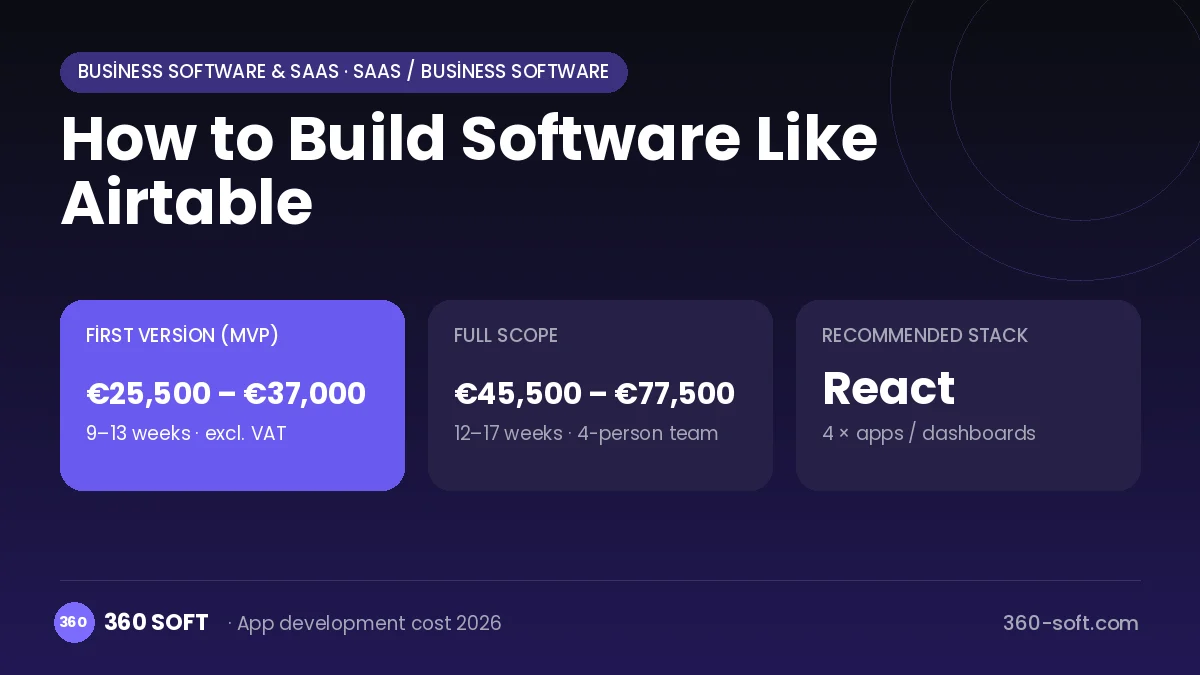
SaaS / business softwareBusiness software & SaaSOriginal by Airtable
Airtable combined the familiar look of a spreadsheet with the power of a relational database. The user adds rows and columns as in Excel, but a column can be an attachment, a select list, a linked record or a formula. So a content calendar, an inventory list, event management or a small CRM can be set up in a few hours without a developer, and teams build their own business apps themselves.
To build something similar you need a database engine whose schema the user defines: typed fields, links between tables, formula and rollup calculations, grid, gallery, Kanban, calendar and form views, real-time collaborative editing, automations, a no-code interface builder, a REST API and a permission system. A well-designed query layer is a must for fast filtering and sorting on large tables.
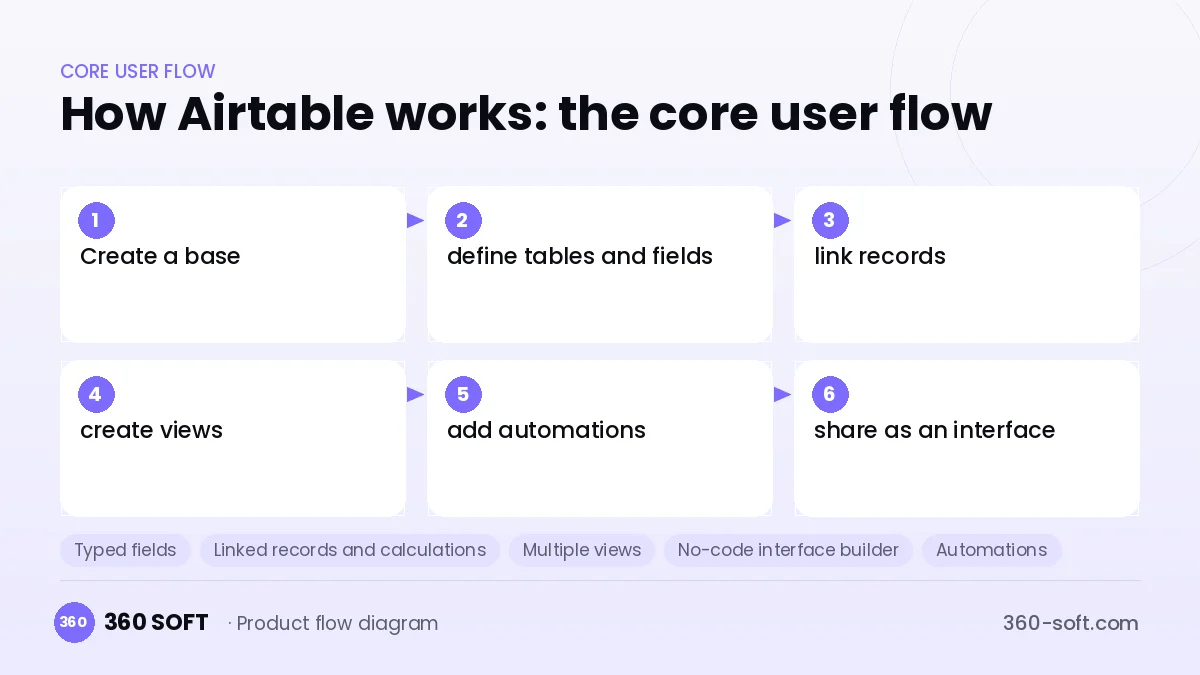
How Airtable works: the core user flow
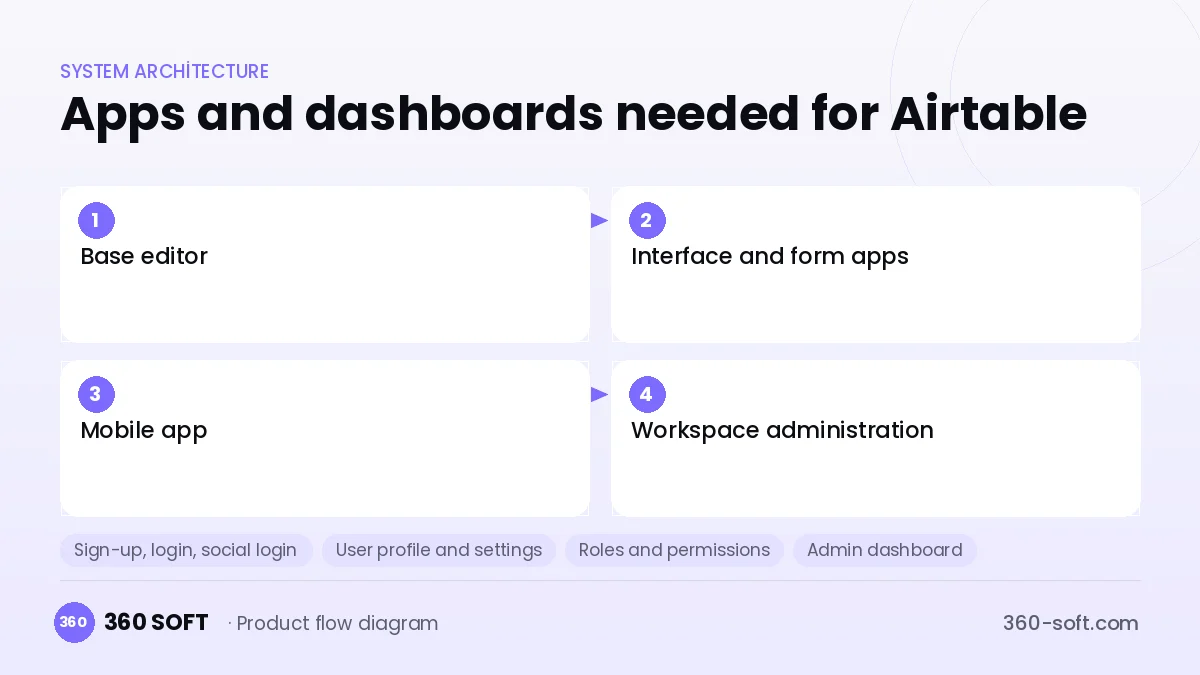
How many apps and dashboards do you need?
Base editor
The main web app where the user builds tables, fields, views and automations.
Interface and form apps
No-code screens built on top of a base, where end users see only the data they are authorised to see.
Mobile app
A client for adding records in the field, uploading photos and reviewing views.
Workspace administration
The panel that manages users, sharing permissions, API keys and the subscription.
Critical features of a product like Airtable
Typed fields
Field types such as text, number, currency, date, select, attachment, checkbox, person and barcode, with validation rules.
Linked records and calculations
Relations between tables, lookup and rollup fields and a formula engine give a relational model with spreadsheet ease.
Multiple views
The same table as grid, Kanban, gallery, calendar, Gantt and form, each view saved with its own filter and sort.
No-code interface builder
Dashboards, record detail pages and approval screens are designed on top of table data by drag and drop.
Automations
Sending an email, a notification, updating a record or running a script when a record is created or a field changes.
API and sync
An automatic REST API for every base, plus one-way data sync from other tables or external sources.
What goes into the first version, what comes later
First version (MVP)
- Bases, tables and typed fields
- A grid view with filtering, sorting and grouping
- Linked records and basic formulas
- Form and Kanban views
- Sharing, roles and an automatic REST API
Later releases
- Rollup, lookup and advanced formula functions
- Automations and scripting support
- A no-code interface builder
- A mobile app, synced tables and AI fields
Modules and how the budget is calculated
The budget is calculated with 360 SOFT’s pricing model from the modules below, about 30 screens and the project’s complexity: roughly 175 person-days for the full scope and 98 person-days for the first version. Every module you drop lowers the budget directly.
| Module | Phase |
|---|---|
| Sign-up, login, social login | First version |
| User profile and settings | First version |
| Roles and permissions | First version |
| Admin dashboard | First version |
| Subscriptions and recurring billing | First version |
| File, photo, video upload | First version |
| Advanced search and filters | First version |
| Reporting and analytics | Later release |
| Email / SMS notifications | First version |
| Third-party API integration | First version |
| Barcode / RFID / handheld | Later release |
| AI features (LLM, RAG, recommendations) | Later release |
Hosting, SMS, map APIs, app store accounts and payment-provider fees are separate items. Maintenance and improvements (optional): €600 / month. We send a fixed written price within 24 hours after a free discovery call.
The hard parts
Dynamic schema performance
With user-defined fields and relations, keeping filtering, sorting and formula calculation fast on large tables is difficult.
The formula dependency graph
When a cell changes, every dependent formula and rollup field has to be recalculated quickly and in the right order.
Real-time collaborative editing
Consistent sync at row and cell level must be provided between users editing the same table.
Business model
Freemium plus a per-seat subscription fits: the free plan limits record count, attachment space and automation runs. Higher plans offer more records, version history, the interface builder and advanced permissions. The enterprise plan adds administration, auditing and data residency, and AI fields can be priced with separate credits.
Get a free quote for your project
Let us scope it together and send a fixed written quote within 24 hours. NDA on request; you own the source code.
Choosing a company to build an app like Airtable
Most people searching “build software like airtable” are really looking for a reliable app development company. When comparing quotes, check four things:
- Can you try similar products they have shipped, in the stores or live?
- Are the source code, design files, servers and store accounts transferred to you by contract?
- Do they show a working demo every two weeks, with written scope and acceptance criteria?
- Are maintenance, scaling and GDPR/security costs written into the quote?
Copyright and trademarks
A business model and features are generally not protected on their own, but the Airtable name, logo, interface design, content and source code are. That is why we build a product with similar functionality but your own brand, design and code. This is not legal advice; we recommend a trademark search before launch.
Frequently asked questions
How long does it take to build software like Airtable?
A first release with tables, typed fields, linked records and a few views can be built in a few months. The interface builder, automation and mobile app come in later phases.
A no-code platform for our company, or a custom app?
In companies whose processes change often and have many small needs, an internal no-code platform is efficient. For a single, clear process, a custom app is faster and cheaper.
Will there be copyright or trademark problems?
The idea of a spreadsheet-style database is generally free to use; the name, logo, interface design and code cannot be copied. This is not legal advice.
What should I look for when choosing a company for this kind of software?
Choose a team strong in database design, query optimisation and real-time interfaces. Ask how performance testing with large tables will be done.