SaaS / business softwareBusiness software & SaaSOriginal by Calendly
Calendly's success comes from collapsing the "which day works for you?" email thread into a single link. The invitee sees open slots without signing up, picks one, and the meeting lands in both calendars instantly. Every shared link introduces the product to someone new, which creates a viral growth loop, while trust rests on double bookings simply never happening.
Building something similar takes a web app, public booking pages and a robust calendar sync engine. Two-way sync with Google, Outlook and iCloud calendars, time zone maths, round-robin rules for teams, reminder emails and video-meeting link generation all run in the back end. Subscription management and an admin console for enterprise customers complete the picture.
How Calendly works: the core user flow

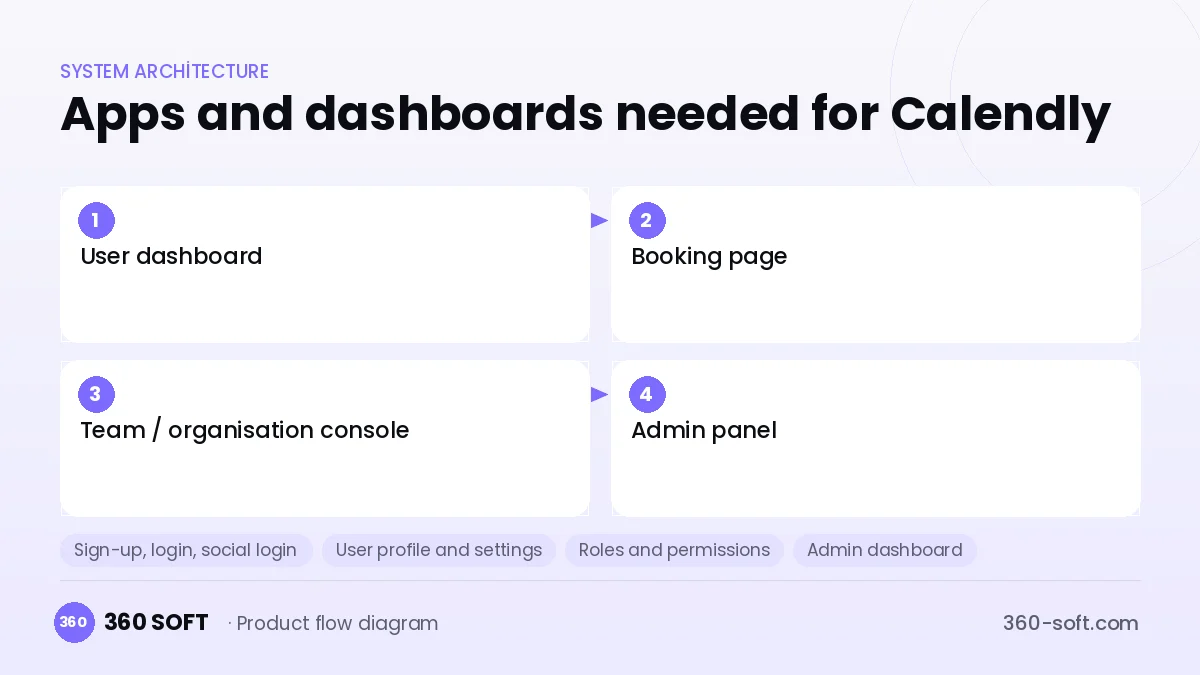
How many apps and dashboards do you need?
User dashboard
The web interface where the account owner manages meeting types, availability rules and integrations.
Booking page
The public page where invitees pick a time without signing up, fill in a form and pay if required.
Team / organisation console
The management screen where sales or support teams distribute meetings in rotation or by availability.
Admin panel
The internal panel that monitors subscriptions, billing, abuse and system health.
Critical features of a product like Calendly
Two-way calendar sync
Busy slots in connected calendars are read in real time and new meetings are written back; conflict checks complete in milliseconds.
Availability rules engine
Working hours, buffers between meetings, daily caps and minimum notice periods are all evaluated together.
Time zone handling
Slots are converted automatically to the invitee's location, with no drift across daylight saving changes.
Team distribution (round robin)
Incoming meetings are assigned to team members in turn, by equal load or by priority.
Video meeting integration
A Zoom, Google Meet or Teams link is generated for every booking and added to the invitation automatically.
Paid bookings
For paid sessions such as consulting, a deposit or full payment is collected at booking through Stripe or a similar provider.
What goes into the first version, what comes later
First version (MVP)
- Google and Outlook calendar connection
- Meeting types and availability settings
- Shareable booking link and page
- Email confirmations and reminders
- Free and paid subscription plans
Later releases
- Round-robin distribution within teams
- Paid bookings and invoicing
- CRM and Zapier-style integrations
- Embeddable website widget and analytics
Modules and how the budget is calculated
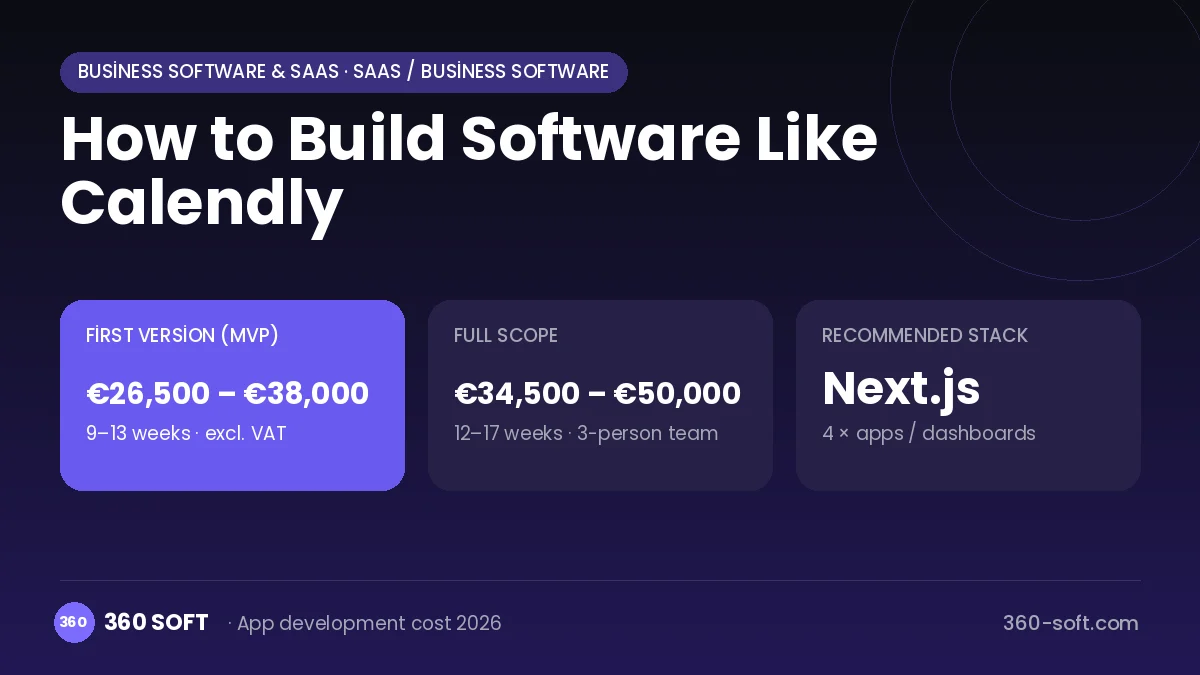
The budget is calculated with 360 SOFT’s pricing model from the modules below, about 22 screens and the project’s complexity: roughly 132 person-days for the full scope and 100 person-days for the first version. Every module you drop lowers the budget directly.
| Module | Phase |
|---|---|
| Sign-up, login, social login | First version |
| User profile and settings | First version |
| Roles and permissions | First version |
| Admin dashboard | First version |
| Booking / reservations | First version |
| Subscriptions and recurring billing | First version |
| Online payments (Stripe / PSP) | First version |
| Email / SMS notifications | First version |
| Multi-language | First version |
| Third-party API integration | First version |
| Reporting and analytics | Later release |
| GDPR and security hardening | First version |
Hosting, SMS, map APIs, app store accounts and payment-provider fees are separate items. Maintenance and improvements (optional): €450 / month. We send a fixed written price within 24 hours after a free discovery call.
The hard parts
Calendar API limits
If Google and Microsoft API quotas and webhook timings are not managed well, sync lags and the risk of double booking appears.
Concurrent bookings
When two people click the same slot at once, only one may win, which calls for locking and transactional integrity.
Time zone bugs
Users in different countries and daylight saving changes make this one of the hardest classes of bugs to test.
Business model
The best-fitting model is a freemium subscription: a free start with a single meeting type, then a monthly per-user fee for unlimited types, team distribution and integrations. Enterprise plans package SSO, advanced reporting and admin controls separately. A small transaction fee on paid bookings can add an extra revenue line.
Get a free quote for your project
Let us scope it together and send a fixed written quote within 24 hours. NDA on request; you own the source code.
Choosing a company to build an app like Calendly
Most people searching “build software like calendly” are really looking for a reliable app development company. When comparing quotes, check four things:
- Can you try similar products they have shipped, in the stores or live?
- Are the source code, design files, servers and store accounts transferred to you by contract?
- Do they show a working demo every two weeks, with written scope and acceptance criteria?
- Are maintenance, scaling and GDPR/security costs written into the quote?
Copyright and trademarks
A business model and features are generally not protected on their own, but the Calendly name, logo, interface design, content and source code are. That is why we build a product with similar functionality but your own brand, design and code. This is not legal advice; we recommend a trademark search before launch.
Frequently asked questions
How long does it take to build software like Calendly?
A first version with calendar connections, availability rules and a booking page is usually ready in a few months. Team distribution and an integration marketplace follow in later phases.
Is approval needed for calendar integrations?
Google and Microsoft may require verification and a security review from apps that access calendar data. Plan for this from the start and have your privacy policy ready.
Will there be copyright or trademark issues?
The scheduling business model and its features are generally free to use, but the name, logo, interface design, copy and code cannot be copied. This is general information, not legal advice.
What should I look for when choosing a company to build software like Calendly?
Ask about prior work with calendar APIs and time zone logic, how they run concurrency tests, and their experience building SaaS subscription infrastructure.