Mobile appSocial media & communityOriginal by VSCO
VSCO stands out for filters that imitate the look of film photography and a calm sharing space without like-count pressure. Users give a photo a certain mood in a few taps and build a style of their own with fine adjustments. What makes the app valuable is its consistent, high-quality colour profiles and an environment where creators can express themselves without competition.
Building something similar takes an on-device image processing engine that runs fast: GPU-based filters, tone curves, colour balance and RAW support. Around it you build a content system to manage filter packs, the profile and gallery side, a discovery feed and premium tools unlocked by subscription. If video editing is planned, processing load and file sizes need separate planning.
How VSCO works: the core user flow

How many apps and dashboards do you need?
Mobile app
The app where users shoot and edit photos, apply filters and share to their gallery.
Profile web page
The public page that shows a user's chosen photos like a portfolio.
Admin panel
The panel that manages filter packs, subscriptions, featured content and reports.

Critical features of a product like VSCO
GPU-based filter engine
Filters apply instantly with a live preview, and saving at high resolution does not compromise quality.
Precision editing tools
Exposure, contrast, tone curve, skin tone, grain and fade are adjusted with sliders.
Saving recipes
Users save their own combination of settings and apply it to other photos in one tap.
RAW support
RAW files from professional cameras are processed, giving a wider editing range.
Like-free gallery
Profiles do not show like counts; discovery runs on editorial picks and interests.
Filter store
New filter packs are downloaded from the server, so packs unlocked by subscription need no app update.
What goes into the first version, what comes later
First version (MVP)
- Camera and gallery import
- Basic filter set and editing tools
- Saving setting recipes
- Profile and gallery sharing
- Filters unlocked by premium subscription
Later releases
- RAW file support
- Video editing
- Discovery feed and editorial collections
- Profile web page
Modules and how the budget is calculated
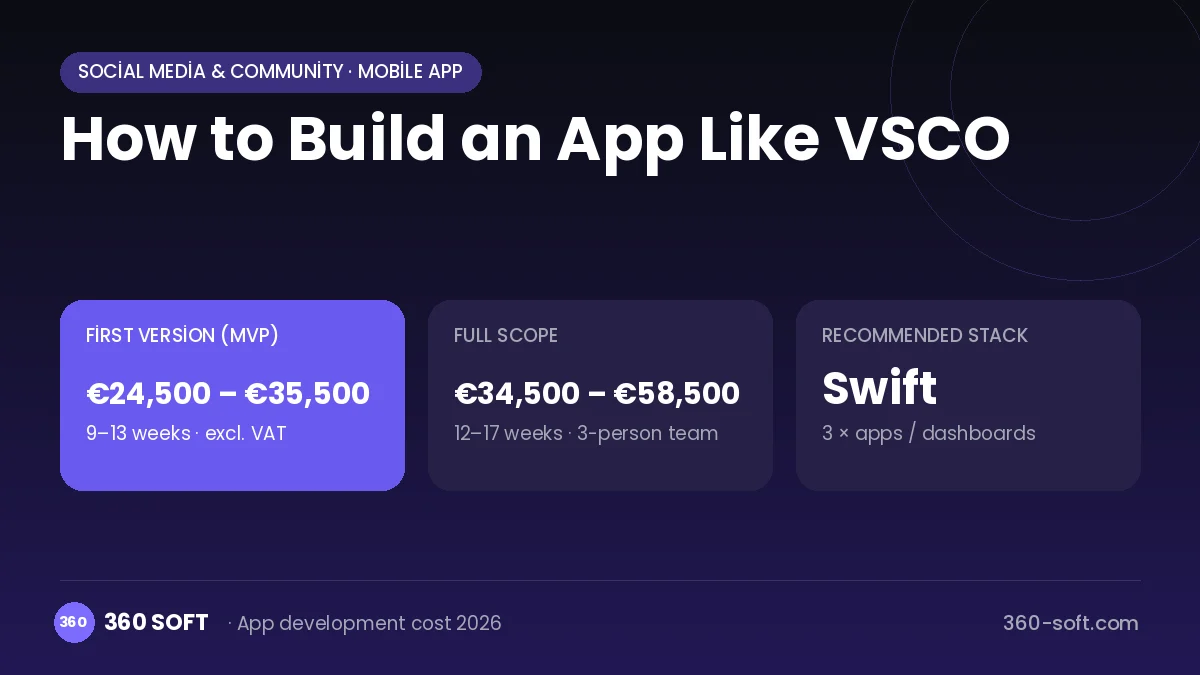
The budget is calculated with 360 SOFT’s pricing model from the modules below, about 18 screens and the project’s complexity: roughly 132 person-days for the full scope and 93 person-days for the first version. Every module you drop lowers the budget directly.
| Module | Phase |
|---|---|
| Sign-up, login, social login | First version |
| User profile and settings | First version |
| Admin dashboard | First version |
| File, photo, video upload | First version |
| Subscriptions and recurring billing | First version |
| Online payments (Stripe / PSP) | First version |
| Push notifications | First version |
| Content management / blog | First version |
| Offline mode and sync | Later release |
| Advanced search and filters | First version |
Hosting, SMS, map APIs, app store accounts and payment-provider fees are separate items. Maintenance and improvements (optional): €450 / month. We send a fixed written price within 24 hours after a free discovery call.
The hard parts
Colour consistency across devices
Colour management is needed so the same filter looks the same on different phone screens and cameras.
Performance and memory
Live preview on high-resolution photos can cause memory overflows on low-end phones.
Filter quality
Producing filters that make a difference takes colour science and photography expertise far more than engineering.
Business model
The best-fit model is a freemium subscription: basic filters and tools are free, while the wider filter library, advanced tools and video editing unlock with an annual subscription. In-app purchases follow store rules. Custom filter pack collaborations with brands and photographers can add extra income.
Get a free quote for your project
Let us scope it together and send a fixed written quote within 24 hours. NDA on request; you own the source code.
Choosing a company to build an app like VSCO
Most people searching “build an app like vsco” are really looking for a reliable app development company. When comparing quotes, check four things:
- Can you try similar products they have shipped, in the stores or live?
- Are the source code, design files, servers and store accounts transferred to you by contract?
- Do they show a working demo every two weeks, with written scope and acceptance criteria?
- Are maintenance, scaling and GDPR/security costs written into the quote?
Copyright and trademarks
A business model and features are generally not protected on their own, but the VSCO name, logo, interface design, content and source code are. That is why we build a product with similar functionality but your own brand, design and code. This is not legal advice; we recommend a trademark search before launch.
Frequently asked questions
How long does it take to build an app like VSCO?
A first version with basic filters, editing tools and a subscription can be ready in a few months. The colour quality of the filters and performance optimisation take the most time.
Is a cross-platform framework like Flutter enough?
It works for the interface, but real-time image processing needs access to native GPU layers such as Metal and OpenGL. That is why the core engine is mostly written natively.
Will there be copyright or trademark issues?
The photo editing business model is generally free to use, but the name, logo, design, filter names and code cannot be copied. This is general information, not legal advice.
What should I look for when choosing a company to build an app like VSCO?
Choose a team with GPU programming and image processing experience that has built subscription infrastructure, and ask for a test plan covering low-end devices.