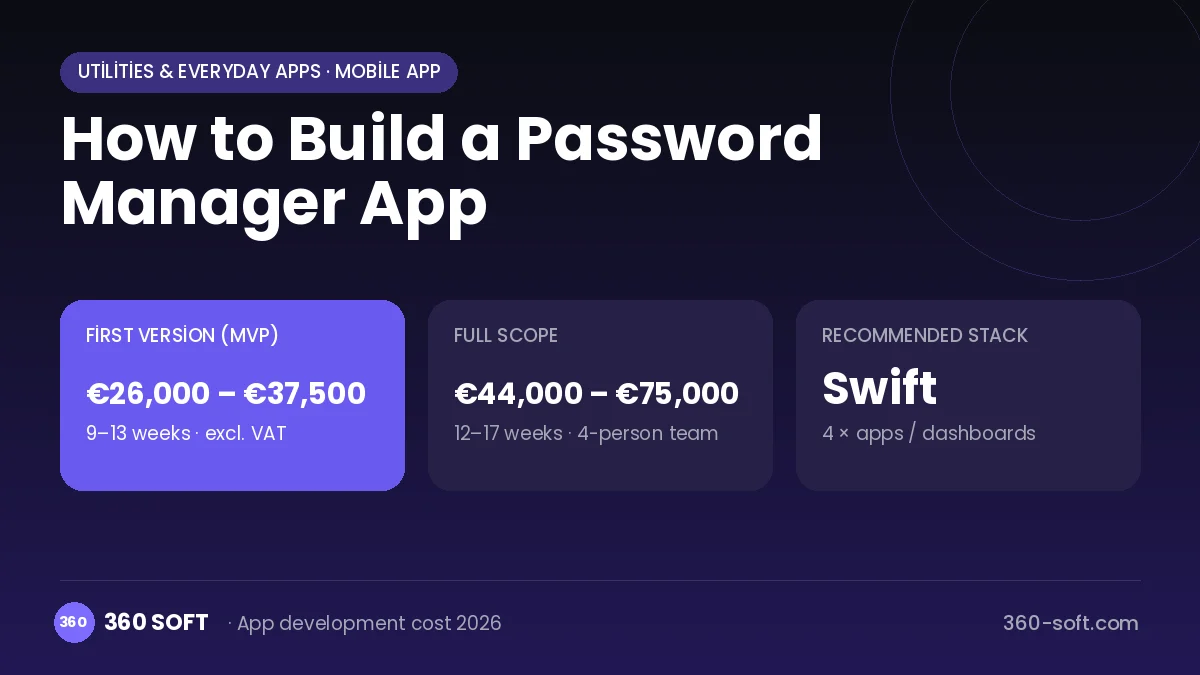
Mobile appUtilities & everyday apps
The value of 1Password-style password managers is that by remembering a single master password the user can safely use hundreds of unique, strong passwords. The app recognises login screens, suggests the right account and fills it in with one tap. Families and teams being able to share vaults, warnings about leaked passwords and two-factor codes kept in the same place put the product at the centre of a security habit.
To build something similar, above all you must design a zero-knowledge encryption architecture: data is encrypted on the device and the server stores only unreadable blobs. Mobile apps, browser extensions and desktop clients are integrated with the operating systems' autofill APIs. A public-key infrastructure for sharing, an account recovery design, an independent security audit and an enterprise admin panel are also part of the project.
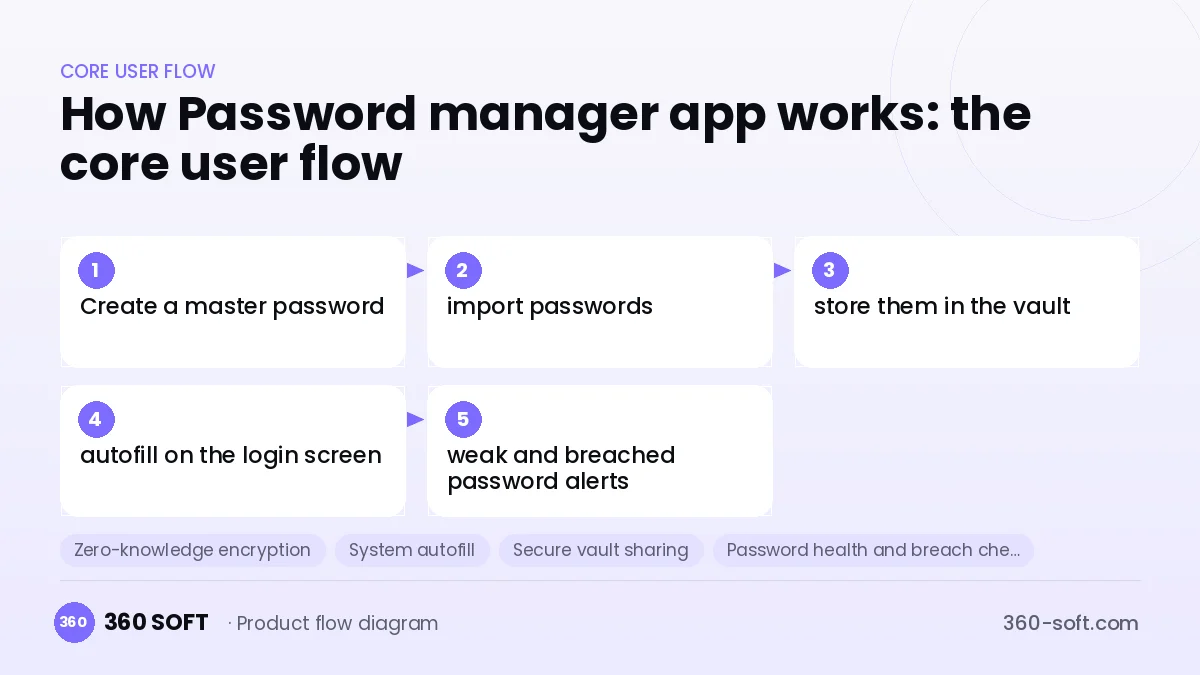
How Password manager app works: the core user flow
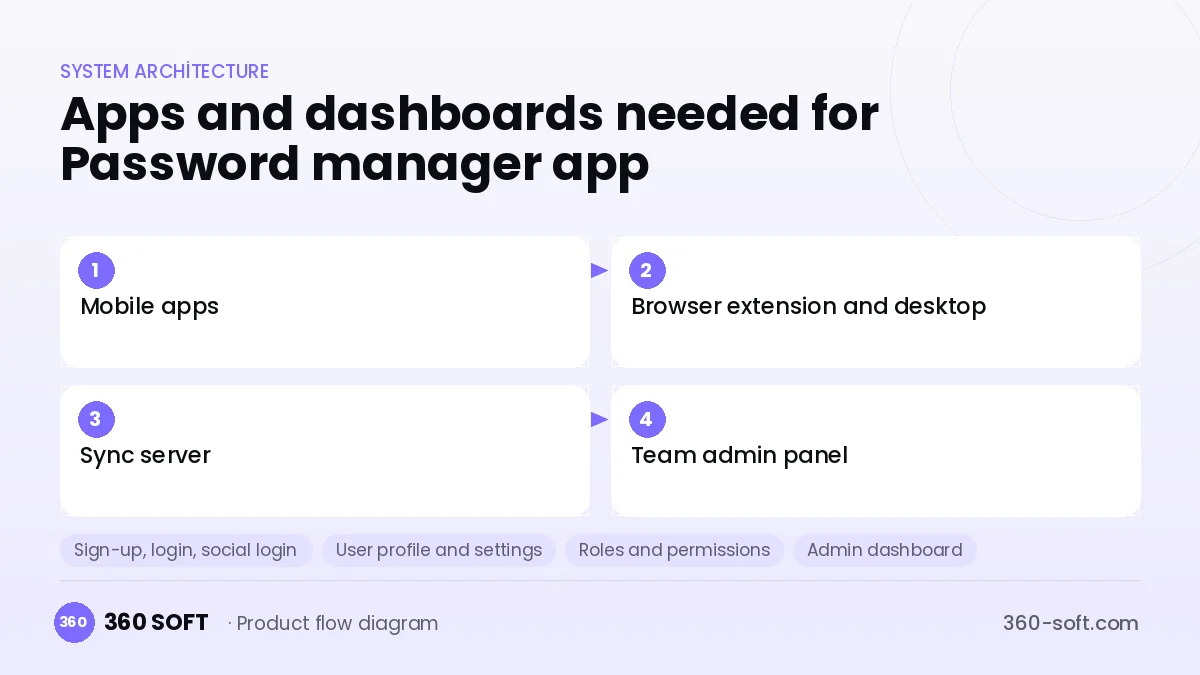
How many apps and dashboards do you need?
Mobile apps
Apps for iOS and Android that open the vault, work as an autofill service and offer biometric lock.
Browser extension and desktop
The extension and desktop clients that recognise and fill web forms and save new passwords.
Sync server
A backend that syncs the encrypted vault data between devices without being able to read its contents.
Team admin panel
The web console where companies manage users, shared vaults, access policies and audit logs.
Critical features of a product like Password manager app
Zero-knowledge encryption
Data is encrypted on the device with AES-256 using a key derived from the master password; the server cannot decrypt it.
System autofill
The right account is suggested in app and web logins through the iOS and Android autofill APIs.
Secure vault sharing
Specific vaults or items are shared with family and team members using public-key cryptography.
Password health and breach check
Weak, reused and previously breached passwords are detected using a privacy-preserving method.
Integrated 2FA codes
TOTP codes are stored in the vault and autofilled together with the password.
Emergency access and recovery
Delayed emergency access for a trusted contact and a recovery key reduce the risk of being locked out.
What goes into the first version, what comes later
First version (MVP)
- Master password and end-to-end encrypted vault
- iOS and Android autofill
- Password generator
- Import from other managers
- Biometric lock and cross-device sync
Later releases
- Browser extensions and desktop clients
- Family and team vault sharing
- Breach monitoring and password health report
- Passkey support and enterprise SSO
Modules and how the budget is calculated
The budget is calculated with 360 SOFT’s pricing model from the modules below, about 26 screens and the project’s complexity: roughly 169 person-days for the full scope and 99 person-days for the first version. Every module you drop lowers the budget directly.
| Module | Phase |
|---|---|
| Sign-up, login, social login | First version |
| User profile and settings | First version |
| Roles and permissions | First version |
| Admin dashboard | First version |
| GDPR and security hardening | First version |
| Subscriptions and recurring billing | First version |
| Offline mode and sync | Later release |
| Email / SMS notifications | First version |
| Reporting and analytics | Later release |
| Third-party API integration | First version |
| Multi-language | First version |
Hosting, SMS, map APIs, app store accounts and payment-provider fees are separate items. Maintenance and improvements (optional): €550 / month. We send a fixed written price within 24 hours after a free discovery call.
The hard parts
Cryptographic correctness
A single design flaw in key derivation, encryption or the sharing protocol destroys all trust, so an independent audit is mandatory.
Platform constraints
Every operating system and browser behaves differently with autofill, which requires many exceptions and compatibility testing.
Recovery and usability
Because the server does not know the password, data is lost if the user forgets the master password, so recovery options must be designed carefully.
Business model
Subscription is the standard model in this category: an individual plan, a family plan and team plans charged monthly per user. On the enterprise side, features such as SSO, policy management and audit logs come in higher-priced packages. A limited free tier or a trial period supports acquisition; selling data or showing ads is incompatible with this product.
Get a free quote for your project
Let us scope it together and send a fixed written quote within 24 hours. NDA on request; you own the source code.
Choosing a company to build an app like Password manager app
Most people searching “build a password manager app” are really looking for a reliable app development company. When comparing quotes, check four things:
- Can you try similar products they have shipped, in the stores or live?
- Are the source code, design files, servers and store accounts transferred to you by contract?
- Do they show a working demo every two weeks, with written scope and acceptance criteria?
- Are maintenance, scaling and GDPR/security costs written into the quote?
Copyright and trademarks
A business model and features are generally not protected on their own, but the Password manager app name, logo, interface design, content and source code are. That is why we build a product with similar functionality but your own brand, design and code. This is not legal advice; we recommend a trademark search before launch.
Frequently asked questions
How long does it take to build a password manager?
A first version with a mobile vault, autofill and sync can be developed in a few months. Browser extensions, sharing and an independent security audit extend the schedule significantly.
How many separate apps are needed?
Users want their passwords everywhere, so mobile apps, browser extensions and desktop clients should be planned together. If you target businesses, a separate admin console is needed as well.
Will there be copyright or trademark issues?
The password manager business model is free to use; other products' names, logos, designs and code cannot be copied, and the licences of any open-source crypto libraries used must be respected. This is not legal advice.
What should I look for when choosing a company to build security software?
Experience with applied cryptography, secure code development and penetration testing is a must. They should be able to present a written threat model and be open to independent audits.