Mobile appUtilities & everyday apps
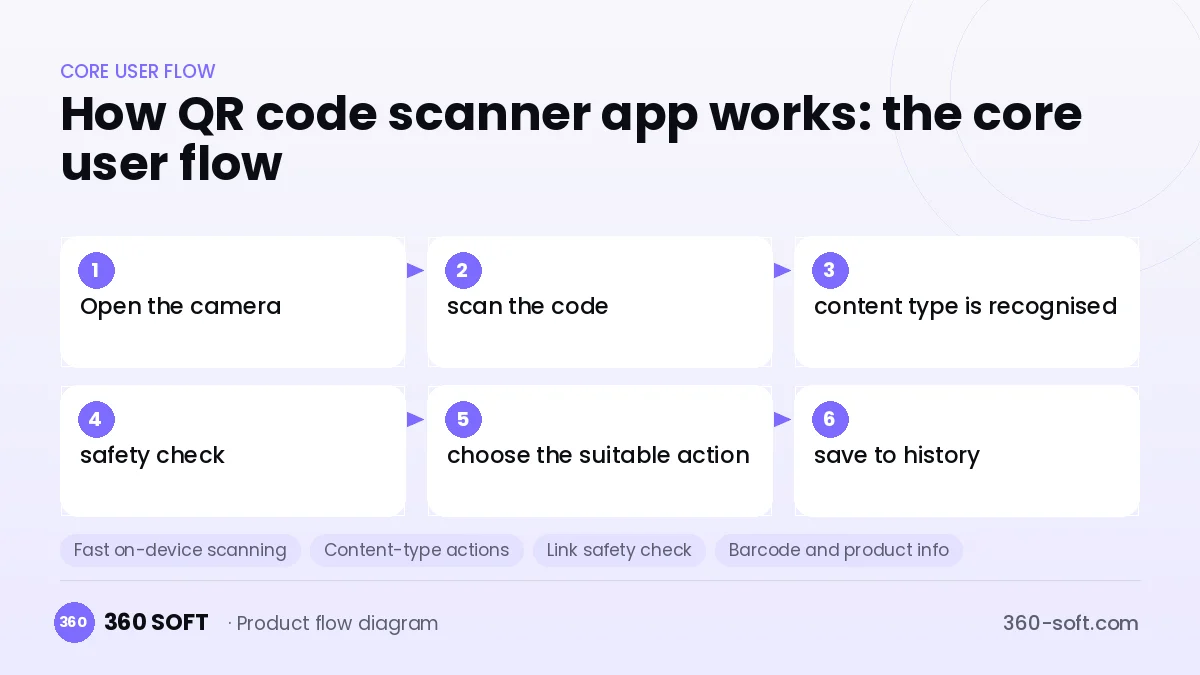
QR code scanners look simple, but what makes the difference in this category is speed, security and clean usability. The moment the user opens the camera they expect the code to be read, to see in advance whether the link is safe and to get back to past scans easily. Recognising different content types such as a menu, Wi-Fi, a business card, a payment or a product barcode and suggesting the right action takes the app beyond the camera app.
To build something similar you need a fast on-device scanning engine, a content type parser and a link safety check. QR generation, logo and coloured code design, and dynamic QR with scan statistics are the second layer aimed at businesses. Dynamic QR needs a small backend and a web panel, and it is also important to place ads so that they do not ruin the user experience.
How QR code scanner app works: the core user flow
How many apps and dashboards do you need?
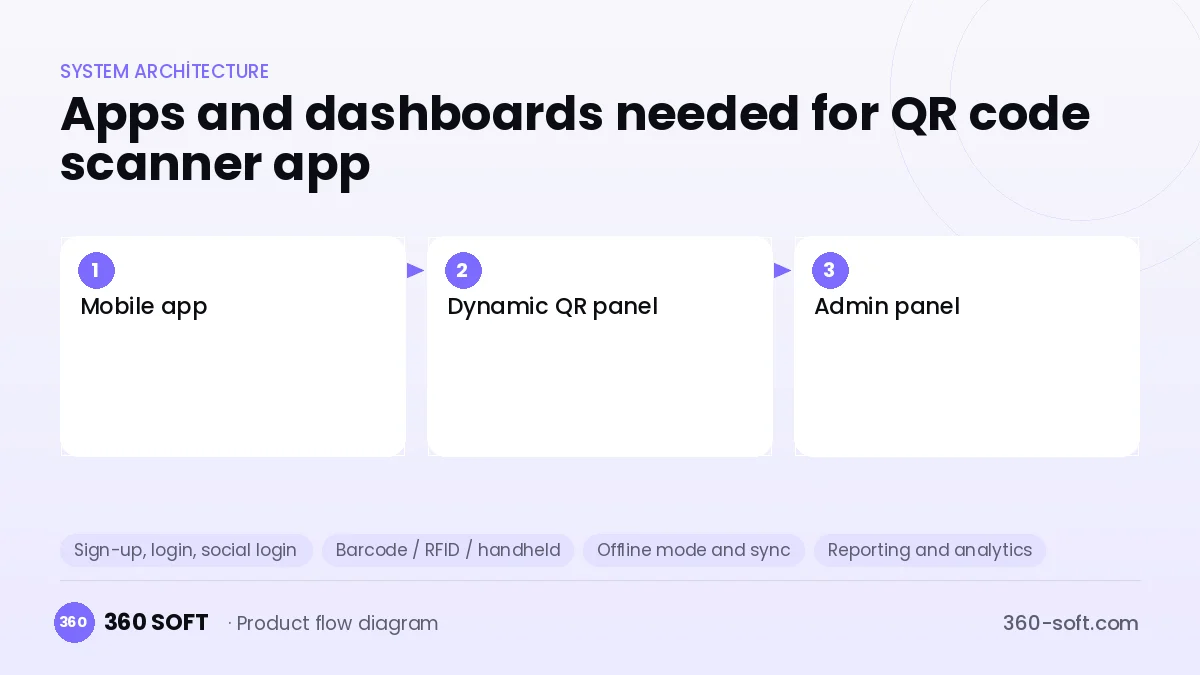
Mobile app
The app where users scan QR codes and barcodes, see their history and create new codes.
Dynamic QR panel
The web panel where businesses can change the target link afterwards and see scan statistics.
Admin panel
The panel for managing subscriptions, malicious link lists and in-app announcements.
Critical features of a product like QR code scanner app
Fast on-device scanning
With ML Kit or native libraries, codes are read offline even in low light, at an angle or when damaged.
Content-type actions
Actions such as joining a Wi-Fi network, adding a business card to contacts or creating a calendar event are suggested automatically.
Link safety check
Before a link opens, shortened URLs are expanded and checked against known malicious domains.
Barcode and product info
EAN and UPC barcodes are read, and extra information such as the product name and price comparison is shown.
Customisable QR generator
Branded QR codes with colour, logo and frame are produced and exported in high resolution.
Dynamic QR and analytics
The target link is updated without changing the printed code, with scan count, time and approximate location reported.
What goes into the first version, what comes later
First version (MVP)
- Fast QR and barcode scanning
- Action suggestions by content type
- Scan history
- Basic QR generator
- Link preview and security warning
Later releases
- QR design with logo and colours
- Dynamic QR and scan statistics
- Batch scanning mode and CSV export
- Ad-free premium subscription
Modules and how the budget is calculated
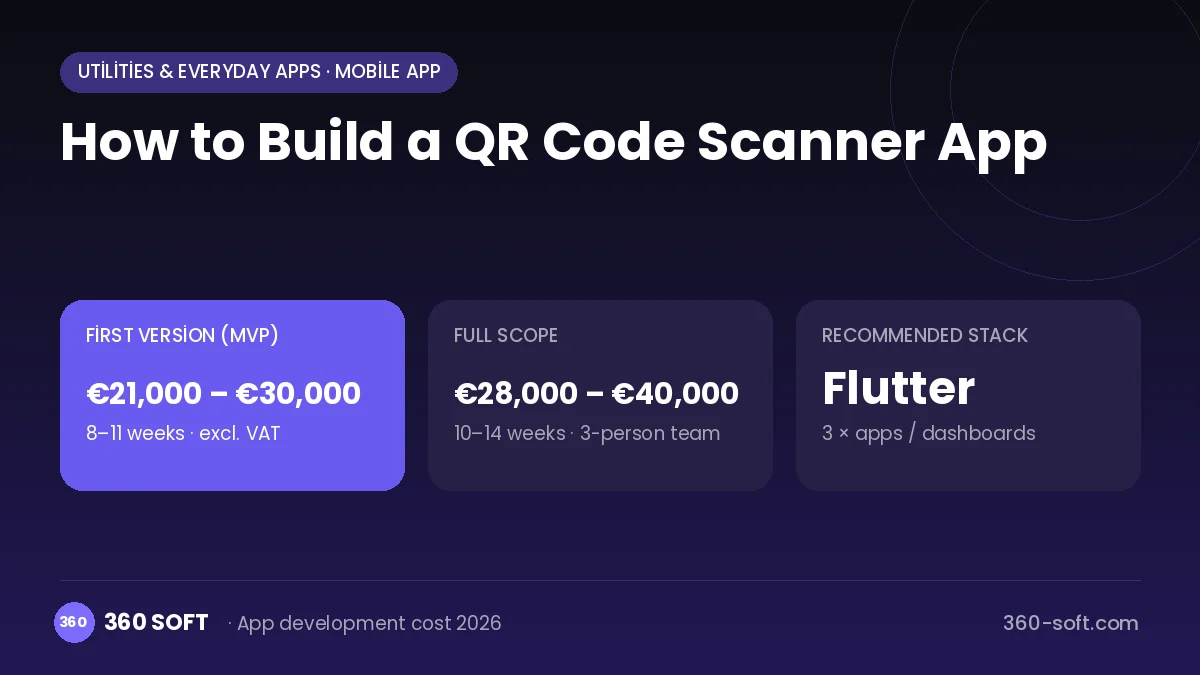
The budget is calculated with 360 SOFT’s pricing model from the modules below, about 14 screens and the project’s complexity: roughly 106 person-days for the full scope and 79 person-days for the first version. Every module you drop lowers the budget directly.
| Module | Phase |
|---|---|
| Sign-up, login, social login | First version |
| Barcode / RFID / handheld | Later release |
| Offline mode and sync | First version |
| Reporting and analytics | First version |
| Subscriptions and recurring billing | First version |
| Admin dashboard | First version |
| GDPR and security hardening | First version |
| File, photo, video upload | First version |
Hosting, SMS, map APIs, app store accounts and payment-provider fees are separate items. Maintenance and improvements (optional): €350 / month. We send a fixed written price within 24 hours after a free discovery call.
The hard parts
Differentiation
Since phone cameras can already read QR codes, the product must stand out through security, business features or niche use cases.
Balancing ads and experience
Aggressive ads after a scan quickly drag down store ratings, so ad placement must be restrained.
Phishing (quishing) risk
Up-to-date threat data must be used to detect fraudulent sites that fake QR codes redirect to.
Business model
Free scanning with restrained ads is the basic model in this category. The really valuable revenue is a dynamic QR and analytics subscription sold to businesses: monthly plans for uses such as restaurant menus, events and packaging. Professional features such as batch scanning and stock counting, plus ad-free use, can be in the individual premium version.
Get a free quote for your project
Let us scope it together and send a fixed written quote within 24 hours. NDA on request; you own the source code.
Choosing a company to build an app like QR code scanner app
Most people searching “build a qr code scanner app” are really looking for a reliable app development company. When comparing quotes, check four things:
- Can you try similar products they have shipped, in the stores or live?
- Are the source code, design files, servers and store accounts transferred to you by contract?
- Do they show a working demo every two weeks, with written scope and acceptance criteria?
- Are maintenance, scaling and GDPR/security costs written into the quote?
Copyright and trademarks
A business model and features are generally not protected on their own, but the QR code scanner app name, logo, interface design, content and source code are. That is why we build a product with similar functionality but your own brand, design and code. This is not legal advice; we recommend a trademark search before launch.
Frequently asked questions
How long does it take to build a QR code scanner app?
A first version with scanning, history and QR generation can be prepared in a short development time. The dynamic QR panel and analytics are added in the second phase.
Do we need a server?
An app that only scans can work without a server. A backend is needed for dynamic QR, link safety checks and business accounts.
Off-the-shelf script or custom software?
Ready-made QR templates are quick, but the stores have many similar ones. If you aim for original features and a business panel, custom development makes more sense.
Will there be copyright or trademark issues?
The idea and features of a QR scanner are free to use; other apps' names, logos, designs and code cannot be copied. This is general information, not legal advice.