Web platformFintech & paymentsOriginal by TradingView
TradingView brought the charting power of professional terminals to a product that opens quickly in the browser. Stocks, crypto, forex and commodities are analysed in the same interface, with hundreds of indicators, drawing tools and multiple timeframes one click away. Because users publish their analyses as ideas and write and share their own indicators, the platform feels less like a tool and more like a community.
To build something similar you need a web platform, mobile apps and the most critical piece, a high-performance charting engine. You develop collection of data from many exchanges, storage in a time-series database, a server-side alert engine, a user-defined indicator language, a screener and a social sharing module. Data licensing costs and redistribution rules are part of the product design as well.
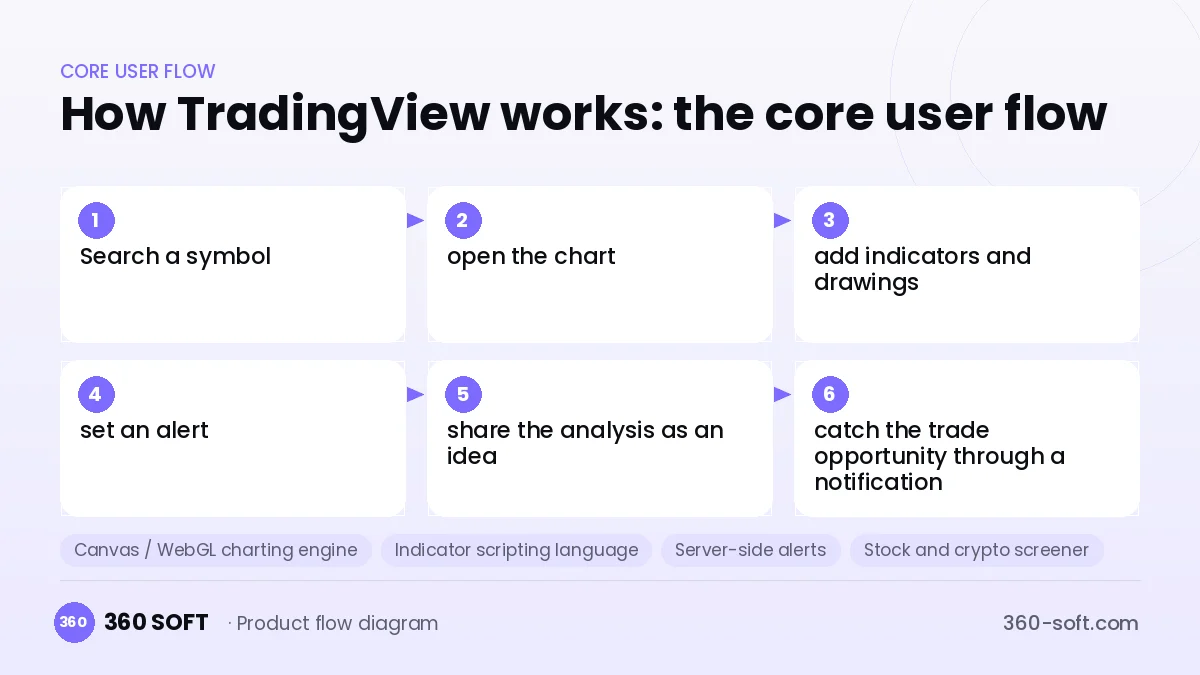
How TradingView works: the core user flow
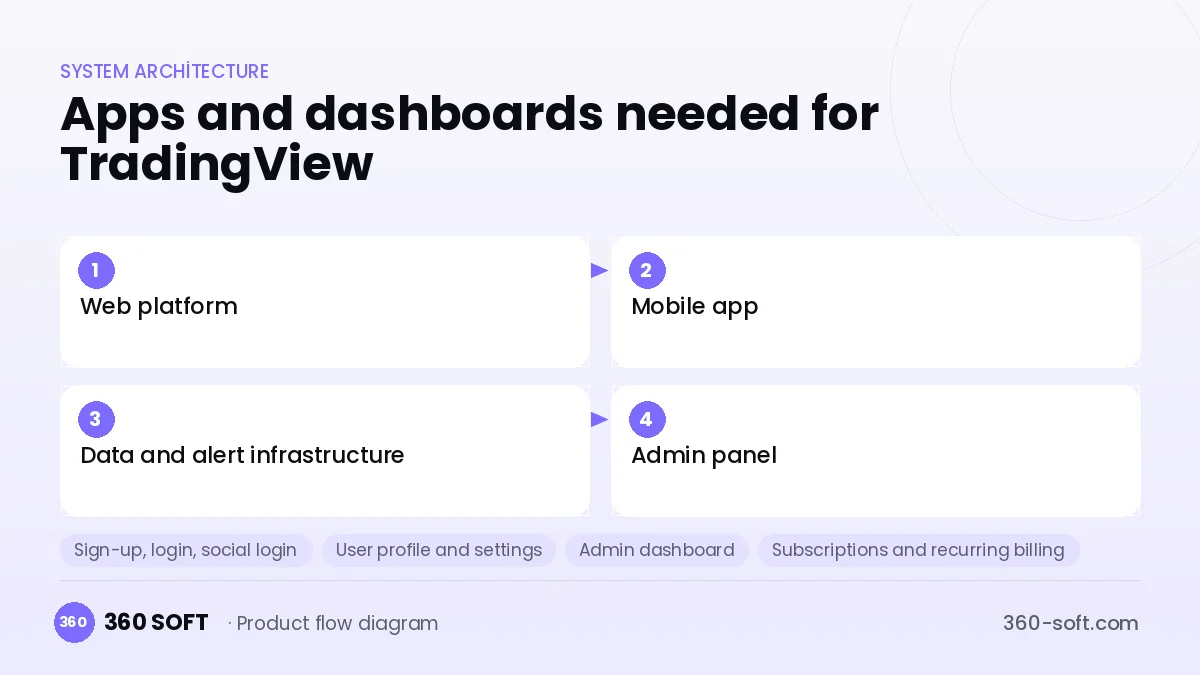
How many apps and dashboards do you need?
Web platform
The main product hosting charts, the screener, the ideas feed and account settings.
Mobile app
An app that gives phone access to watchlists, alerts and charts.
Data and alert infrastructure
A backend that collects and stores market data and continuously evaluates user alerts on the server.
Admin panel
A panel for managing subscriptions, data licences, community moderation and broker integrations.
Critical features of a product like TradingView
Canvas / WebGL charting engine
A client-side chart core that draws hundreds of thousands of candles smoothly, with no stutter when zooming or panning.
Indicator scripting language
A safely sandboxed scripting language in which users write and backtest their own indicators and strategies.
Server-side alerts
Alerts tied to price, indicator crossovers or drawn levels keep running even when the browser is closed.
Stock and crypto screener
Thousands of symbols are filtered and sorted in seconds against hundreds of criteria.
Idea sharing
Analyses made on a chart are published with commentary, followed and discussed.
Broker integration
Users can place orders through a connected brokerage account without leaving the chart.
What goes into the first version, what comes later
First version (MVP)
- Basic charting engine and drawing tools
- Popular indicators and multiple timeframes
- Watchlists and price alerts
- Delayed data for a limited set of markets
- Free and paid subscription plans
Later releases
- User-defined indicator language
- Idea sharing and community feed
- Advanced screener and strategy testing
- Broker integrations
Modules and how the budget is calculated
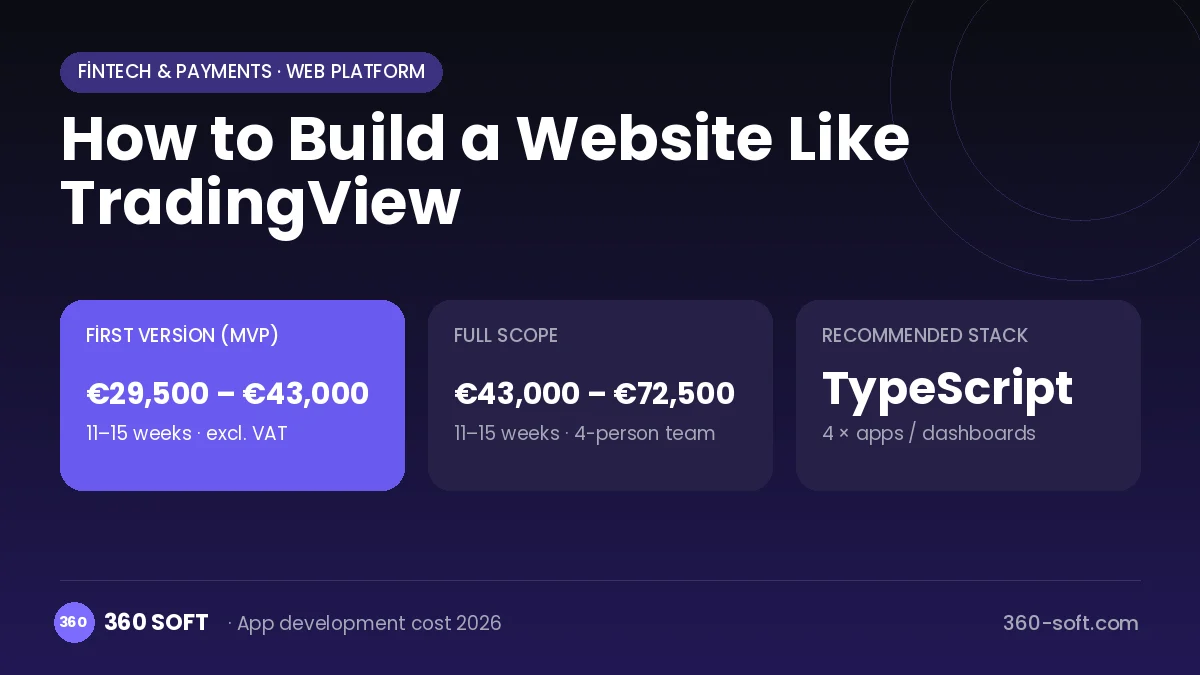
The budget is calculated with 360 SOFT’s pricing model from the modules below, about 30 screens and the project’s complexity: roughly 164 person-days for the full scope and 113 person-days for the first version. Every module you drop lowers the budget directly.
| Module | Phase |
|---|---|
| Sign-up, login, social login | First version |
| User profile and settings | First version |
| Admin dashboard | First version |
| Subscriptions and recurring billing | First version |
| Online payments (Stripe / PSP) | First version |
| Advanced search and filters | First version |
| Email / SMS notifications | First version |
| Push notifications | First version |
| Ratings and reviews | First version |
| Reporting and analytics | Later release |
| Third-party API integration | First version |
| Multi-language | First version |
| GDPR and security hardening | First version |
Hosting, SMS, map APIs, app store accounts and payment-provider fees are separate items. Maintenance and improvements (optional): €550 / month. We send a fixed written price within 24 hours after a free discovery call.
The hard parts
Data licences
Exchanges charge fees and require user reporting for redistributing live data; every market means a separate contract.
Chart performance
Smooth rendering on low-end devices and with many open tabs requires serious optimisation.
Scaling the alert engine
Evaluating millions of alerts on every price update calls for an efficient stream-processing architecture.
Business model
The best-fitting model is a freemium subscription: free use with a limited number of indicators and alerts, and tiered monthly plans for more chart layouts, alerts and data. Live exchange data is sold as a separate add-on package. Referral revenue from broker integrations and ads in the free tier add further lines.
Get a free quote for your project
Let us scope it together and send a fixed written quote within 24 hours. NDA on request; you own the source code.
Choosing a company to build an app like TradingView
Most people searching “website like tradingview” are really looking for a reliable app development company. When comparing quotes, check four things:
- Can you try similar products they have shipped, in the stores or live?
- Are the source code, design files, servers and store accounts transferred to you by contract?
- Do they show a working demo every two weeks, with written scope and acceptance criteria?
- Are maintenance, scaling and GDPR/security costs written into the quote?
Copyright and trademarks
A business model and features are generally not protected on their own, but the TradingView name, logo, interface design, content and source code are. That is why we build a product with similar functionality but your own brand, design and code. This is not legal advice; we recommend a trademark search before launch.
Frequently asked questions
How long does it take to build a website like TradingView?
A first version built on a ready-made charting library with limited data can launch in a few months. Developing your own charting engine and indicator language is a much longer investment.
Ready-made charting library or a custom engine?
In the early stage, licensed or open-source charting libraries save time. As the product differentiates, performance and feature needs may make a custom engine necessary.
Are there copyright or trademark issues?
The charting and analysis platform business model is free to use, but the name, logo, interface design, indicator-language syntax, content and code cannot be copied. This information is general in nature and is not a substitute for legal advice.
What should I look for when choosing a company to build a site like TradingView?
Look for experience with time-series data, high-performance front ends and real-time streaming. Ask how many symbols and concurrent users they handled in previous projects.