Mobile appAI products
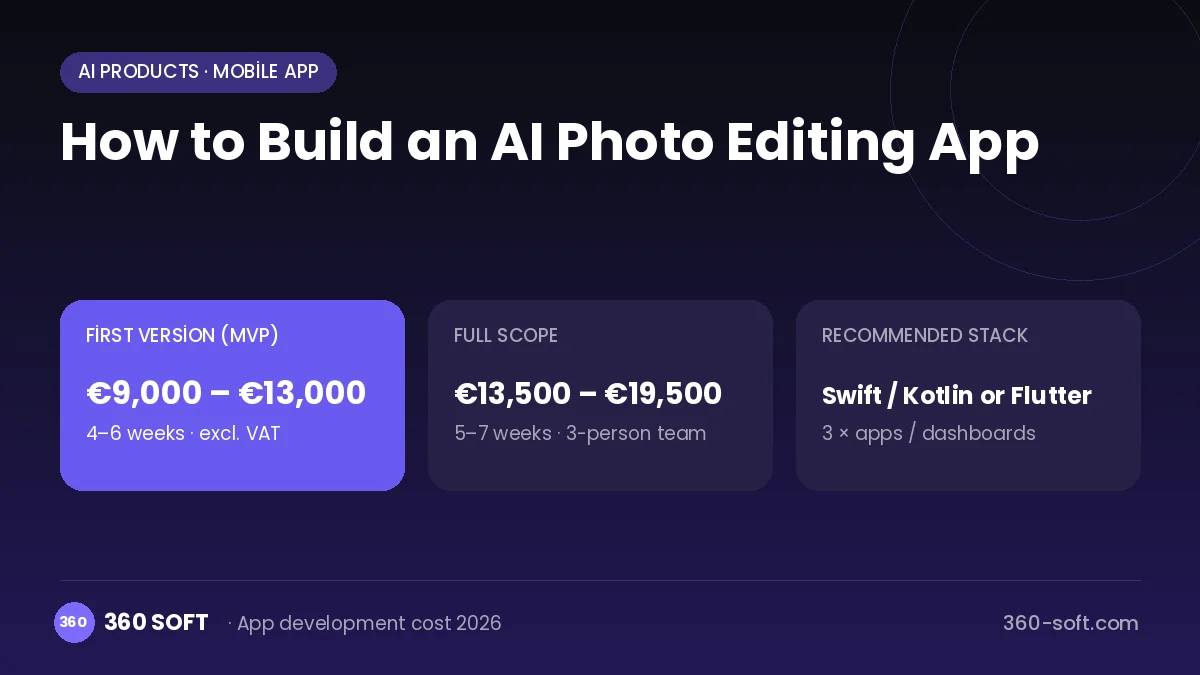
Apps that edit photos with AI reduce minutes of professional retouching to a single tap. Sharpening a blurry family photo, removing an unwanted person, turning a product photo background white or making an artistic portrait from a selfie are jobs in constant demand on social media. Shareable before-and-after comparisons also turn these apps into products that spread on their own.
Building something similar takes a mobile app plus a GPU back end that runs the image-processing models. Some lightweight operations run on the device and heavy ones on the server. A job queue, subscriptions and in-app purchases, a retention policy that deletes uploaded photos quickly, an inappropriate-content filter and an admin panel are also part of the project.
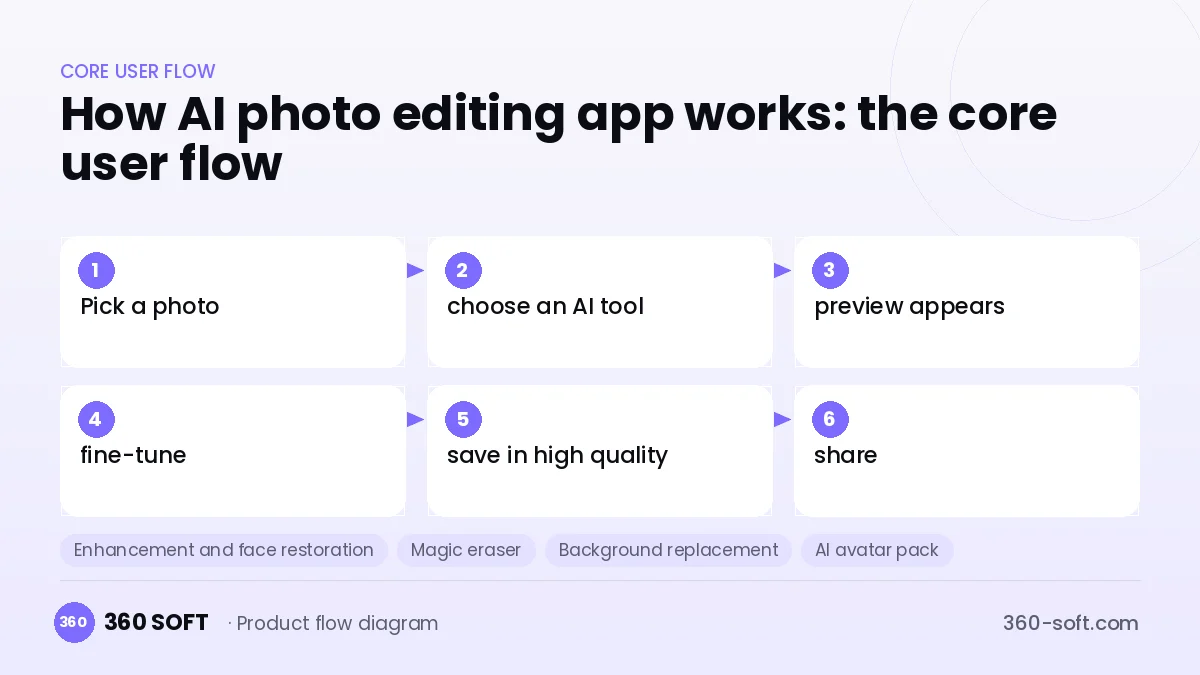
How AI photo editing app works: the core user flow
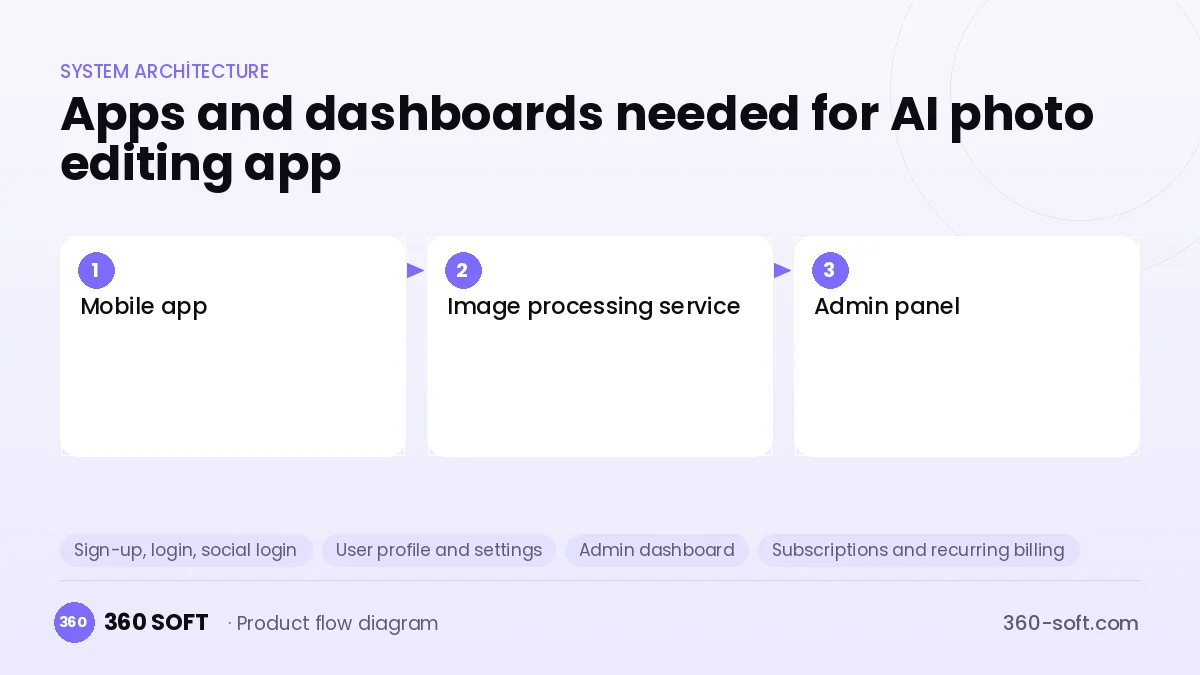
How many apps and dashboards do you need?
Mobile app
The app where users pick photos from the gallery, apply AI tools, then save and share the results.
Image processing service
The back end that runs enhancement, erasing, background and avatar models on GPUs.
Admin panel
The panel that manages subscriptions, processing queues, model versions and reported content.
Critical features of a product like AI photo editing app
Enhancement and face restoration
Old or blurry photos are revived with upscaling and face-repair models.
Magic eraser
The object a user brushes over is removed and the gap is filled in to match the surroundings.
Background replacement
A person or product is separated automatically and placed on a solid colour, a blur or an AI-generated scene.
AI avatar pack
A set of portraits in different styles is generated from a few selfies, and a notification is sent when processing is done.
Fast on-device processing
Cropping, filters and simple segmentation run on the phone, which reduces server cost and waiting time.
Before-and-after sharing
A sliding comparison video is created automatically and sent to social media with one tap.
What goes into the first version, what comes later
First version (MVP)
- Photo enhancement and face restoration
- Background removal and replacement
- Magic eraser tool
- Weekly and annual subscriptions, in-app purchases
- Admin panel monitoring the processing queue
Later releases
- AI avatar and style portrait packs
- Photo editing by text prompt
- Batch product photo processing
- Before-and-after video templates
Modules and how the budget is calculated
The budget is calculated with 360 SOFT’s pricing model from the modules below, about 16 screens and the project’s complexity: roughly 51 person-days for the full scope and 33 person-days for the first version. Every module you drop lowers the budget directly.
| Module | Phase |
|---|---|
| Sign-up, login, social login | First version |
| User profile and settings | First version |
| Admin dashboard | First version |
| Subscriptions and recurring billing | First version |
| Online payments (Stripe / PSP) | First version |
| AI features (LLM, RAG, recommendations) | Later release |
| File, photo, video upload | First version |
| Push notifications | First version |
| GDPR and security hardening | First version |
| Reporting and analytics | Later release |
Hosting, SMS, map APIs, app store accounts and payment-provider fees are separate items. Maintenance and improvements (optional): €200 / month. We send a fixed written price within 24 hours after a free discovery call.
The hard parts
GPU cost
If free trials are left uncontrolled, the server bill grows faster than revenue; a quota and caching strategy is a must.
Privacy and data retention
Face photos are personal data; deletion after processing, explicit consent and a clear GDPR notice must be in place.
Store rules
If subscription screens and trial periods do not follow App Store and Google Play rules, the app can be rejected.
Business model
In this category the strongest model is a weekly and annual subscription with a free trial. Free users get a limited number of watermarked edits, while premium users get unlimited editing and high resolution. AI avatar packs can be sold as one-off purchases, and the free tier can offer extra edits through rewarded ads.
Get a free quote for your project
Let us scope it together and send a fixed written quote within 24 hours. NDA on request; you own the source code.
Choosing a company to build an app like AI photo editing app
Most people searching “build an ai photo editing app” are really looking for a reliable app development company. When comparing quotes, check four things:
- Can you try similar products they have shipped, in the stores or live?
- Are the source code, design files, servers and store accounts transferred to you by contract?
- Do they show a working demo every two weeks, with written scope and acceptance criteria?
- Are maintenance, scaling and GDPR/security costs written into the quote?
Copyright and trademarks
A business model and features are generally not protected on their own, but the AI photo editing app name, logo, interface design, content and source code are. That is why we build a product with similar functionality but your own brand, design and code. This is not legal advice; we recommend a trademark search before launch.
Frequently asked questions
How long does it take to build an AI photo editing app?
A first version with a few core AI tools and a subscription system can be released in a few months. Avatar generation and on-device models extend the timeline.
Should processing happen on the phone or on the server?
Light filters and segmentation should run on the device, while heavy work such as enhancement and generative editing belongs on the server. This hybrid setup balances both speed and cost.
Will there be copyright or trademark issues?
The photo editing business model and features are free to use, but another app's name, logo, design, content and code cannot be copied. The commercial licence of the models you use should also be checked; this is not legal advice.
What should I look for when choosing a photo app development company?
Choose a team that has shipped image-processing models on both mobile and server. Experience with subscription conversion screens and store approval processes is also decisive for revenue.