Mobile appUtilities & everyday appsOriginal by INTSIG
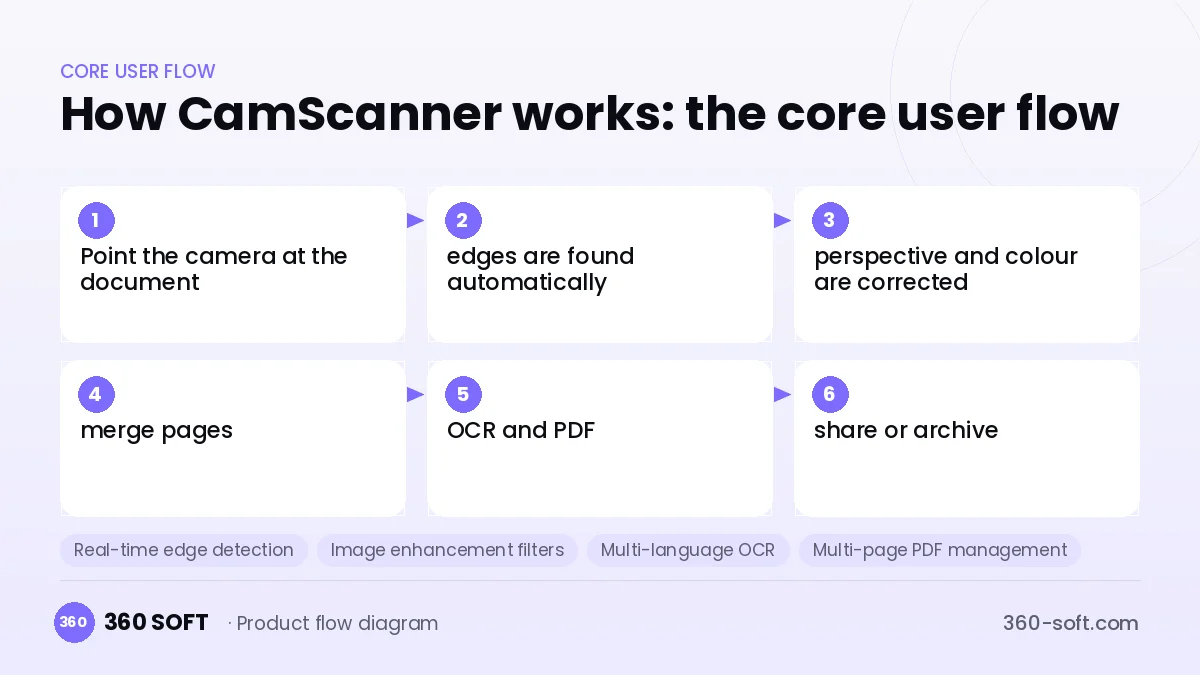
CamScanner became popular by turning the phone camera into a scanner that fits in your pocket. The user puts the document on the desk, and the app finds the edges, corrects the perspective, removes shadows and produces a legible PDF. For everyday needs like invoices, contracts, student notes or ID copies, this speed removes the trouble of going to a scanner. Getting searchable text with OCR turns the product into an archiving tool.
To build something similar, an on-device image processing pipeline is at the centre: edge detection, perspective correction, colour and contrast enhancement and multi-page document creation. On top come OCR with multi-language support, PDF editing, signature adding, folders and cloud sync. Because documents contain personal data, encrypted storage, GDPR compliance and careful selection of third-party SDKs are critical for trust.
How CamScanner works: the core user flow
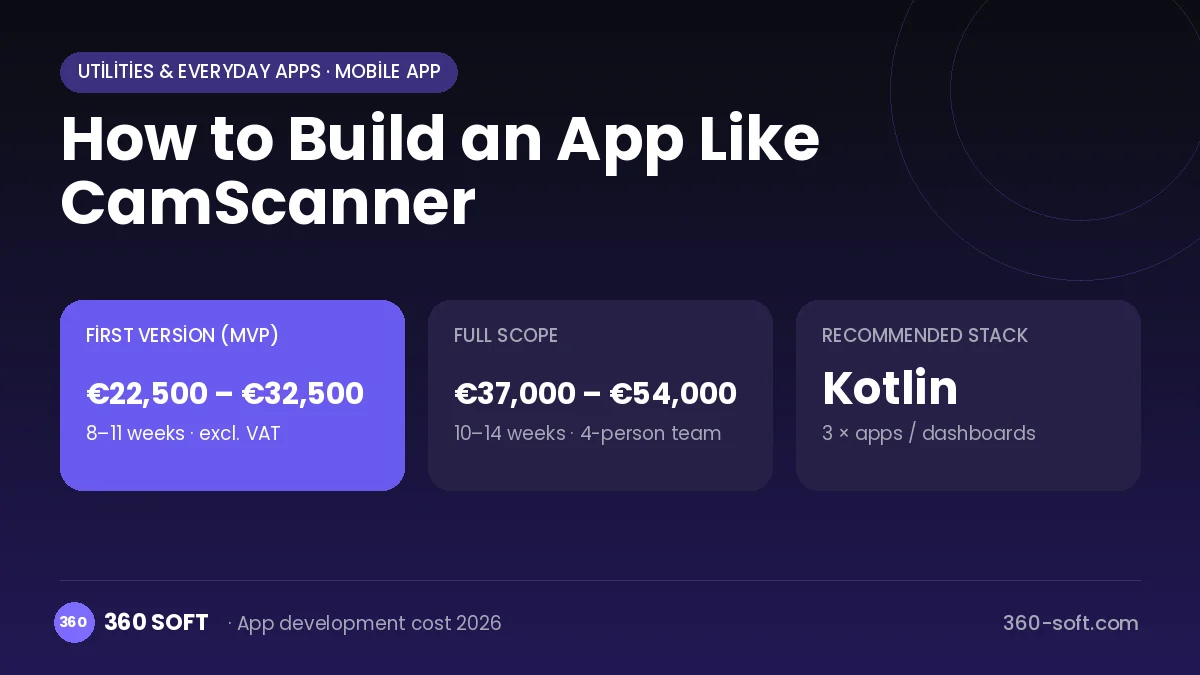
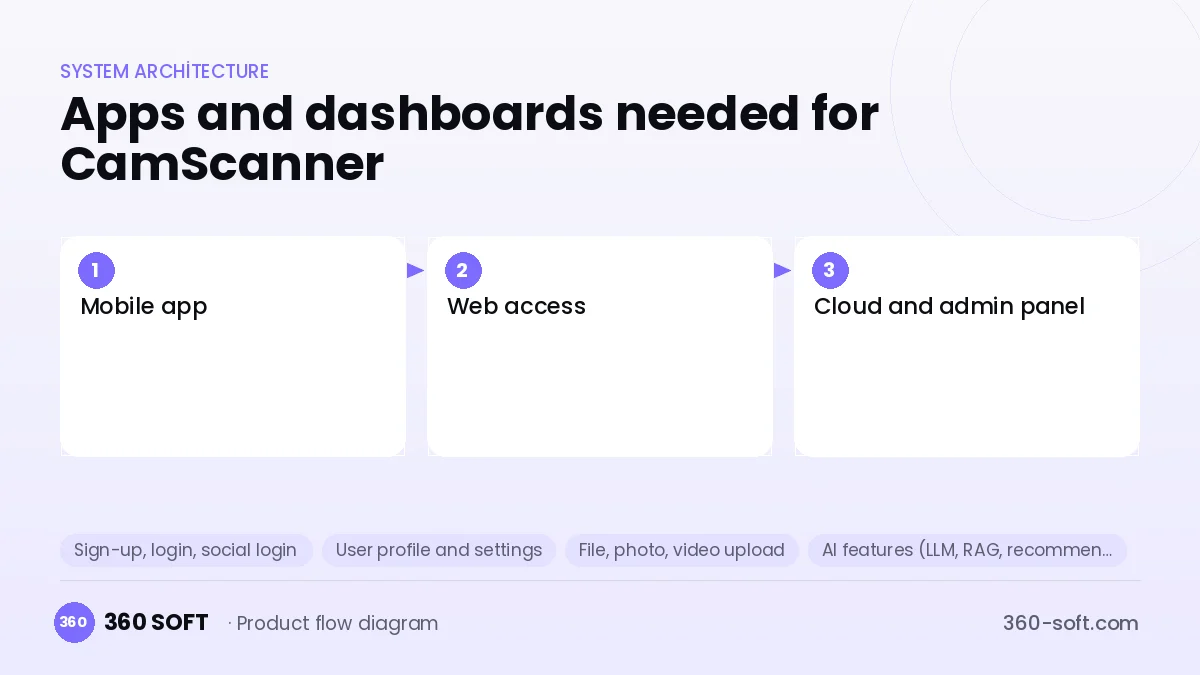
How many apps and dashboards do you need?
Mobile app
The user app that scans, edits, produces PDFs and archives documents in folders.
Web access
A web interface for accessing, downloading and sharing scanned documents from a computer.
Cloud and admin panel
The backend and panel that manage sync, subscriptions, storage quotas and business accounts.
Critical features of a product like CamScanner
Real-time edge detection
Document borders are drawn live in the camera preview, and capture happens automatically when the frame holds still.
Image enhancement filters
Shadow removal, whitening, greyscale and colour-preserving modes are applied with one tap.
Multi-language OCR
Searchable and copyable text is extracted from scanned pages, and accented and non-Latin characters are recognised correctly.
Multi-page PDF management
Page reordering, deleting, rotating, compression and password protection are done on the PDF.
E-signature and notes
A handwritten signature, text notes and markup are added to the document.
Smart folders and search
Documents are tagged, and content search runs over the OCR text.
What goes into the first version, what comes later
First version (MVP)
- Edge detection and perspective correction
- Basic image filters
- Multi-page PDF creation
- Folders and sharing
- Encrypted on-device storage
Later releases
- OCR and content search
- Cloud sync and web access
- Signature, notes and PDF editing
- Business team accounts
Modules and how the budget is calculated
The budget is calculated with 360 SOFT’s pricing model from the modules below, about 22 screens and the project’s complexity: roughly 142 person-days for the full scope and 85 person-days for the first version. Every module you drop lowers the budget directly.
| Module | Phase |
|---|---|
| Sign-up, login, social login | First version |
| User profile and settings | First version |
| File, photo, video upload | First version |
| AI features (LLM, RAG, recommendations) | Later release |
| Advanced search and filters | First version |
| Offline mode and sync | First version |
| Subscriptions and recurring billing | First version |
| GDPR and security hardening | First version |
| Admin dashboard | First version |
| Reporting and analytics | Later release |
Hosting, SMS, map APIs, app store accounts and payment-provider fees are separate items. Maintenance and improvements (optional): €500 / month. We send a fixed written price within 24 hours after a free discovery call.
The hard parts
Image processing quality
Edge detection gets harder with poor light, crumpled paper and complex backgrounds, so testing with many real samples is needed.
Privacy and SDK security
Documents contain sensitive data; ad and analytics SDKs must be limited and data kept encrypted.
Storage cost
High-resolution scans take up cloud space quickly, so compression and a quota policy determine the cost.
Business model
A freemium subscription is the natural model for this product: basic scanning is free, while OCR, high-quality export, watermark-free PDFs, large cloud storage and signing are in premium. Team and company accounts can be sold per user. If the free version uses ads, restrained placements that do not threaten document privacy should be chosen.
Get a free quote for your project
Let us scope it together and send a fixed written quote within 24 hours. NDA on request; you own the source code.
Choosing a company to build an app like CamScanner
Most people searching “build an app like camscanner” are really looking for a reliable app development company. When comparing quotes, check four things:
- Can you try similar products they have shipped, in the stores or live?
- Are the source code, design files, servers and store accounts transferred to you by contract?
- Do they show a working demo every two weeks, with written scope and acceptance criteria?
- Are maintenance, scaling and GDPR/security costs written into the quote?
Copyright and trademarks
A business model and features are generally not protected on their own, but the CamScanner name, logo, interface design, content and source code are. That is why we build a product with similar functionality but your own brand, design and code. This is not legal advice; we recommend a trademark search before launch.
Frequently asked questions
How long does it take to build an app like CamScanner?
A first version with scanning, filters and PDF can be developed in a few months. Features such as OCR quality, cloud sync and web access are added in later phases.
Should we use an off-the-shelf OCR service?
On-device OCR libraries are advantageous for privacy and offline use. Where higher accuracy is needed, cloud OCR services can be used as a complement, but data privacy must be taken into account.
Will there be copyright or trademark issues?
The document scanning business model and its features are free to use; the name, logo, design, content and code cannot be copied. This is general information, not legal advice.
What should I look for when choosing a company to build a scanner app?
Experience with image processing, OpenCV and native camera APIs is decisive. Ask them to show with examples what results they get in low light and with angled shots.