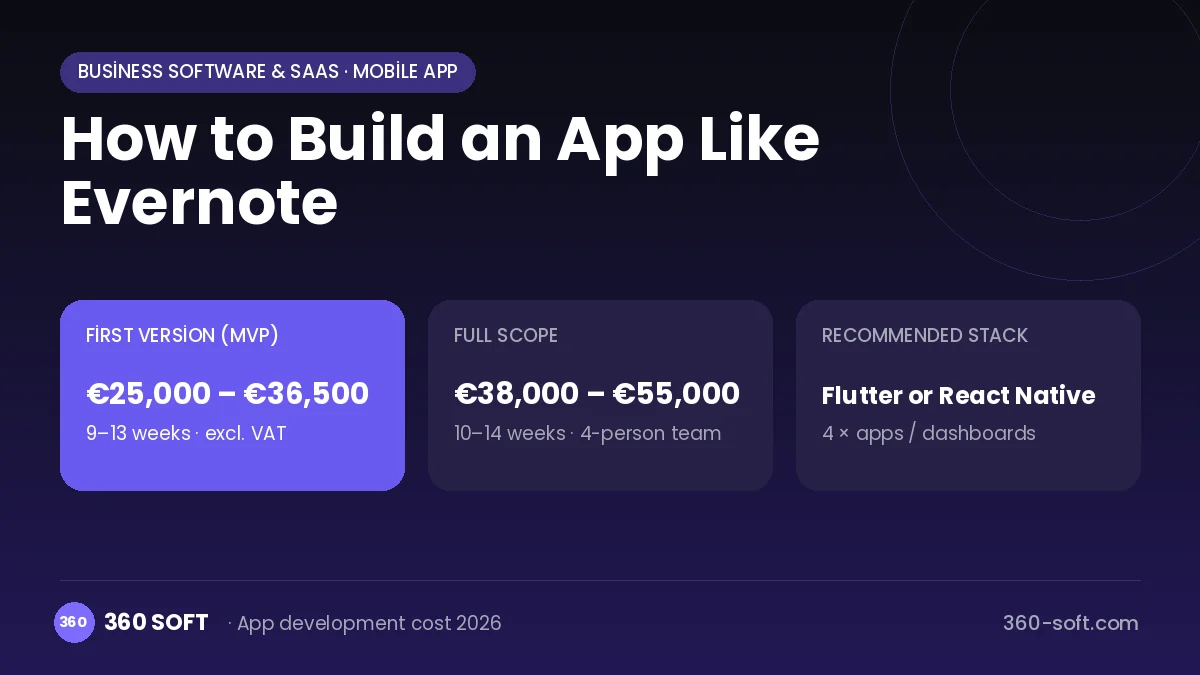
Mobile appBusiness software & SaaSOriginal by Evernote
Evernote's "remember everything" promise gathers notes, web clippings, photos and scanned documents in one place. Its real value is that saved content can be found in seconds even years later: text inside images and PDFs is searchable too. Seamless cross-device sync lets a user pick up on a computer the note they started on their phone.
To build something similar you need iOS and Android apps, web and desktop clients and a sync engine that ties them together. The backend must provide a rich-text editor, a notebook and tag structure, web clipping via a browser extension, camera document scanning, OCR and a full-text search service, reminders, sharing and storage quota management.
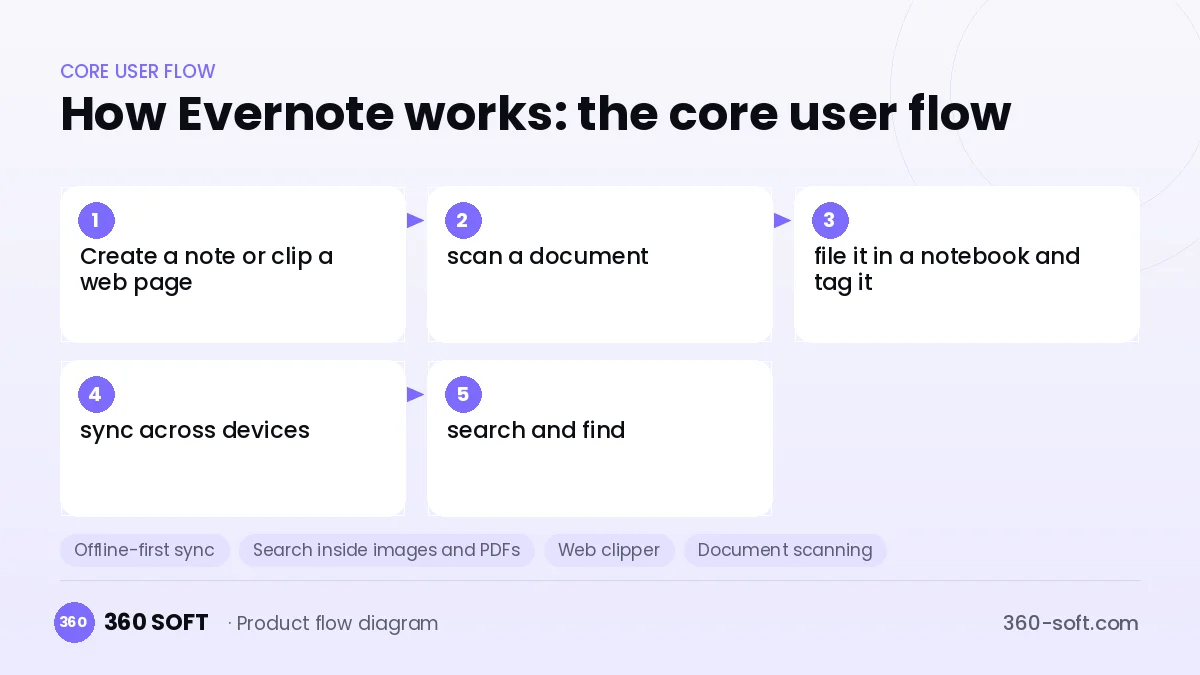
How Evernote works: the core user flow
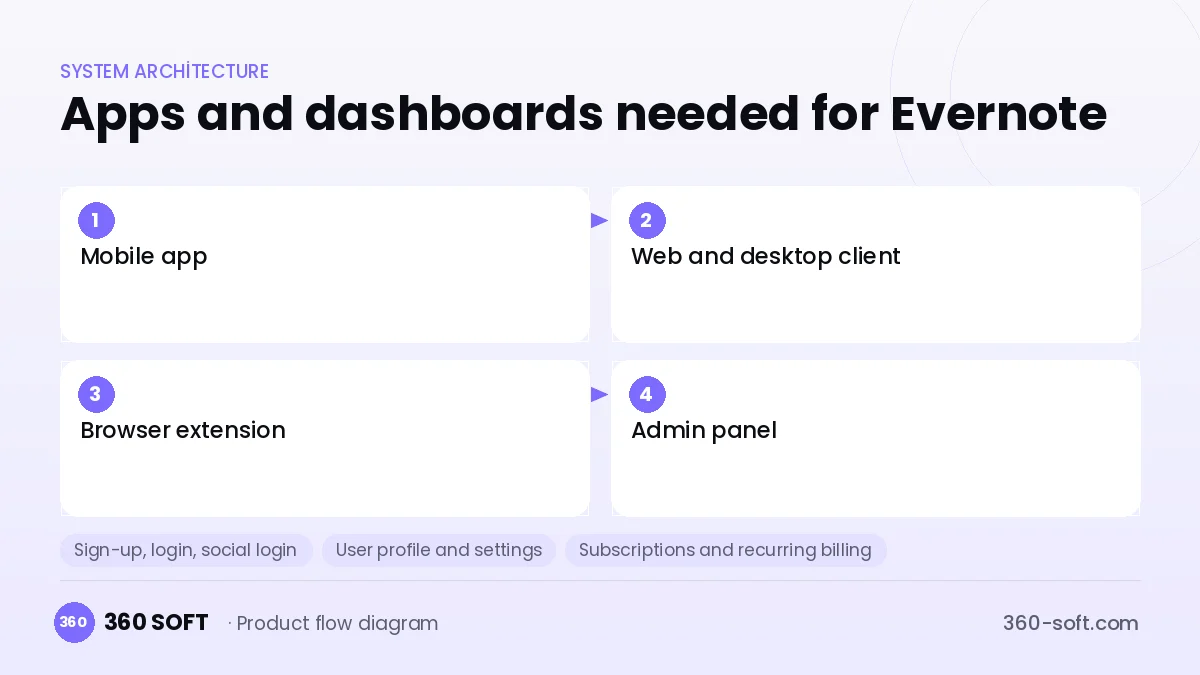
How many apps and dashboards do you need?
Mobile app
An iOS and Android client for quick notes, voice notes, camera document scanning and reminders.
Web and desktop client
The working environment where long notes are written, notebooks are organised and advanced search is done.
Browser extension
A web clipper that turns an article, screenshot or entire page into a note with one click.
Admin panel
The operations screen that manages subscriptions, storage quotas, abuse reports and support requests.
Critical features of a product like Evernote
Offline-first sync
Notes live in a local database on the device, and when a connection returns, changes are pushed to the server with conflict resolution.
Search inside images and PDFs
OCR indexes text in photos, handwriting and scanned documents, and matches are highlighted in search results.
Web clipper
Saves a clean, ad-free version of a page, a selected section or a screenshot along with its source link.
Document scanning
Edge detection, perspective correction and contrast enhancement turn business cards, receipts and documents into clear images.
Notebook, stack and tag organisation
Hierarchical notebooks and free-form tags group thousands of notes in a meaningful way.
Reminders and tasks
Notes can be given dates, push notifications deliver reminders and task lists live inside notes.
What goes into the first version, what comes later
First version (MVP)
- Rich-text notes, notebooks and tags
- Sync between mobile and web clients
- Photo and file attachments
- Full-text search
- Reminder notifications and paid plan infrastructure
Later releases
- OCR search inside images and PDFs
- Web clipping via a browser extension
- Shared notebooks and a team plan
- A desktop app and AI note summarisation
Modules and how the budget is calculated
The budget is calculated with 360 SOFT’s pricing model from the modules below, about 24 screens and the project’s complexity: roughly 146 person-days for the full scope and 96 person-days for the first version. Every module you drop lowers the budget directly.
| Module | Phase |
|---|---|
| Sign-up, login, social login | First version |
| User profile and settings | First version |
| Subscriptions and recurring billing | First version |
| Online payments (Stripe / PSP) | First version |
| File, photo, video upload | First version |
| Advanced search and filters | First version |
| Offline mode and sync | First version |
| Push notifications | First version |
| Email / SMS notifications | First version |
| Admin dashboard | First version |
| AI features (LLM, RAG, recommendations) | Later release |
Hosting, SMS, map APIs, app store accounts and payment-provider fees are separate items. Maintenance and improvements (optional): €500 / month. We send a fixed written price within 24 hours after a free discovery call.
The hard parts
Sync conflicts
Merging a note that was edited offline on several devices without losing data is difficult.
Storage cost
Images, PDFs and audio files uploaded by users grow fast, so you need a quota, compression and object storage strategy.
Search quality
Ranking the relevant result first despite typos, language-specific word forms and OCR noise takes a well-tuned search infrastructure.
Business model
A free plan offers a limited number of devices and a monthly upload quota; a paid individual plan adds more storage, offline notebooks and OCR search. A team plan is priced per user. On mobile you can use in-app store subscriptions, and on the web a payment provider such as Stripe.
Get a free quote for your project
Let us scope it together and send a fixed written quote within 24 hours. NDA on request; you own the source code.
Choosing a company to build an app like Evernote
Most people searching “build an app like evernote” are really looking for a reliable app development company. When comparing quotes, check four things:
- Can you try similar products they have shipped, in the stores or live?
- Are the source code, design files, servers and store accounts transferred to you by contract?
- Do they show a working demo every two weeks, with written scope and acceptance criteria?
- Are maintenance, scaling and GDPR/security costs written into the quote?
Copyright and trademarks
A business model and features are generally not protected on their own, but the Evernote name, logo, interface design, content and source code are. That is why we build a product with similar functionality but your own brand, design and code. This is not legal advice; we recommend a trademark search before launch.
Frequently asked questions
How long does it take to build an app like Evernote?
A mobile and web first release with notes, notebooks, sync and search can be ready within a few months. OCR, the web clipper and team features come in later releases.
How many separate apps do we need?
To start, iOS, Android and a web client on a shared backend are enough. A browser extension and a desktop app can be added as the user base grows.
Will there be copyright or trademark problems?
The idea and features of a note-taking app are generally free to use; the name, elephant logo, interface design and code cannot be copied. This is not legal advice.
What should I look for when choosing a company to build an app like Evernote?
Choose a team with experience in mobile apps that work and sync offline. Where data is stored under GDPR and the encryption approach should also be clarified.