SaaS / business softwareEducation & e-learningOriginal by Google
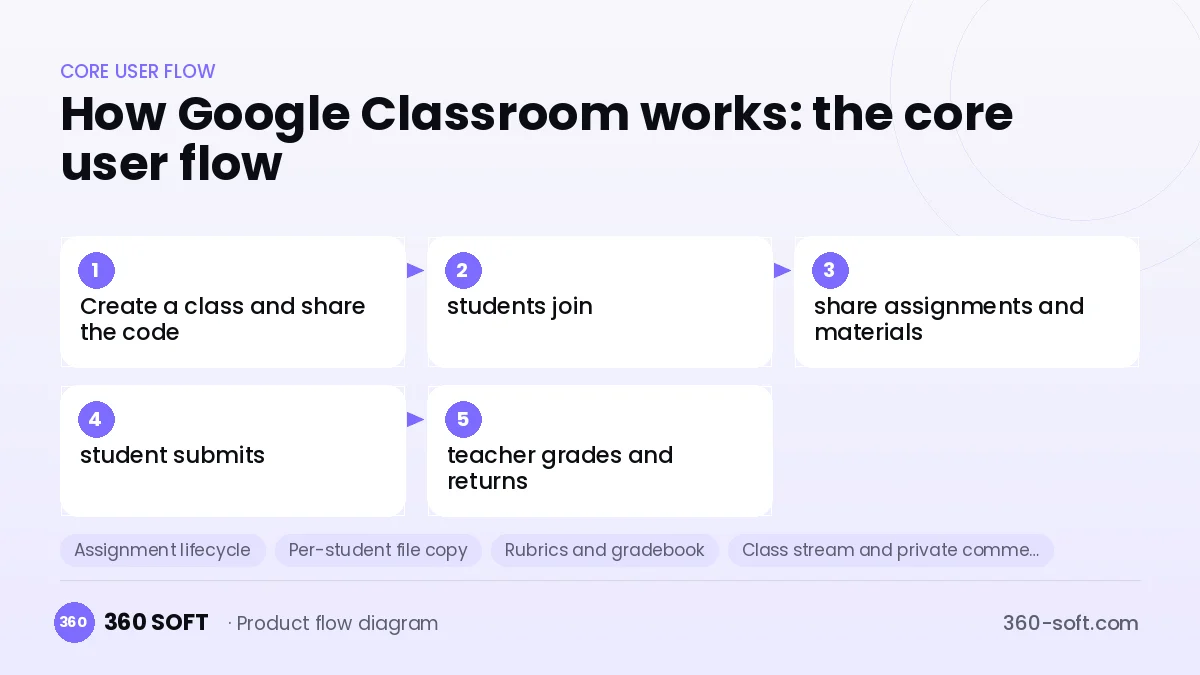
Google Classroom made it possible for teachers to manage their class online through an extremely simple interface. A teacher opens a class, students join with a code, and announcements, assignments, materials and grades are gathered in a single stream. Behind its success lies deep integration with document, calendar and video meeting tools: the teacher attaches a template file to an assignment, each student gets their own copy, and the submission process is completed paperlessly.
Building something similar requires a multi-tenant web app that manages school and class structure, a mobile app, an assignment lifecycle (assign, submit, late submission, return, grade), rubrics, a class stream with comments, and a calendar and notification system. File storage and document preview, video lesson integration, parent summary emails and a school administrator panel are part of the scope. An API should be planned for data exchange with school information systems.
How Google Classroom works: the core user flow
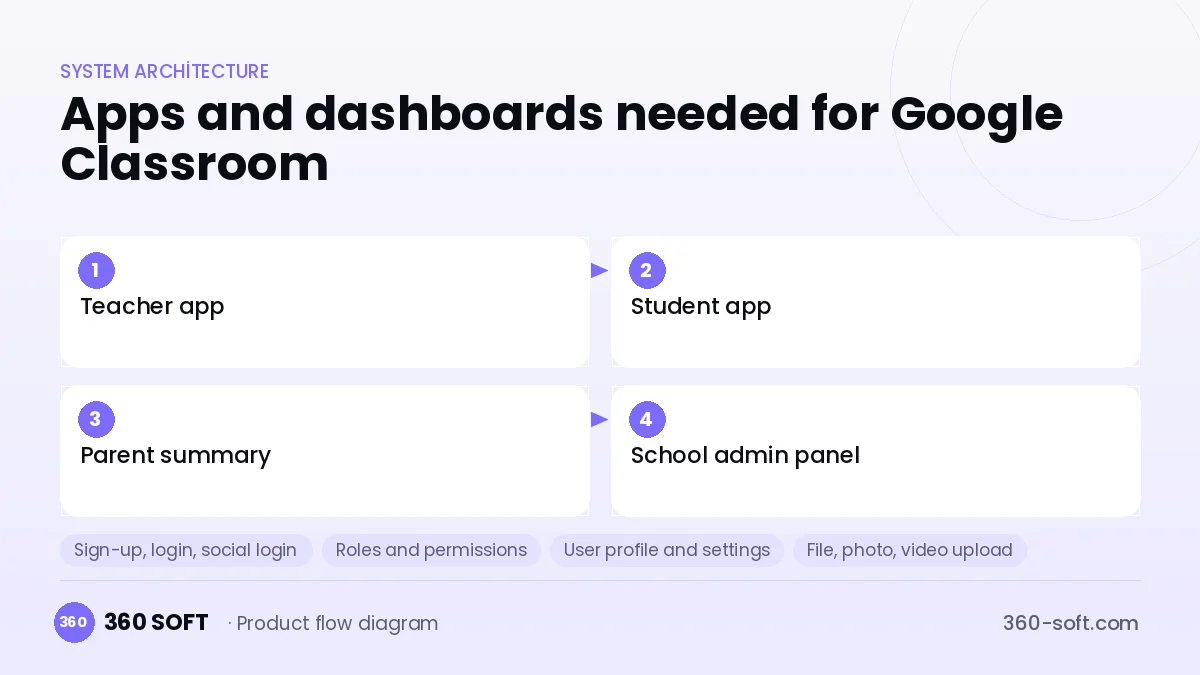
How many apps and dashboards do you need?
Teacher app
The web and mobile interface where teachers open classes, share assignments and announcements, and grade submissions.
Student app
The interface where students see their assignments, submit files and review grades and feedback.
Parent summary
Email summaries showing parents missing and upcoming assignments, plus a simple viewing screen.
School admin panel
A panel where the school administrator manages users, classes, data policies and usage reports.
Critical features of a product like Google Classroom
Assignment lifecycle
An assignment is set, the due date is tracked, late work is flagged, and the teacher grades and returns it with comments.
Per-student file copy
A separate editable copy is created for every student from the template file the teacher attached.
Rubrics and gradebook
Scoring uses criteria-based rubrics, and all grades are collected in a weighted gradebook.
Class stream and private comments
Announcements and questions are shared in the class stream, and private comments go between teacher and student.
Calendar and reminders
Due dates are added to the calendar, and push and email reminders are sent.
Video lesson integration
A permanent live lesson link is defined for each class and works with services such as Jitsi or Zoom.
What goes into the first version, what comes later
First version (MVP)
- Creating classes and joining with a code
- Sharing announcements, materials and assignments
- File submission, grading and returning
- Calendar and notifications
- School administrator and user import
Later releases
- Rubrics and a weighted gradebook
- Per-student template copies and an online editor
- Parent summary emails
- API integration with school information systems
Modules and how the budget is calculated
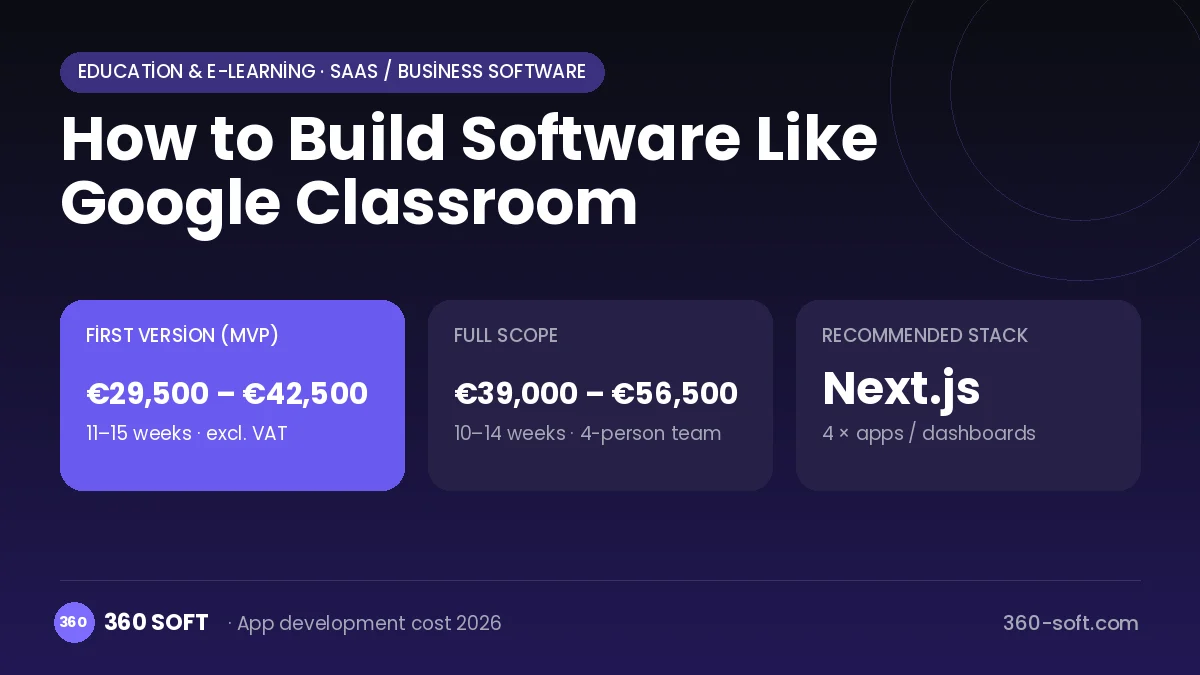
The budget is calculated with 360 SOFT’s pricing model from the modules below, about 30 screens and the project’s complexity: roughly 149 person-days for the full scope and 113 person-days for the first version. Every module you drop lowers the budget directly.
| Module | Phase |
|---|---|
| Sign-up, login, social login | First version |
| Roles and permissions | First version |
| User profile and settings | First version |
| File, photo, video upload | First version |
| Email / SMS notifications | First version |
| Push notifications | First version |
| Real-time messaging | First version |
| Reporting and analytics | Later release |
| Admin dashboard | First version |
| GDPR and security hardening | First version |
| Third-party API integration | First version |
| Video / voice calls | First version |
| Multi-language | First version |
Hosting, SMS, map APIs, app store accounts and payment-provider fees are separate items. Maintenance and improvements (optional): €500 / month. We send a fixed written price within 24 hours after a free discovery call.
The hard parts
Multi-tenant school structure
Each school's data, user policies and administrator permissions must be separated securely and stored in a GDPR-compliant way.
File storage and preview
Storing large numbers of assignment files, virus scanning and previewing them in the browser call for a cost and performance plan.
Start-of-term load
At the start of the school year, creating thousands of classes and users at the same time requires bulk processing and scale.
Business model
Virtual classroom software usually offers a basic version free to teachers and sells schools and institutions an annual per-student SaaS licence with advanced administration, storage, reporting and security features. A white-label version for private schools, plus set-up, training and integration services, can be charged as separate items.
Get a free quote for your project
Let us scope it together and send a fixed written quote within 24 hours. NDA on request; you own the source code.
Choosing a company to build an app like Google Classroom
Most people searching “build software like google classroom” are really looking for a reliable app development company. When comparing quotes, check four things:
- Can you try similar products they have shipped, in the stores or live?
- Are the source code, design files, servers and store accounts transferred to you by contract?
- Do they show a working demo every two weeks, with written scope and acceptance criteria?
- Are maintenance, scaling and GDPR/security costs written into the quote?
Copyright and trademarks
A business model and features are generally not protected on their own, but the Google Classroom name, logo, interface design, content and source code are. That is why we build a product with similar functionality but your own brand, design and code. This is not legal advice; we recommend a trademark search before launch.
Frequently asked questions
How long does it take to build software like Google Classroom?
A first version with classes, assignments and grading can be prepared in a few months. An online document editor and integration with school systems increase scope and timeline.
How many separate applications are needed?
Teacher and student interfaces can be offered by role in the same web/mobile app. The school admin panel and parent summaries are added to them.
Are there copyright or trademark issues?
The virtual classroom and assignment management business model is free to use. The name, logo, interface design and code cannot be copied; this information is not legal advice.
What should I look for when choosing an education software company?
Ask about multi-tenant SaaS architecture, file security and GDPR compliance experience. Find out how they provide set-up and training support to schools.