SaaS / business softwareBusiness software & SaaSOriginal by Intuit
Mailchimp turned email marketing into a job that needs no technical knowledge, letting small businesses and creators use the same tools as big brands. A drag-and-drop newsletter editor, ready-made templates and easy list management make it possible to send a first campaign in minutes. Combined with open and click reports and automated welcome and abandoned-cart flows, email becomes a measurable sales channel.
To build something similar, the visible editor needs a strong infrastructure behind it: a high-volume sending engine and IP reputation management, subscriber lists and segmentation, signup forms, automation flows, e-commerce integrations, open and click tracking, bounce and complaint handling, and unsubscribe management. Compliance with GDPR, ePrivacy and CAN-SPAM consent and opt-out rules is just as important.
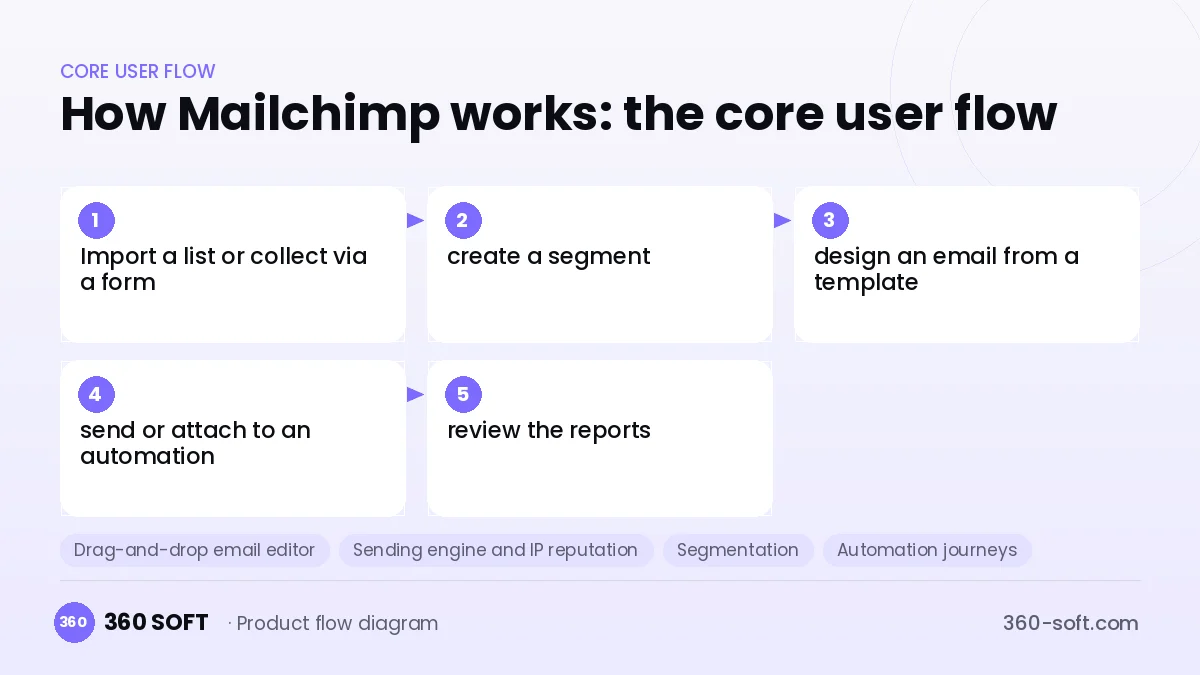
How Mailchimp works: the core user flow
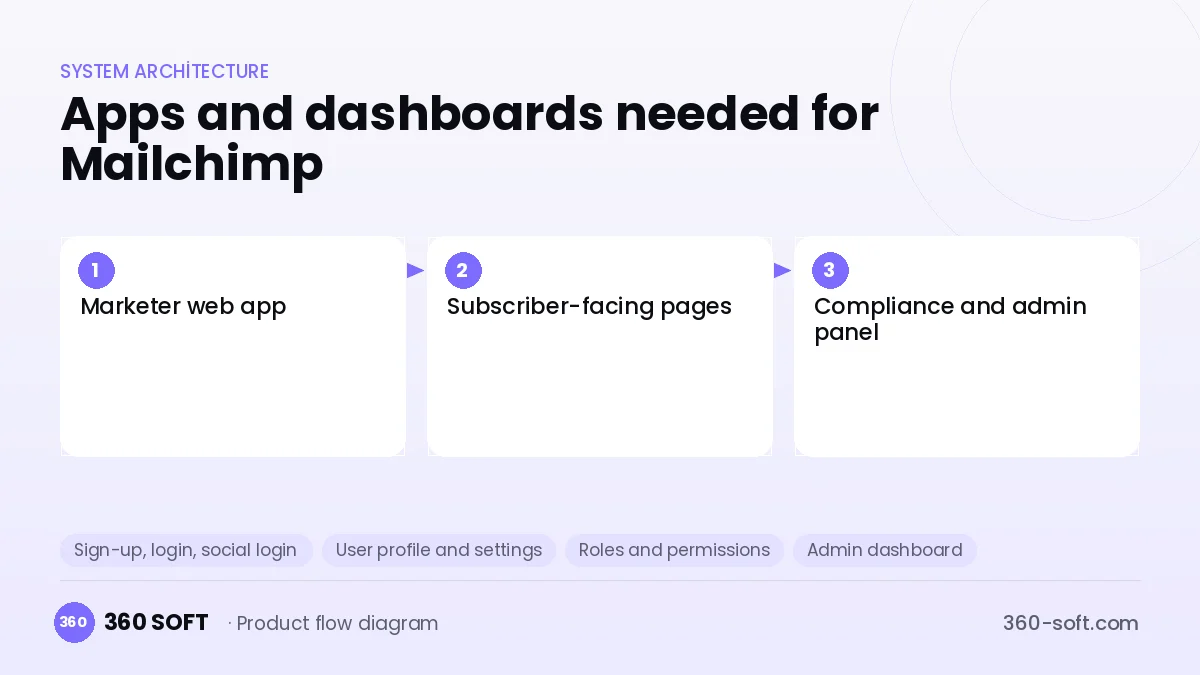
How many apps and dashboards do you need?
Marketer web app
The dashboard where the user manages lists, designs emails and sets up campaigns and automations.
Subscriber-facing pages
Signup forms, a preference centre, unsubscribe pages and the web view of the email.
Compliance and admin panel
The operations screen that monitors spam complaints, accounts at risk of abuse, sending reputation and billing.
Critical features of a product like Mailchimp
Drag-and-drop email editor
Block-based design that produces responsive HTML that looks consistent across email clients and on mobile.
Sending engine and IP reputation
Queue-based high-volume sending, domain authentication (SPF, DKIM, DMARC) and shared or dedicated IP pools.
Segmentation
Dynamic segments based on subscriber attributes, tags, purchase history and campaign behaviour.
Automation journeys
Welcome series, abandoned-cart, birthday and win-back flows are built in a visual editor.
Bounce and complaint handling
Permanently bounced addresses and spam complaints are suppressed automatically to keep lists clean.
A/B testing and reports
Subject line or content variations are tested, and opens, clicks, revenue and click maps are reported.
What goes into the first version, what comes later
First version (MVP)
- Subscriber lists, import and a signup form
- A template-based email editor
- Campaign sending and unsubscribe handling
- Open and click reports
- Paid plans tied to subscriber count
Later releases
- Visual automation flows
- E-commerce integration and revenue tracking
- A/B testing and advanced segmentation
- Consent and preference management, SMS and WhatsApp channels
Modules and how the budget is calculated
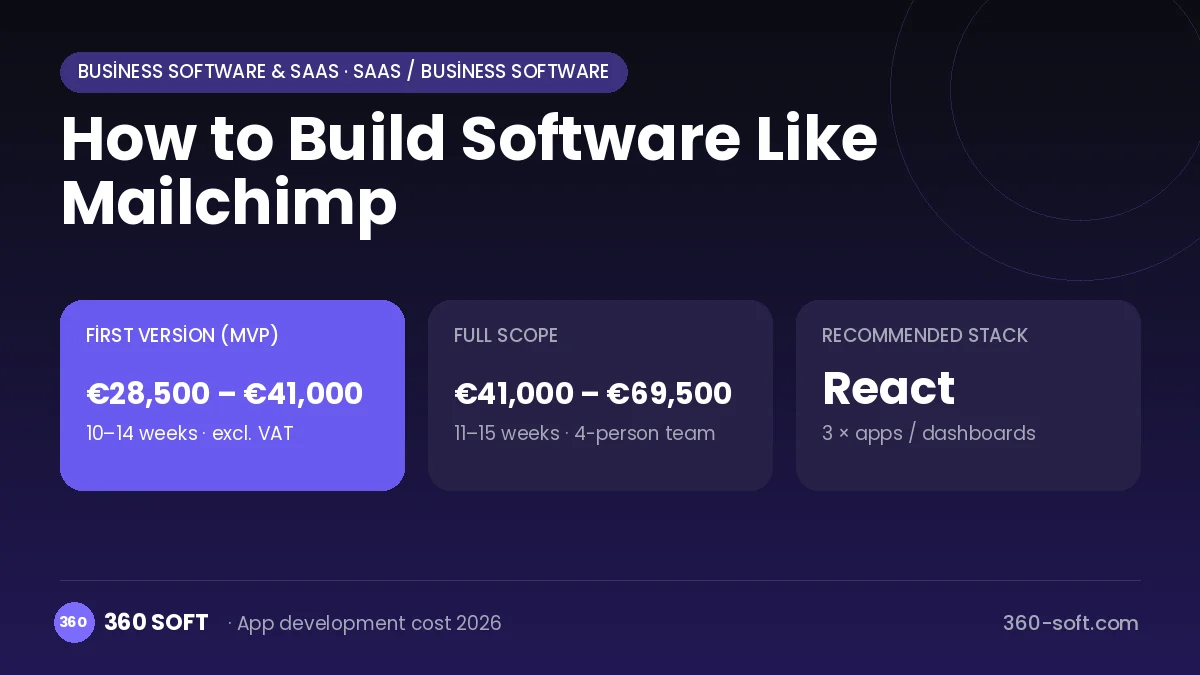
The budget is calculated with 360 SOFT’s pricing model from the modules below, about 28 screens and the project’s complexity: roughly 156 person-days for the full scope and 108 person-days for the first version. Every module you drop lowers the budget directly.
| Module | Phase |
|---|---|
| Sign-up, login, social login | First version |
| User profile and settings | First version |
| Roles and permissions | First version |
| Admin dashboard | First version |
| Subscriptions and recurring billing | First version |
| Online payments (Stripe / PSP) | First version |
| Email / SMS notifications | First version |
| Reporting and analytics | Later release |
| File, photo, video upload | First version |
| Content management / blog | First version |
| Third-party API integration | First version |
| GDPR and security hardening | First version |
Hosting, SMS, map APIs, app store accounts and payment-provider fees are separate items. Maintenance and improvements (optional): €550 / month. We send a fixed written price within 24 hours after a free discovery call.
The hard parts
Deliverability
A single bad actor can damage the reputation of shared IPs, so account approval, sending limits and spam monitoring are essential.
Email client compatibility
Because Outlook, Gmail and mobile clients support HTML differently, it is hard to make the editor's output render properly everywhere.
Legal compliance
Commercial email rules, consent records and keeping proof of consent under GDPR must be built into the product.
Business model
A subscription tiered by subscriber (contact) count and monthly sending volume fits best. A free tier for small lists drives acquisition, and higher plans add automation, A/B testing, segmentation and multiple users. Pay-as-you-go sending credits, dedicated IPs and SMS credits are extra revenue sources.
Get a free quote for your project
Let us scope it together and send a fixed written quote within 24 hours. NDA on request; you own the source code.
Choosing a company to build an app like Mailchimp
Most people searching “build software like mailchimp” are really looking for a reliable app development company. When comparing quotes, check four things:
- Can you try similar products they have shipped, in the stores or live?
- Are the source code, design files, servers and store accounts transferred to you by contract?
- Do they show a working demo every two weeks, with written scope and acceptance criteria?
- Are maintenance, scaling and GDPR/security costs written into the quote?
Copyright and trademarks
A business model and features are generally not protected on their own, but the Mailchimp name, logo, interface design, content and source code are. That is why we build a product with similar functionality but your own brand, design and code. This is not legal advice; we recommend a trademark search before launch.
Frequently asked questions
How long does it take to build software like Mailchimp?
A first release with list management, a template editor, sending and basic reports can be built in a few months. Automation, e-commerce integration and A/B testing come in later releases.
Should we send from our own servers?
To start, using a sending service such as Amazon SES reduces the reputation and infrastructure burden. As volume grows, your own MTA infrastructure and dedicated IP pools bring cost advantages.
Will there be copyright or trademark problems?
The idea of an email marketing service is generally free to use; the name, mascot, logo, template designs and code cannot be copied. This is not legal advice.
What should I look for when choosing a company for this kind of software?
Choose a team with experience in high-volume queue systems and email infrastructure, and in handling consent and unsubscribe compliance. Be sure to ask about their deliverability monitoring plan.