SaaS / business softwareBusiness software & SaaSOriginal by Squarespace
Squarespace lets someone with no technical background publish a design-magazine-quality website. The edge comes not from unlimited freedom but from well-chosen constraints: carefully crafted templates, consistent typography and blocks that never break on any device make it hard to build an ugly page. Bundling the domain, hosting, email and a simple store into one subscription also makes the choice easy for small businesses.
Building something similar means building two separate products: the visual editor where users arrange their pages, and the multi-tenant publishing infrastructure that serves those pages quickly across millions of domains. Behind the editor sit a block schema, a theme system, version history and media processing. Around it come domain and SSL automation, subscription billing, a template store and an admin panel for the support team.
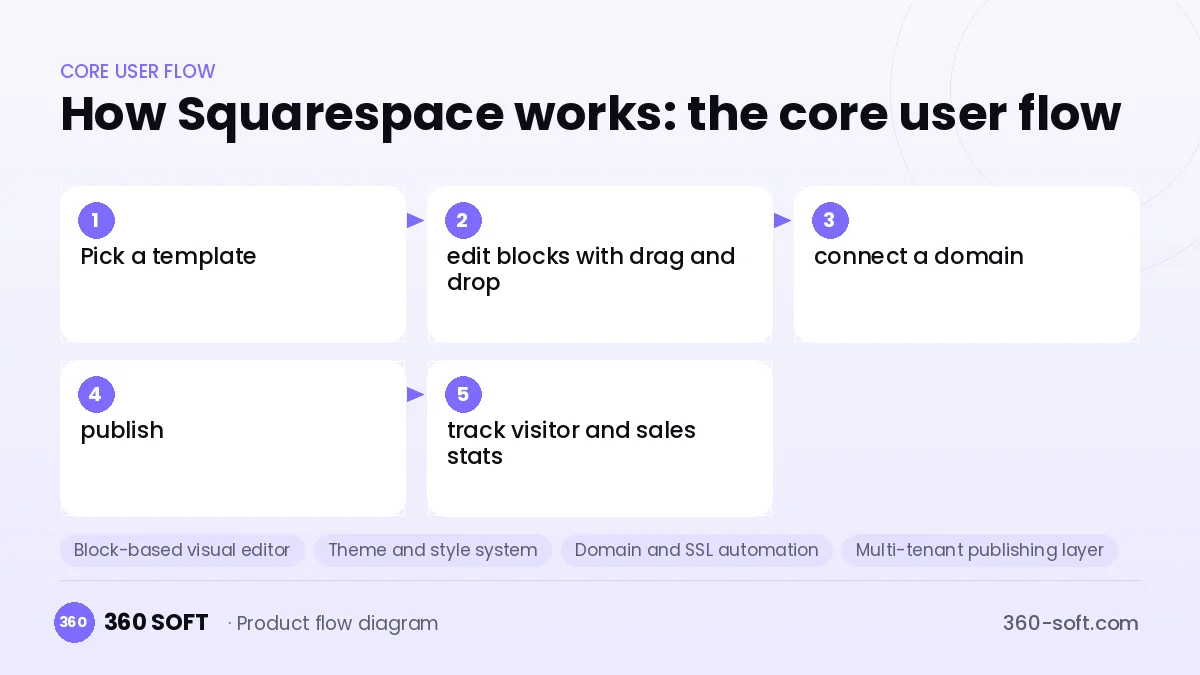
How Squarespace works: the core user flow
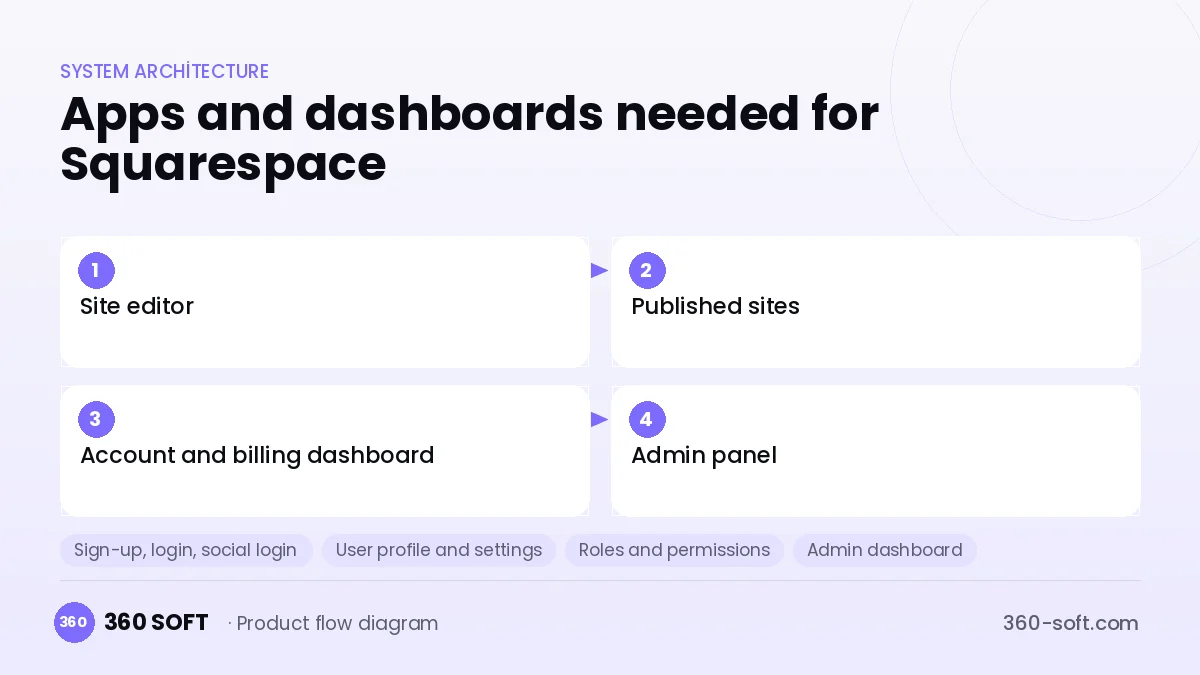
How many apps and dashboards do you need?
Site editor
The web interface where site owners visually edit their pages, blog and store content.
Published sites
The mobile-friendly customer sites that visitors see, served through a CDN.
Account and billing dashboard
The screen for managing the subscription plan, domains, email inboxes and invoices.
Admin panel
The internal panel for managing templates, user accounts, abuse reports and support requests.
Critical features of a product like Squarespace
Block-based visual editor
Text, image, gallery, form and product blocks are placed on a grid layout, and each block can be adjusted separately for desktop and mobile.
Theme and style system
Colour palette, typefaces and spacing values come from central style variables, so a single change flows through the whole site.
Domain and SSL automation
Buying a new domain or connecting an existing one, DNS checks and certificate issuance are all completed automatically.
Multi-tenant publishing layer
All sites run on shared infrastructure; pages are cached and images are resized for each device.
Built-in store and scheduling
Product sales, digital downloads, members-only content and appointment booking can be added to a page from the same editor.
SEO and marketing tools
Meta tags, a sitemap, redirects, an email newsletter and a basic analytics dashboard come ready out of the box.
What goes into the first version, what comes later
First version (MVP)
- A limited set of templates and core blocks
- Drag-and-drop editor with mobile preview
- Publishing on a subdomain and custom domain connection
- Monthly and annual subscriptions with a payment gateway
- Simple visitor statistics for site owners
Later releases
- E-commerce and digital product sales
- Appointment booking and members-only content
- Email newsletter and campaign tools
- A template marketplace for designers
Modules and how the budget is calculated
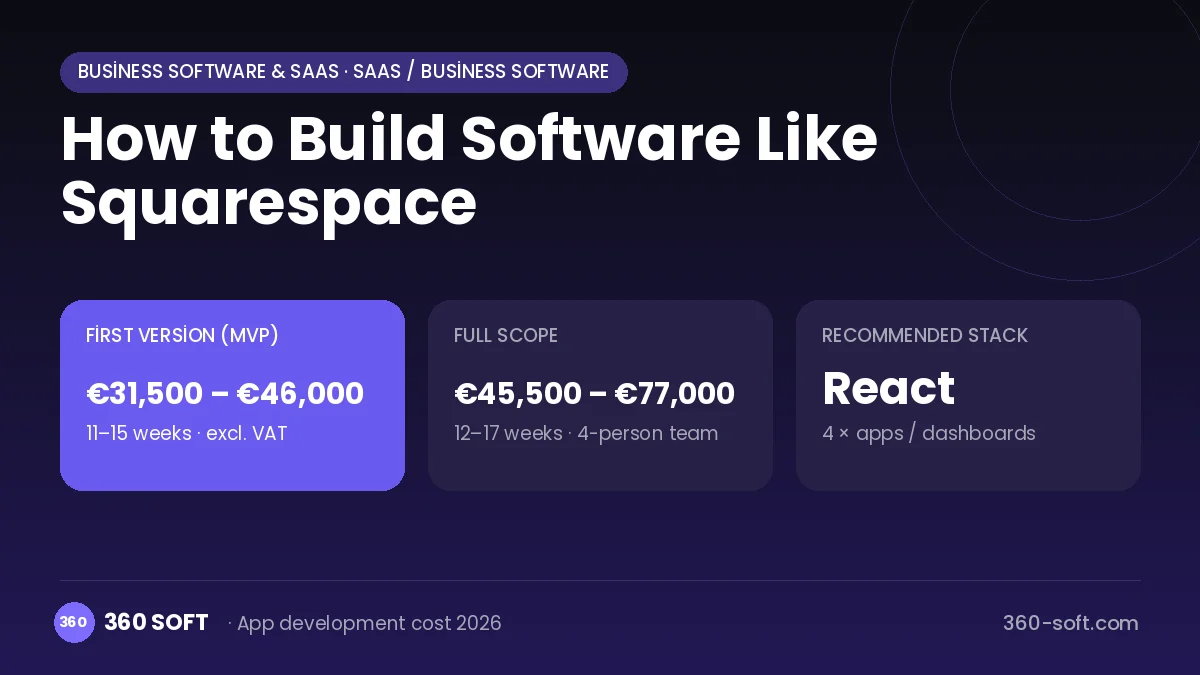
The budget is calculated with 360 SOFT’s pricing model from the modules below, about 32 screens and the project’s complexity: roughly 174 person-days for the full scope and 121 person-days for the first version. Every module you drop lowers the budget directly.
| Module | Phase |
|---|---|
| Sign-up, login, social login | First version |
| User profile and settings | First version |
| Roles and permissions | First version |
| Admin dashboard | First version |
| Subscriptions and recurring billing | First version |
| Online payments (Stripe / PSP) | First version |
| Content management / blog | First version |
| File, photo, video upload | First version |
| Product / content catalogue | First version |
| Reporting and analytics | Later release |
| Multi-language | First version |
| GDPR and security hardening | First version |
| Third-party API integration | First version |
Hosting, SMS, map APIs, app store accounts and payment-provider fees are separate items. Maintenance and improvements (optional): €600 / month. We send a fixed written price within 24 hours after a free discovery call.
The hard parts
Editor and output must match
Publishing the page exactly as seen in the editor on every browser and screen requires a very carefully designed block schema.
Multi-tenant performance
For thousands of sites to load fast on the same servers, caching, CDN and resource isolation must be designed in from the start.
Abuse
Free trial accounts can be used for phishing and spam sites, so automated scanning and a fast takedown process are essential.
Business model
The core revenue is monthly or annual subscription plans, tiered by storage, e-commerce capabilities and transaction fee rate. Domain sales and renewals, business email inboxes, premium templates and a small fee on store sales add further income. A discount for annual payment is the most effective way to reduce churn.
Get a free quote for your project
Let us scope it together and send a fixed written quote within 24 hours. NDA on request; you own the source code.
Choosing a company to build an app like Squarespace
Most people searching “build software like squarespace” are really looking for a reliable app development company. When comparing quotes, check four things:
- Can you try similar products they have shipped, in the stores or live?
- Are the source code, design files, servers and store accounts transferred to you by contract?
- Do they show a working demo every two weeks, with written scope and acceptance criteria?
- Are maintenance, scaling and GDPR/security costs written into the quote?
Copyright and trademarks
A business model and features are generally not protected on their own, but the Squarespace name, logo, interface design, content and source code are. That is why we build a product with similar functionality but your own brand, design and code. This is not legal advice; we recommend a trademark search before launch.
Frequently asked questions
How long does it take to build software like Squarespace?
A first version of an editor with a few templates and core blocks can ship in a few months. The timeline grows noticeably as you add a store, scheduling and more design freedom.
Off-the-shelf open-source system or custom software?
If you will serve sites for one specific industry, building on an open-source CMS can be quick. If you want to compete on your own editor experience, the block schema and publishing layer must be custom-built.
Will there be copyright or trademark issues?
The site-builder business model and the drag-and-drop editor idea are generally free to use; however, the name, logo, template designs, copy and code cannot be copied. This is general information, not legal advice.
What should I look for when choosing a company to build a site builder?
Look for experience with complex editor interfaces and multi-tenant SaaS architecture. Ask how they approach caching, domain automation and backup planning.