Web platformEducation & e-learning
Educational platforms in the style of Vitamin, a Turkish digital curriculum platform, bring the school curriculum online and let students study lesson topics through visual and interactive content. Explanations, simulations, exercises and assessments are gathered in one place. By offering content that teachers can use on the classroom smartboard and a resource that students can use at home for reinforcement, these products are valuable to both institutions and families.
Building something similar requires a content management system organised as grade, subject, unit and topic, a video and interactive content player, a question bank and mock exam module, teacher class management, school licence management and parent reports. A smartboard-friendly presentation mode, a mobile app and integration with school information systems widen the scope. For school sales, a multi-tenant structure and bulk user import are important requirements.
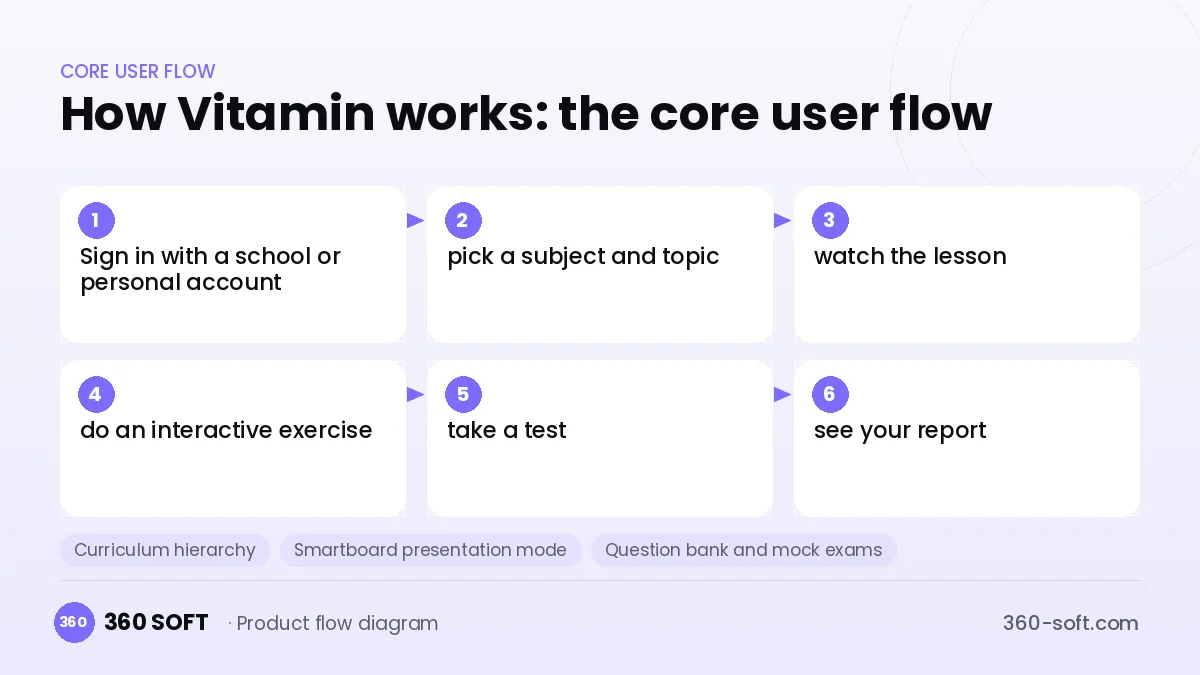
How Vitamin works: the core user flow
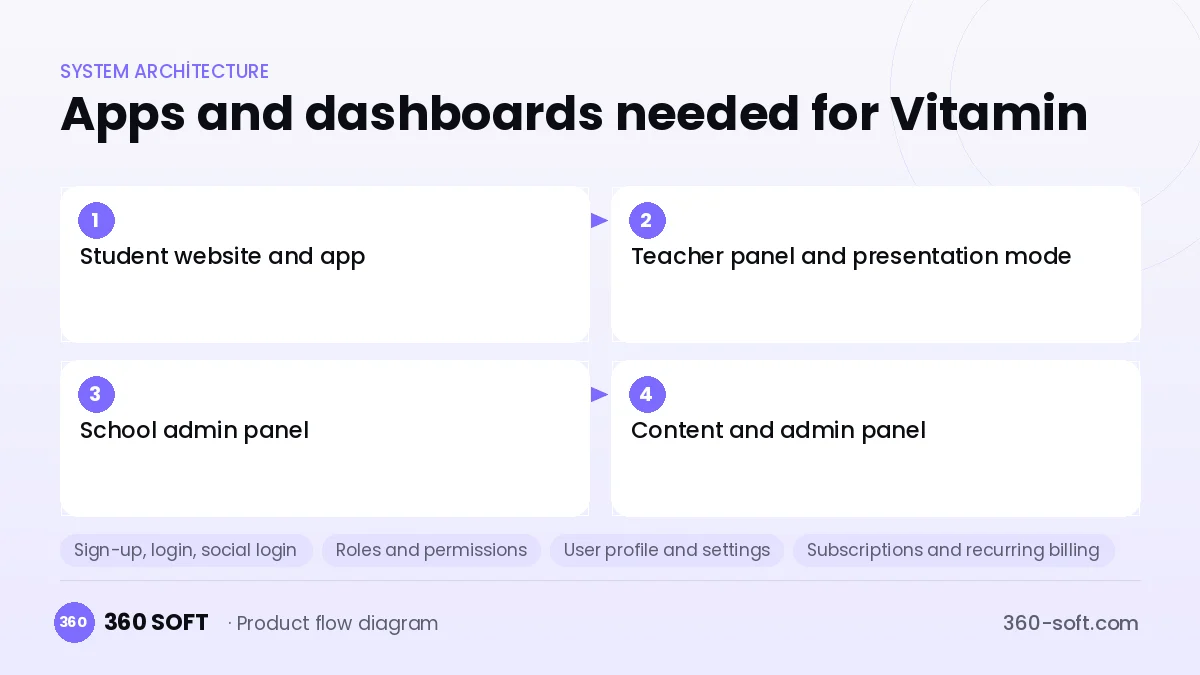
How many apps and dashboards do you need?
Student website and app
The interface where students watch lesson explanations and take exercises and mock exams.
Teacher panel and presentation mode
A panel where teachers present content on the smartboard in class, assign homework and view class reports.
School admin panel
A panel where the school administrator manages licences, classes, teacher accounts and usage statistics.
Content and admin panel
An internal panel where the content team manages lessons, the question bank and overall platform settings.
Critical features of a product like Vitamin
Curriculum hierarchy
Content is classified by grade, subject, unit, topic and learning outcome, and found quickly through search.
Smartboard presentation mode
Teachers project content in class with full screen, large controls and drawing tools.
Question bank and mock exams
Mock exams are generated automatically from questions tagged by difficulty and outcome, and results are analysed.
Simulations and interactive content
Experiment simulations and interactive graphs are provided for science and maths topics.
School licence management
User quotas per school, contract terms and bulk student import are managed.
Outcome-based report card
The student's success rate for each outcome is reported to teachers and parents.
What goes into the first version, what comes later
First version (MVP)
- Curriculum hierarchy and content for one school stage
- Video and interactive content player
- Topic tests and a results report
- Individual subscription access
- Content management panel
Later releases
- School licences and a teacher panel
- Smartboard presentation mode
- Mock exams and detailed analytics
- Mobile app and offline mode
Modules and how the budget is calculated
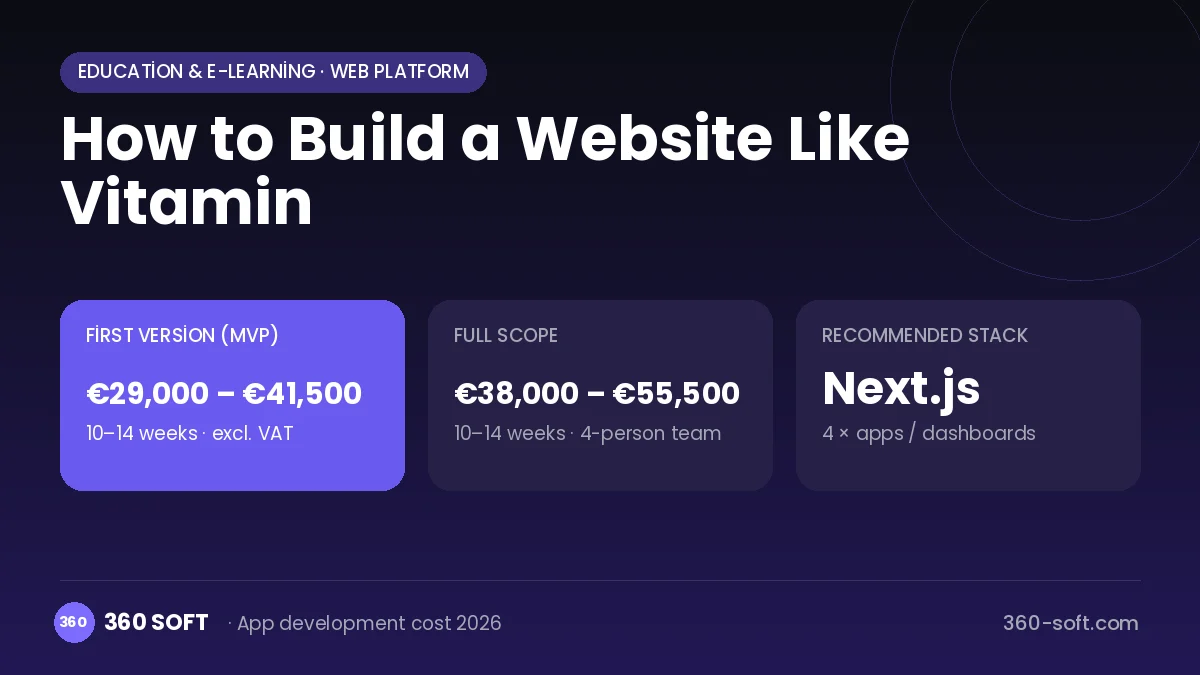
The budget is calculated with 360 SOFT’s pricing model from the modules below, about 30 screens and the project’s complexity: roughly 146 person-days for the full scope and 110 person-days for the first version. Every module you drop lowers the budget directly.
| Module | Phase |
|---|---|
| Sign-up, login, social login | First version |
| Roles and permissions | First version |
| User profile and settings | First version |
| Subscriptions and recurring billing | First version |
| Online payments (Stripe / PSP) | First version |
| Video / voice calls | First version |
| File, photo, video upload | First version |
| Advanced search and filters | First version |
| Reporting and analytics | Later release |
| Content management / blog | First version |
| Admin dashboard | First version |
| Third-party API integration | First version |
Hosting, SMS, map APIs, app store accounts and payment-provider fees are separate items. Maintenance and improvements (optional): €500 / month. We send a fixed written price within 24 hours after a free discovery call.
The hard parts
Content volume
Content covering every grade and subject means thousands of hours of production, so content workflow management becomes critical.
Multi-tenant school structure
Each school's users, data and licence terms must be kept securely separate from one another.
Interactive content compatibility
Making simulations behave the same in browsers, tablets and smartboards takes extensive testing.
Business model
Platforms like this have two main revenue channels: annual per-student licences or campus packages sold to schools, and individual subscriptions for parents. Mock exam packs in exam season, content partnerships with publishers and white-label versions for private schools can be added to the revenue model.
Get a free quote for your project
Let us scope it together and send a fixed written quote within 24 hours. NDA on request; you own the source code.
Choosing a company to build an app like Vitamin
Most people searching “website like vitamin” are really looking for a reliable app development company. When comparing quotes, check four things:
- Can you try similar products they have shipped, in the stores or live?
- Are the source code, design files, servers and store accounts transferred to you by contract?
- Do they show a working demo every two weeks, with written scope and acceptance criteria?
- Are maintenance, scaling and GDPR/security costs written into the quote?
Copyright and trademarks
A business model and features are generally not protected on their own, but the Vitamin name, logo, interface design, content and source code are. That is why we build a product with similar functionality but your own brand, design and code. This is not legal advice; we recommend a trademark search before launch.
Frequently asked questions
How long does it take to build a website like Vitamin?
The platform infrastructure can be ready in a few months, but a time estimate is incomplete until the content scope is set. Usually you start with a single school stage and expand.
Ready-made script or custom software?
Open-source LMSs handle the basics, but outcome-based reporting, school licences and a smartboard mode need custom development. If you plan to sell to institutions, custom software is more flexible.
Are there copyright or trademark issues?
The digital curriculum platform business model is free to use. The name, logo, design, content, questions and code cannot be copied; this information is not legal advice.
What should I look for when choosing an education software company?
Ask about multi-tenant architecture, interactive content standards (H5P, SCORM) and load-testing experience. Request reporting examples that support the school sales process.