Mobile appEducation & e-learning
What makes ABCmouse-style apps succeed is that they make learning feel like play for preschool and primary-school children. Letters, numbers, colours and basic concepts come with voice guidance, mini games and rewards; the child collects stars in every activity, decorates a character and moves up a level. Parents are willing to pay because they can see what their child is learning in a safe, ad-free environment.
Building something similar needs a game studio and an educational content team working together. The child interface is made up of an age-organised learning path and hundreds of interactive activities, while the parent dashboard offers progress reports, screen-time limits and subscription management. Behind the scenes you need a delivery system that downloads content packs, offline play, a data model that minimises children's data and parental verification.
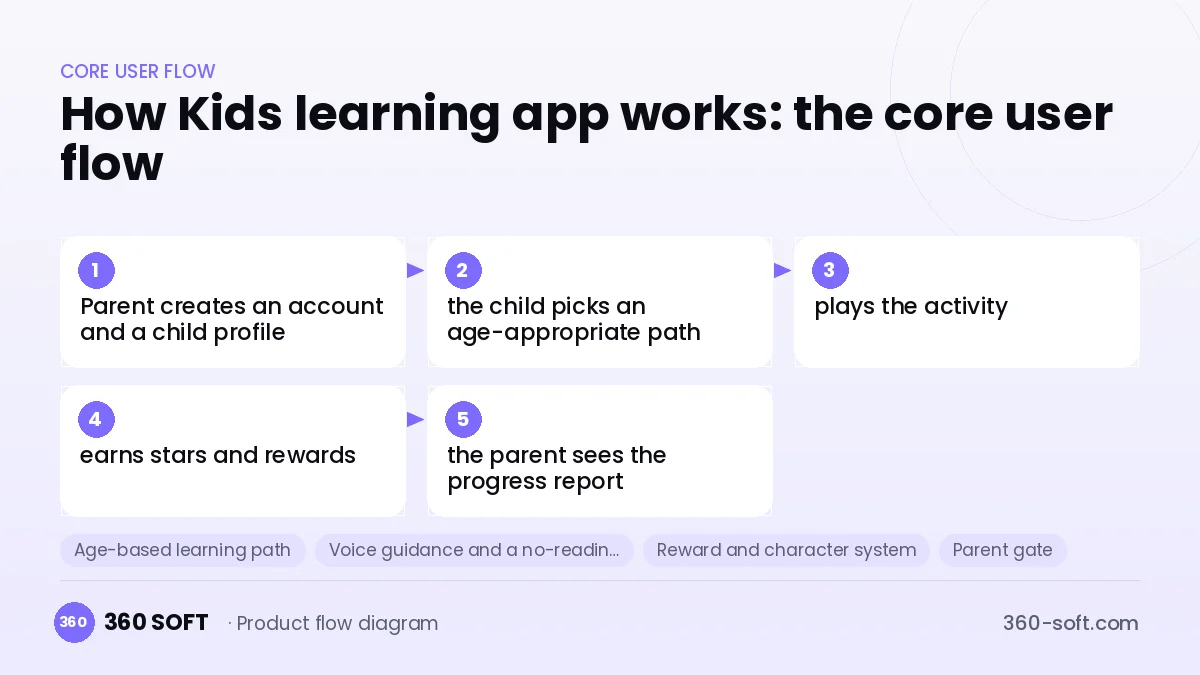
How Kids learning app works: the core user flow
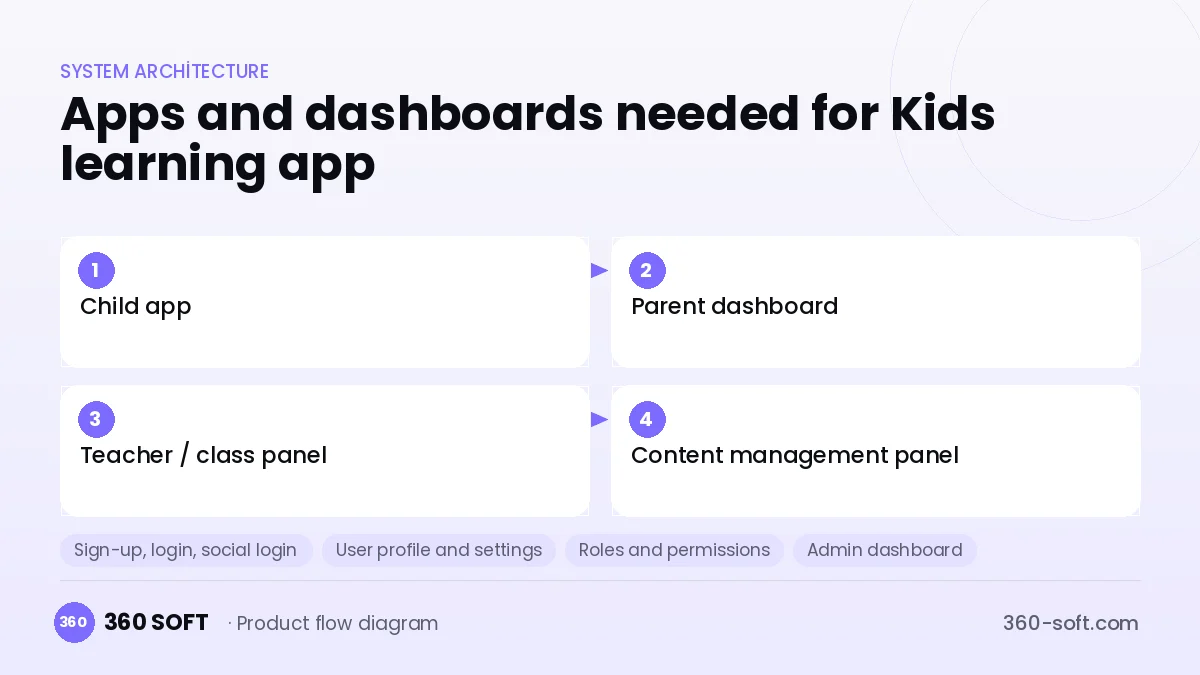
How many apps and dashboards do you need?
Child app
Children play activities with voice guidance, collect rewards and customise their character.
Parent dashboard
Parents manage child profiles, screen time, the subscription and progress reports.
Teacher / class panel
Nursery and classroom teachers assign activities to their pupils and follow class progress.
Content management panel
The content team manages activity packs, age groups, voice-overs and the release calendar.
Critical features of a product like Kids learning app
Age-based learning path
Activities are sequenced by age and skill level, and difficulty rises gradually as the child succeeds.
Voice guidance and a no-reading interface
For children who cannot read yet, every instruction is spoken and the touch targets are large and colourful.
Reward and character system
Earned stars unlock character outfits, room items or stickers, keeping motivation up without ads.
Parent gate
Purchases, settings and external links sit behind a verification step a child cannot solve.
Screen-time control
Parents set a daily limit, and when time is up the app stops with a gentle closing animation.
Progress and skills report
Progress in skills such as letter recognition, counting and shapes is shown to parents in a simple weekly report.
What goes into the first version, what comes later
First version (MVP)
- Letter, number and shape activities for a single age group
- Voice guidance and a star-reward system
- Multiple child profiles and a parent gate
- Parent dashboard: progress summary and screen time
- Monthly / yearly subscription after a free trial
Later releases
- New age groups and English-language content packs
- Teacher and school panel
- Offline content download
- Learning analytics for adaptive difficulty
Modules and how the budget is calculated
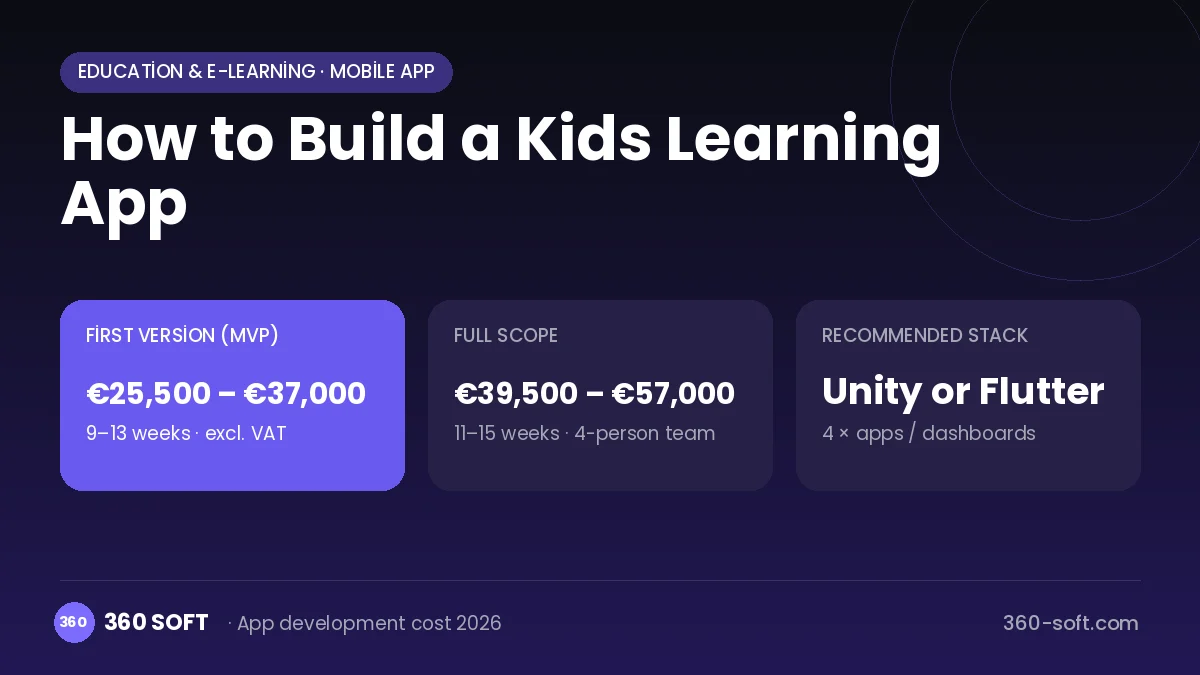
The budget is calculated with 360 SOFT’s pricing model from the modules below, about 24 screens and the project’s complexity: roughly 151 person-days for the full scope and 97 person-days for the first version. Every module you drop lowers the budget directly.
| Module | Phase |
|---|---|
| Sign-up, login, social login | First version |
| User profile and settings | First version |
| Roles and permissions | First version |
| Admin dashboard | First version |
| Subscriptions and recurring billing | First version |
| Online payments (Stripe / PSP) | First version |
| File, photo, video upload | First version |
| Push notifications | First version |
| Reporting and analytics | Later release |
| Offline mode and sync | Later release |
| Multi-language | First version |
| Content management / blog | First version |
| GDPR and security hardening | First version |
Hosting, SMS, map APIs, app store accounts and payment-provider fees are separate items. Maintenance and improvements (optional): €500 / month. We send a fixed written price within 24 hours after a free discovery call.
The hard parts
Children's privacy and store rules
In apps for children, Apple's and Google's kids-category rules, COPPA, GDPR and similar regulations severely restrict advertising, tracking and data collection.
Content production cost
Every activity needs illustration, animation, voice-over and pedagogical design; the volume of content is a bigger budget line than the software.
Old and shared devices
Children usually use an old tablet or a parent's phone; running smoothly on low-end hardware and managing large content packs are hard.
Business model
An ad-free subscription is the right model for this category: after a free trial, a monthly or annual plan unlocks all content. A family plan can cover several child profiles. Selling classroom licences to nurseries and schools, and offering one-time content packs on specific topics, brings extra revenue. An advertising model aimed at children should be avoided.
Get a free quote for your project
Let us scope it together and send a fixed written quote within 24 hours. NDA on request; you own the source code.
Choosing a company to build an app like Kids learning app
Most people searching “build a kids learning app” are really looking for a reliable app development company. When comparing quotes, check four things:
- Can you try similar products they have shipped, in the stores or live?
- Are the source code, design files, servers and store accounts transferred to you by contract?
- Do they show a working demo every two weeks, with written scope and acceptance criteria?
- Are maintenance, scaling and GDPR/security costs written into the quote?
Copyright and trademarks
A business model and features are generally not protected on their own, but the Kids learning app name, logo, interface design, content and source code are. That is why we build a product with similar functionality but your own brand, design and code. This is not legal advice; we recommend a trademark search before launch.
Frequently asked questions
How long does it take to build a kids learning app?
The software foundation can be ready in a few months, but the illustration, animation and voice-over of the activities set the schedule. Starting with a single age group speeds up the first release.
Can I show ads?
In apps for children, store rules and privacy regulations severely restrict advertising and tracking. A subscription model suits both compliance and parental trust better.
Will there be copyright or trademark issues?
The idea of gamified children's education is free to use, but well-known characters, names, artwork and songs cannot be used without a licence. This is general information, not legal advice.
What should I look for in a company that builds kids' apps?
Choose a team that knows the kids-category store rules, has animation and game experience and can do privacy-by-design. Ask whether they work with educators or pedagogy specialists.