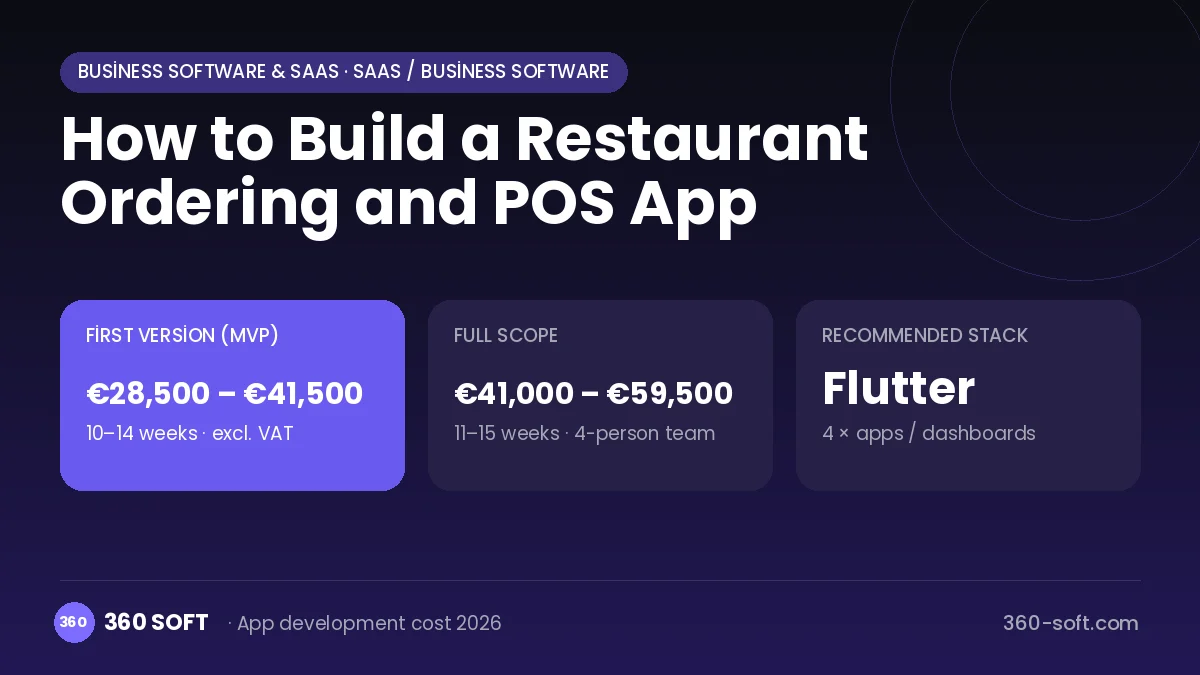
SaaS / business softwareBusiness software & SaaS
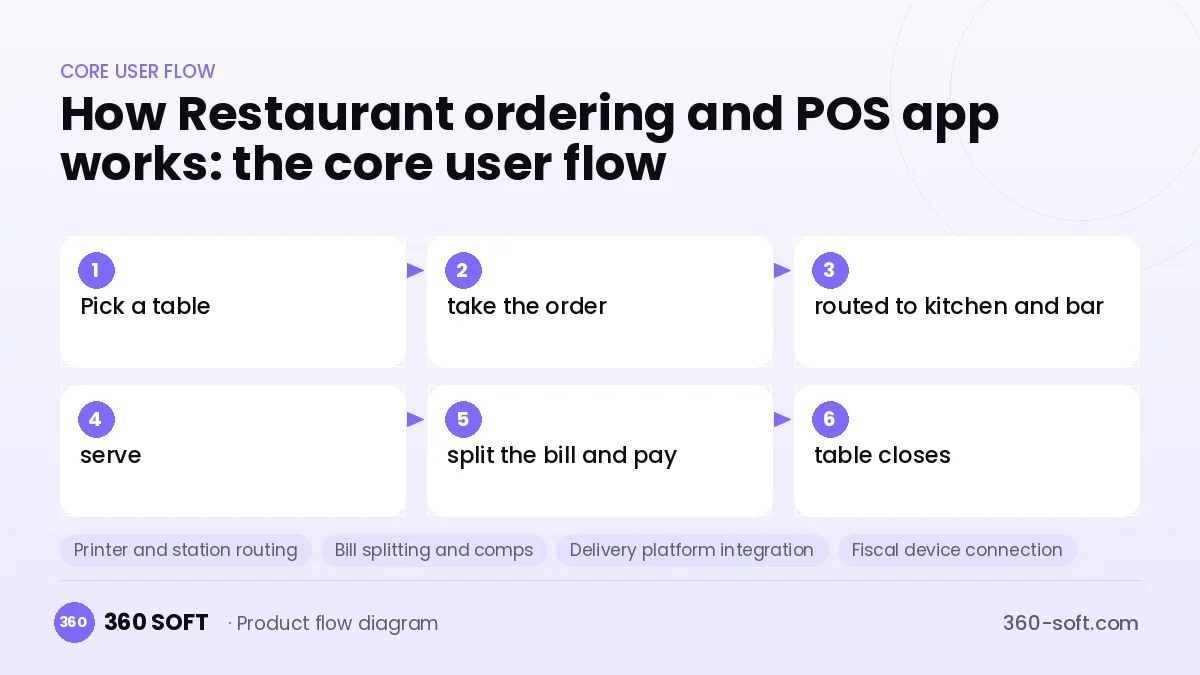
A good order-management system makes sure no order is ever lost, even at the restaurant's busiest hour. The server takes the order at the table, the kitchen and bar instantly see their items, and the cashier closes the bill with one tap. Delivery orders from food-delivery platforms landing on the same screen ends the scramble between separate tablets. Knowing at the end of the day which product sold how much and which staff member brought in how much revenue gives the owner real control.
For this product, a server handheld app, cashier screen, kitchen display or printer routing and a cloud management dashboard are developed together. An architecture that runs on the local network and does not stop when the internet drops is a must. Integrations with delivery platforms such as Uber Eats, Deliveroo or Just Eat, connections to local fiscal or receipt devices and tax-compliant invoicing are the expected standard in most markets.
How Restaurant ordering and POS app works: the core user flow
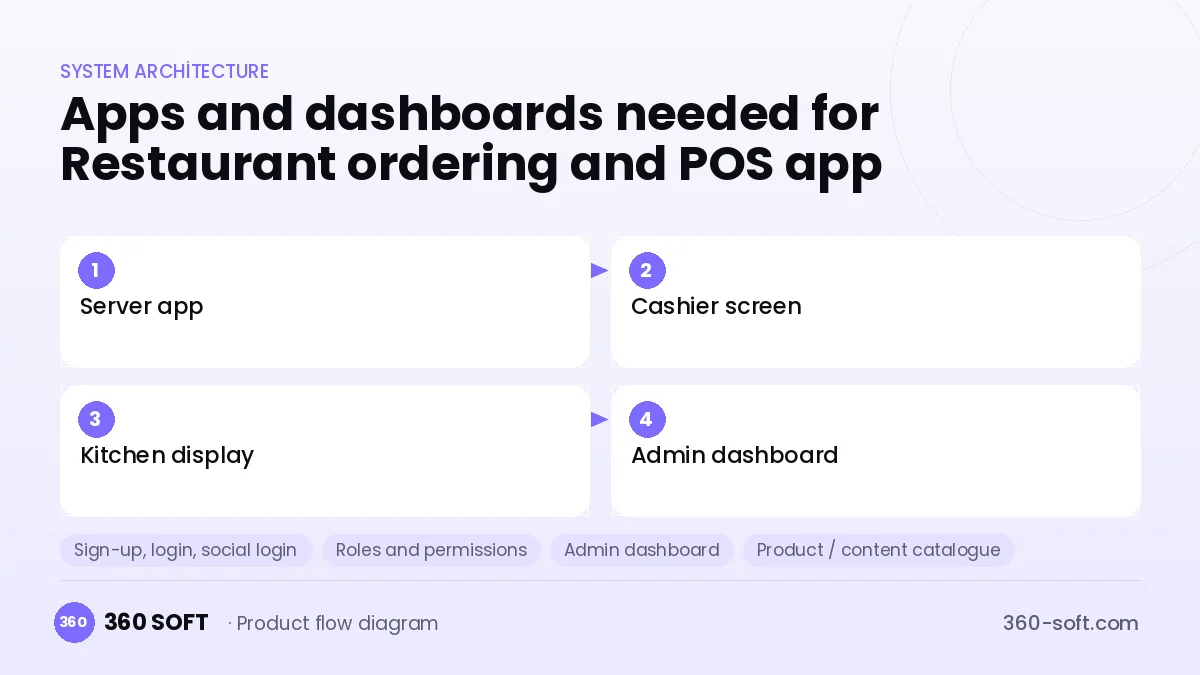
How many apps and dashboards do you need?
Server app
The mobile app where servers open tables and enter orders from a phone or handheld.
Cashier screen
The touchscreen where the cashier closes bills, applies discounts and comps, and manages delivery orders.
Kitchen display
The screen or printer flow where kitchen and bar teams see orders in sequence and prepare them.
Admin dashboard
The cloud dashboard where the owner follows menus, prices, stock, staff and sales reports.
Critical features of a product like Restaurant ordering and POS app
Printer and station routing
Each item goes to its assigned station; drinks print at the bar and grill items at the grill automatically.
Bill splitting and comps
Bills are split by person, item or amount, and comps and voids are logged according to permission levels.
Delivery platform integration
Orders from delivery platforms land on the same screen, and courier and delivery status are tracked.
Fiscal device connection
Payments and tax receipts work together with certified fiscal printers and tax-reporting devices where required.
Recipes and stock
Each portion sold is deducted from raw-ingredient stock according to its recipe, with stocktake and waste reports.
Staff permissions and performance
Permission levels are defined, along with per-server revenue, void and discount reports.
What goes into the first version, what comes later
First version (MVP)
- Floor plan, server app and order entry
- Kitchen and bar printer routing
- Closing and splitting bills on the cashier screen
- Menu and price management
- End-of-day and per-product sales report
Later releases
- Delivery platform integrations
- Fiscal device and tax-receipt integration
- Recipe-based stock and cost analysis
- Multi-location management and QR menu
Modules and how the budget is calculated
The budget is calculated with 360 SOFT’s pricing model from the modules below, about 24 screens and the project’s complexity: roughly 158 person-days for the full scope and 109 person-days for the first version. Every module you drop lowers the budget directly.
| Module | Phase |
|---|---|
| Sign-up, login, social login | First version |
| Roles and permissions | First version |
| Admin dashboard | First version |
| Product / content catalogue | First version |
| Offline mode and sync | First version |
| Reporting and analytics | First version |
| ERP / accounting integration | Later release |
| E-invoicing | First version |
| IoT device and sensor integration | Later release |
| Third-party API integration | First version |
| Subscriptions and recurring billing | First version |
Hosting, SMS, map APIs, app store accounts and payment-provider fees are separate items. Maintenance and improvements (optional): €550 / month. We send a fixed written price within 24 hours after a free discovery call.
The hard parts
Working without internet
The order flow must not stop when the connection drops; a local server or device-to-device sync architecture is needed.
Hardware and printer compatibility
Thermal printers, handhelds and fiscal device models vary widely, and each needs separate testing.
Platform integrations
Delivery platforms have different integration rules and approval processes, so the maintenance burden never ends.
Business model
The most common model is a monthly subscription fee per device or location. Delivery integration, recipe stock, QR menu and multi-location management can be sold as add-on modules. Hardware bundles, installation and training also bring income. Revenue sharing with payment partners creates a second income line without adding cost for the restaurant.
Get a free quote for your project
Let us scope it together and send a fixed written quote within 24 hours. NDA on request; you own the source code.
Choosing a company to build an app like Restaurant ordering and POS app
Most people searching “build a restaurant pos app” are really looking for a reliable app development company. When comparing quotes, check four things:
- Can you try similar products they have shipped, in the stores or live?
- Are the source code, design files, servers and store accounts transferred to you by contract?
- Do they show a working demo every two weeks, with written scope and acceptance criteria?
- Are maintenance, scaling and GDPR/security costs written into the quote?
Copyright and trademarks
A business model and features are generally not protected on their own, but the Restaurant ordering and POS app name, logo, interface design, content and source code are. That is why we build a product with similar functionality but your own brand, design and code. This is not legal advice; we recommend a trademark search before launch.
Frequently asked questions
How long does it take to build a restaurant ordering app?
A first release with tables, orders, printer routing and the cashier screen becomes usable in a few months. Platform and fiscal-device integrations need extra time because of their approval processes.
How many separate apps are needed?
There are usually four parts: a server mobile app, a cashier app, a kitchen display and a cloud admin dashboard. For small businesses, the cashier and server screens can be combined in one app.
Ready-made script or custom software?
For a single restaurant, a ready-made order-management program is usually enough. If you will sell the product to other businesses, the offline architecture, subscription and integration layers must be custom-built.
What should I look for when choosing a company to build order-management software?
Look for experience with hardware integration, offline synchronisation and delivery platform integration. Ask whether they run pilot installations in restaurants and what their support hours are.