SaaS / business softwareBusiness software & SaaSOriginal by Atlassian
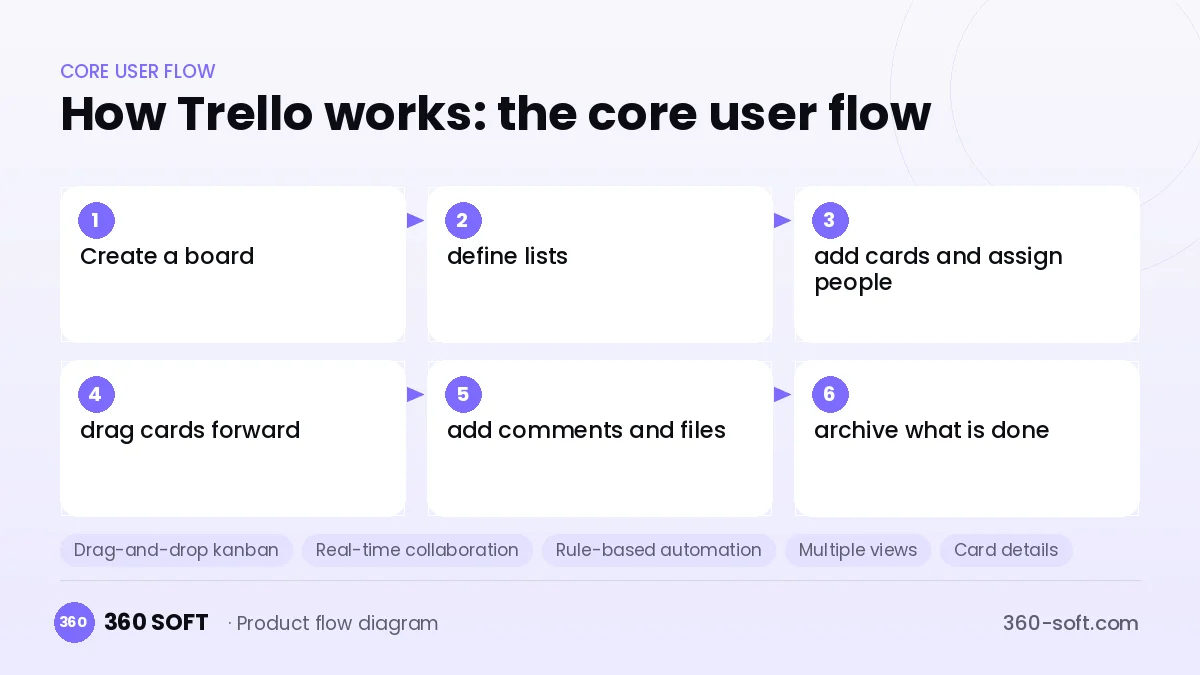
Trello makes task tracking as intuitive as a kanban board, so it is understood from the very first minute. Lists become columns and tasks become cards; dragging a card means changing the status of the work. That simplicity opens the product to a very wide audience, from software teams to couples planning a wedding. Every person invited to a board is a natural growth channel that carries the product to a new team.
To build something similar you need a web app, mobile apps and a backend that synchronises in real time. You develop the board, list and card structure, drag-and-drop ordering, comments, labels, due dates, file attachments, notifications, rule-based automations, and calendar or timeline views. Workspace and role management and a plugin API come into play at the growth stage.
How Trello works: the core user flow
How many apps and dashboards do you need?
Web app
The main interface for managing boards, cards, views and workspace settings.
Mobile app
An iOS and Android app for viewing and updating cards, receiving notifications and working offline.
Real-time sync service
A WebSocket infrastructure that pushes every change on a board to all open sessions instantly.
Admin panel
A panel for monitoring subscriptions, enterprise accounts, abuse reports and system health.

Critical features of a product like Trello
Drag-and-drop kanban
Cards move fluidly between lists and boards, and the ordering is saved instantly without conflicts.
Real-time collaboration
A change made by one user appears on the screens of others without a page refresh.
Rule-based automation
Rules such as "when a card moves to Done, change its label and notify the team" are defined with no code.
Multiple views
The same cards are examined from different angles in calendar, table, timeline and map views.
Card details
Checklists, due dates, members, attachments, custom fields and comments are collected on a single card.
Power-ups and integrations
Services such as Slack, Google Drive and GitHub attach to cards, and custom integrations are built with an open API.
What goes into the first version, what comes later
First version (MVP)
- Board, list and card structure
- Ordering and moving with drag and drop
- Member invites, card assignment and comments
- Due dates, labels and file attachments
- Real-time updates and notifications
Later releases
- Rule-based automations
- Calendar, table and timeline views
- Workspace management and enterprise plans
- Plugin API and integration marketplace
Modules and how the budget is calculated
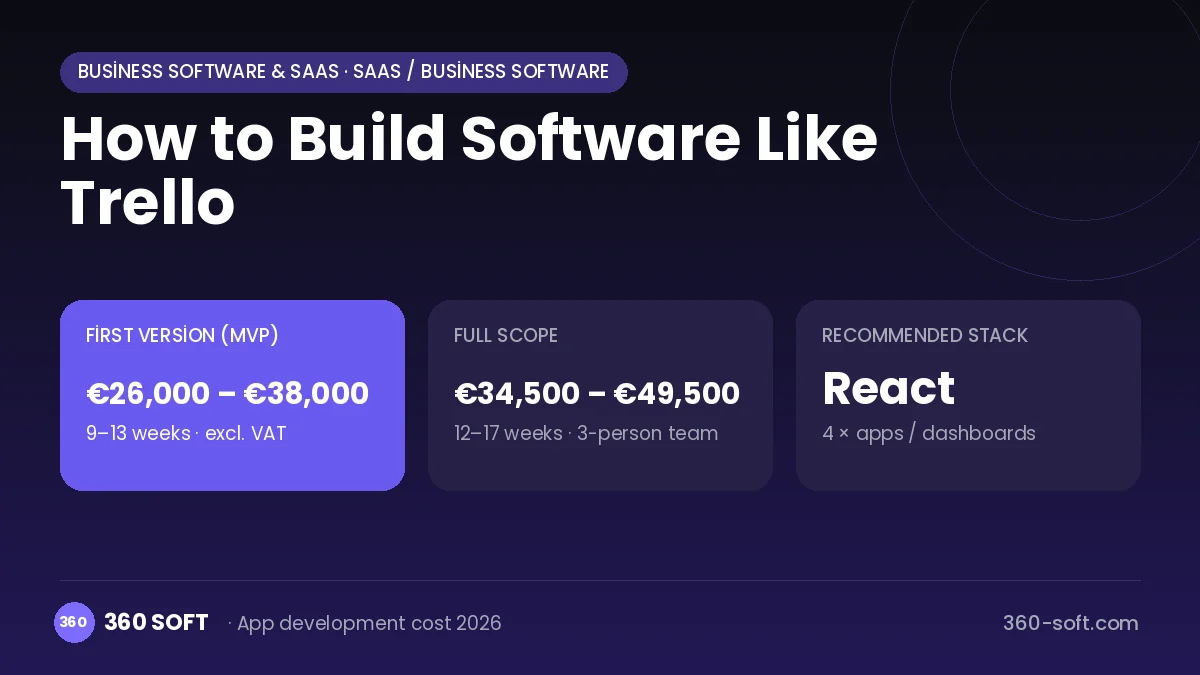
The budget is calculated with 360 SOFT’s pricing model from the modules below, about 24 screens and the project’s complexity: roughly 131 person-days for the full scope and 100 person-days for the first version. Every module you drop lowers the budget directly.
| Module | Phase |
|---|---|
| Sign-up, login, social login | First version |
| User profile and settings | First version |
| Roles and permissions | First version |
| Admin dashboard | First version |
| Subscriptions and recurring billing | First version |
| Online payments (Stripe / PSP) | First version |
| Email / SMS notifications | First version |
| Push notifications | First version |
| File, photo, video upload | First version |
| Advanced search and filters | First version |
| Offline mode and sync | Later release |
| Third-party API integration | First version |
| Multi-language | First version |
Hosting, SMS, map APIs, app store accounts and payment-provider fees are separate items. Maintenance and improvements (optional): €450 / month. We send a fixed written price within 24 hours after a free discovery call.
The hard parts
Concurrent editing
Several people moving the same card or list at once requires consistent ordering and conflict resolution.
Offline sync
Merging changes made on mobile without internet correctly once the connection returns is difficult.
Performance
Smooth drag and drop and fast loading on boards with thousands of cards require virtualisation and caching.
Business model
The best-fitting model is a freemium subscription: individuals and small teams start free, and unlimited automations, advanced views, admin controls and security features are offered in paid per-user monthly plans. Enterprise plans package SSO, audit logs and priority support separately. Invitations within teams gradually move free users to paid plans and keep the cost of sales low.
Get a free quote for your project
Let us scope it together and send a fixed written quote within 24 hours. NDA on request; you own the source code.
Choosing a company to build an app like Trello
Most people searching “build software like trello” are really looking for a reliable app development company. When comparing quotes, check four things:
- Can you try similar products they have shipped, in the stores or live?
- Are the source code, design files, servers and store accounts transferred to you by contract?
- Do they show a working demo every two weeks, with written scope and acceptance criteria?
- Are maintenance, scaling and GDPR/security costs written into the quote?
Copyright and trademarks
A business model and features are generally not protected on their own, but the Trello name, logo, interface design, content and source code are. That is why we build a product with similar functionality but your own brand, design and code. This is not legal advice; we recommend a trademark search before launch.
Frequently asked questions
How long does it take to build software like Trello?
A first version with boards, cards, drag and drop and real-time updates can be ready in a few months. Automation, extra views and the plugin API come in later phases.
Off-the-shelf script or custom software?
Open-source kanban tools may be enough for internal use. Custom development is the right choice if you want to sell the product as SaaS, need real-time performance and want your own brand experience.
Are there copyright or trademark issues?
The idea and features of kanban-based work tracking are free to use, but the name, logo, interface design, icons and code cannot be copied. This information is general in nature and is not a substitute for legal advice.
What should I look for when choosing a company to build software like Trello?
Ask about experience with real-time collaboration, drag-and-drop interfaces and offline sync. Whether they have built SaaS subscription infrastructure before is also important.