Digital accessibility determines whether people who use screen readers, keyboard navigation, magnification, voice control or captions can actually use your website, app or document. It is also increasingly a legal requirement: the European Accessibility Act has applied to many consumer-facing digital products and services in the EU since 28 June 2025, public-sector bodies have had obligations for years, and accessibility claims are common in the United States. A WCAG accessibility audit tells you exactly where your product fails, how serious each issue is and how to fix it. 360 Soft runs manual and assisted audits against WCAG 2.2, prepares developer-ready reports and supports remediation and retesting.
What a WCAG accessibility audit is, and who needs it
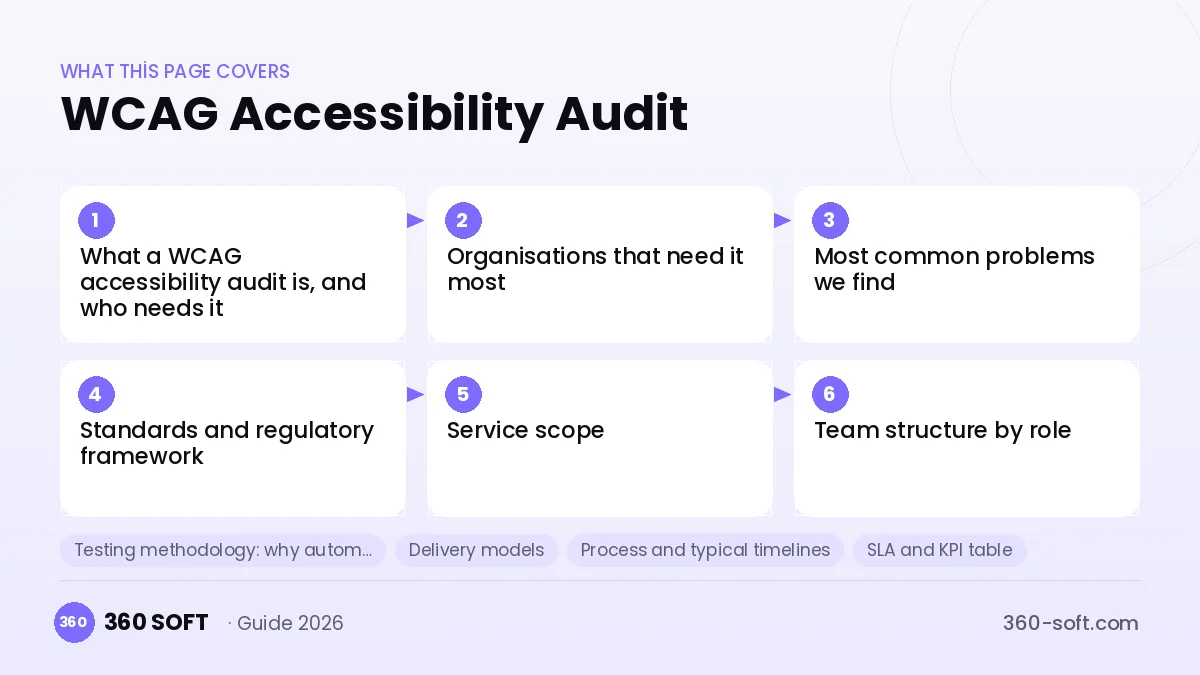
An accessibility audit is a structured evaluation of a defined sample of pages, screens, flows and documents against the success criteria of the Web Content Accessibility Guidelines (WCAG). It combines automated scanning with expert manual testing using keyboard and assistive technologies, and results in a prioritised list of issues with the affected criterion, location, user impact and recommended fix.
Organisations that need it most
- E-commerce, banking, telecom, transport and e-book providers serving EU consumers under the European Accessibility Act.
- Public-sector bodies and contractors delivering websites and apps for them.
- SaaS companies whose enterprise or public customers require a conformance report (such as a VPAT/ACR) in procurement.
- Universities, healthcare providers and media platforms with large content volumes.
- Product teams that want accessibility built into their design system and release process.
Most common problems we find
| Issue | Who is affected | Typical WCAG criteria |
|---|---|---|
| Missing or poor text alternatives for images and icons | Screen reader users | 1.1.1 |
| Insufficient colour contrast | Low-vision users, everyone in bright light | 1.4.3, 1.4.11 |
| Elements not reachable or operable by keyboard; invisible focus | Keyboard and switch users | 2.1.1, 2.4.7, 2.4.11 |
| Form fields without labels; unclear error messages | Screen reader and cognitive users | 1.3.1, 3.3.1, 3.3.2, 4.1.2 |
| Custom components without correct roles and states | Assistive technology users | 4.1.2 |
| Videos without captions or transcripts | Deaf and hard-of-hearing users | 1.2.2, 1.2.3 |
| Content that breaks at 200–400% zoom or on reflow | Low-vision users | 1.4.4, 1.4.10 |
| Inaccessible PDFs | Screen reader users | Several, plus PDF/UA practice |
Standards and regulatory framework
WCAG 2.2
WCAG 2.2, published by W3C in 2023, is the current version. It has three conformance levels (A, AA, AAA); Level AA is the usual legal and contractual target. WCAG 2.2 added criteria such as focus not obscured, dragging alternatives, minimum target size, consistent help, redundant entry and accessible authentication.
EN 301 549
EN 301 549 is the European harmonised standard for ICT accessibility. For web content it references WCAG AA criteria and adds requirements for software, documents, hardware and support services. It is the technical basis most EU buyers and authorities refer to.
European Accessibility Act
The European Accessibility Act (Directive (EU) 2019/882) covers products and services such as e-commerce, banking, e-books, electronic communications and transport ticketing. It also applies to companies outside the EU, including Turkish companies, when they offer covered products or services to consumers in the EU. Microenterprises providing services have certain exemptions. National implementing laws differ, so confirm your obligations with legal counsel.
Türkiye and other markets
In Türkiye, Disability Law No. 5378 sets accessibility as a general principle, and presidential circulars and ministry guidance address the accessibility of public digital services; WCAG 2.x AA is the practical minimum target. In the UK, the Public Sector Bodies Accessibility Regulations and the Equality Act apply; in the US, the ADA and Section 508. Local rules in the buyer’s country always apply.
Service scope
- Baseline audit: WCAG 2.2 A/AA evaluation of a representative sample of templates, key user journeys and components.
- Mobile app audit: iOS and Android apps tested with VoiceOver and TalkBack, applying WCAG and EN 301 549 software requirements.
- Document audit: PDFs, Office documents and forms.
- Design and design-system review: contrast, focus states, component patterns and annotations before development.
- Remediation support: developer guidance, code-level recommendations and, if required, implementation by our developers.
- Retesting: verification of fixes and an updated report.
- Accessibility statement and conformance report support: draft accessibility statement and input for VPAT/ACR or EN 301 549 conformance reports.
- Continuous monitoring: automated scans plus periodic manual sampling of new releases.
- Training: sessions for designers, developers, testers and content editors.
Team structure by role
| Role | Responsibility |
|---|---|
| Audit lead | Scope, sampling, methodology, final report and client communication |
| Accessibility tester | Manual testing with keyboard, screen readers, zoom and contrast tools |
| Assistive technology specialist | In-depth testing with NVDA, JAWS, VoiceOver and TalkBack |
| Front-end developer | Code-level recommendations and remediation |
| UX / content specialist | Design, language clarity and content guidance |
Testing methodology: why automated tools are not enough
Automated scanners detect only part of WCAG failures, for example missing alt attributes or low contrast. They cannot judge whether an alt text is meaningful, whether focus order is logical, whether a custom dropdown announces its state or whether an error message is understandable. Our method follows the W3C WCAG-EM approach:
- Define scope, conformance target and technologies relied upon.
- Select a representative sample: templates, components, full user journeys and random pages.
- Run automated scans to catch obvious issues quickly.
- Test manually: keyboard only, screen readers on desktop and mobile, zoom and reflow, contrast, motion and timing.
- Record each issue with criterion, location, screenshot or code, severity and fix recommendation.
- Report and walk through findings with your team; retest after remediation.
Delivery models
| Model | Best for | How it works |
|---|---|---|
| One-off audit | Baseline before a deadline or procurement | Fixed scope, report and one retest |
| Audit plus remediation | Teams without accessibility developers | Audit followed by fixes and verification |
| Continuous accessibility service | Products released frequently | Monitoring, sprint-level checks and periodic audits |
| Dedicated accessibility specialist | Large product organisations | A named specialist embedded in your team |
Process and typical timelines
| Phase | Activities | Typical duration |
|---|---|---|
| Scoping | Sample definition, environments, access and target | Several days |
| Audit | Automated and manual testing | 1–3 weeks depending on sample size |
| Reporting | Prioritised findings and walkthrough | Several days |
| Remediation | By your team or ours | Depends on findings |
| Retest | Verification of fixes and updated report | About 1 week |
SLA and KPI table
| KPI | What it measures | Frequency |
|---|---|---|
| Criteria failed by severity | Open issues per WCAG criterion and severity | Per audit |
| Critical journey coverage | Key flows completable with keyboard and screen reader | Per audit / release |
| Remediation rate | Issues fixed and verified versus found | Per retest |
| Regression rate | New issues introduced in releases | Per release |
| Report delivery time | Report delivered within agreed days after testing | Per audit |
Pricing factors
| Factor | Effect on cost |
|---|---|
| Sample size and complexity | Number of templates, journeys and custom components |
| Platforms | Web, iOS, Android and documents |
| Assistive technology matrix | Number of screen reader and browser combinations |
| Remediation and retest | Whether fixes and verification are included |
| Deadline | Short deadlines need more testers in parallel |
We prepare a proposal after scoping; no list prices are published.
In-house team, freelancers or outsourcing
| Criterion | In-house | Freelancer | Outsourcing to 360 Soft |
|---|---|---|---|
| Specialist skills | Rare and hard to hire | Varies widely | Testers, AT specialists and developers |
| Capacity for deadlines | Limited | One person | Team-based |
| Remediation | Separate effort | Rarely | Available in the same engagement |
| Continuity | Depends on retention | Low | Replacement process for staff |
Risks and mitigations
- Relying on overlays or scanners: manual testing is mandatory in our method.
- Fixes break other things: regression testing and accessible design-system components.
- Unclear responsibility for statements: we prepare drafts; the product owner signs and publishes.
- Access to production data: testing in staging with test accounts where possible.
Security, GDPR, KVKK and intellectual property
Testers sign NDAs, use test accounts, and avoid processing real personal data; where production access is unavoidable, a data processing agreement applies. Reports and remediation code belong to you.
Legal note on the contract model
International clients contract under a B2B service agreement with statement of work, IP assignment, NDA and, where personal data is processed, a GDPR data processing agreement with Standard Contractual Clauses (UK IDTA for UK clients); KVKK applies in Türkiye. Our reports are technical findings, not legal opinions; have your counsel assess legal compliance.
Provider selection checklist
- Is manual testing with screen readers included?
- Which WCAG version and level is the target?
- Is the sample representative of key journeys?
- Does each finding include criterion, severity and fix?
- Are retests included?
- Can they help with remediation?
- Do they avoid claiming to certify you?
Frequently asked questions
Which WCAG version and level should we target?
WCAG 2.2 Level AA is the recommended target today. It is backward compatible with WCAG 2.1 AA, which many laws and EN 301 549 still reference.
Does the European Accessibility Act affect companies based outside the EU?
Yes, if they offer covered products or services to consumers in the EU. Confirm the details of your case with legal counsel.
Are automated scanning tools not enough?
No. Scanners find only part of the failures; issues such as meaningful alt text, focus order and custom component behaviour require manual testing.
Which screen readers do you test with?
Typically NVDA and JAWS on Windows, VoiceOver on macOS and iOS, and TalkBack on Android, in agreed browser combinations.
Do you also fix the issues?
Yes. Our developers can implement fixes, or we guide your team with code-level recommendations, followed by retesting.
Do you audit mobile apps?
Yes. iOS and Android apps are tested with VoiceOver and TalkBack against WCAG and EN 301 549 software requirements.
Do you issue accessibility certificates?
No. 360 Soft is not a certification body. We provide an audit report, a draft accessibility statement and support for conformance reports; the product owner is responsible for the statement.
How long does a baseline audit take?
Usually one to three weeks of testing depending on the sample, plus several days for reporting.
How is pricing determined?
By sample size and complexity, platforms, assistive technology matrix, remediation and retest needs, and deadline.
How is our personal data protected during the audit?
We test with test accounts in staging where possible. If production access is needed, an NDA and a data processing agreement apply.
Which contract model is used?
A B2B service agreement with statement of work, IP assignment, NDA and, where needed, a GDPR DPA with SCCs or UK IDTA; KVKK applies in Türkiye.
Next step
Share the URLs, apps or documents in scope and your deadline, and we will propose an audit sample and timeline. Call or WhatsApp +90 850 335 10 87, write to info@360-soft.com, message us on WhatsApp or use our contact page. 360 Soft Marketing Yazılım ve Danışmanlık Ltd. Şti., Nidakule Ataşehir Batı, Barbaros Mah. Begonya Sk. No:1 D:2, 34746 Ataşehir/İstanbul.
Related pages
- All outsourcing services
- QA and test outsourcing
- Website management
- Mobile app maintenance
- Public sector outsourcing
- Türkçe
Related services
- Website Management OutsourcingWebsite management outsourcing: updates, security, backups, Core Web Vitals, SEO hygiene and content…
- White-Label Software DevelopmentWhite-label software development for agencies and IT firms: web, mobile and custom software built under your…
- ASO and App Store Management OutsourcingASO and app store management outsourcing: keyword research, metadata, screenshots, review replies and A/B…
- Automotive OutsourcingAutomotive outsourcing for OEM suppliers and aftermarket: EDI desks, warehouse, parts data, dealer support…
- Aviation OutsourcingAviation outsourcing for airlines, airports, MROs and ground handlers: passenger support, claims, records…
- Back Office and Data Entry OutsourcingBack office and data entry outsourcing from Istanbul: document processing, master data, reconciliation and…